
Surfshark Alert Review & Pricing in 2026
Our cybersecurity experts used Surfshark Alert to see how well it can keep our personal information safe.
 &
&
 Last Updated on Mar 02, 2026
What We Like
- The Surfshark One bundle offers some of the best value in the digital protection industry.
- Surfshark Alert supports monitoring for an unlimited number of email addresses.
- Scheduled data breach reports allowed us to track the effectiveness of our data security efforts.
What We Don't Like
- Only available as part of the Surfshark One or Surfshark One+ bundle.
- Data breach alerts are not available via SMS.
- No real-time alerts for credit cards or SSN.
Bottom Line
It can feel like a major data breach happens every day. Well, you wouldn’t be wrong considering a record breaking number of data breaches occurred in 2025.1 Even though it’s become a common event, having your data leaked is still a big deal. Leaked data can lead to identity theft, stolen funds, hacked accounts, and so much more. Defending against these leaks is one way to protect yourself from identity theft.
Although we want you to take your online security seriously, we don’t expect you to scour through every data breach that happens looking to see if your data leaked. We have automated tools for that. One of our favorites is Surfshark Alert, which we’re going to take a deep dive on today. Let’s dig in.
Pro Tip: Our cybersecurity experts went with the two year Surfshark One plan. It only added about $20 to the up front price compared to the one year plan while doubling the length of the subscription.
Surfshark Alert Pricing
While Surfshark Alert offers complete data monitoring, it’s not a standalone service. Instead, it comes included with two Surfshark plans, either Surfshark One or Surfshark One+. You might think that means it’s going to be expensive, but Surfshark actually offers some of the most cost-effective digital protections on the market.
They make their products cost-effective by offering significant discounts to anyone who signs up for one or two years upfront. Here’s an overview of Surfshark’s pricing for their plans that include Surfshark Alert:
| Subscription | 1-month plan | 1-year plan + 3 free months | 2-year plan + 3 free months |
|---|---|---|---|
| Surfshark One | $17.95 | $3.39 per month ($50.85 up front) | $2.29 per month ($61.83 up front) |
| Surfshark One+ | $20.85 | $6.29 per month ($94.35 up front) | $4.19 per month ($113.13 up front) |
Given that we subscribed to Surfshark to improve our digital privacy, we appreciated that they offer multiple payment options. There are the usual credit card or PayPal options, but they also let us pay with cryptocurrency. That kept our identity completely separate from our Surfshark subscription — which is great if you’re looking to hide your use of Surfshark’s tools like their VPN. Just note that if you pay with cryptocurrency, your subscription won’t auto-renew. You’ll need to buy a new subscription before your current subscription runs out.
>> Comparison Shopping: 3 Surfshark Alternatives Our Experts Recommend in 2026
Surfshark Alert Features
Now that we’ve covered the cost of a Surfshark Alert subscription, let’s look at what Surfshark Alert includes.
24/7 Data Leak Monitoring
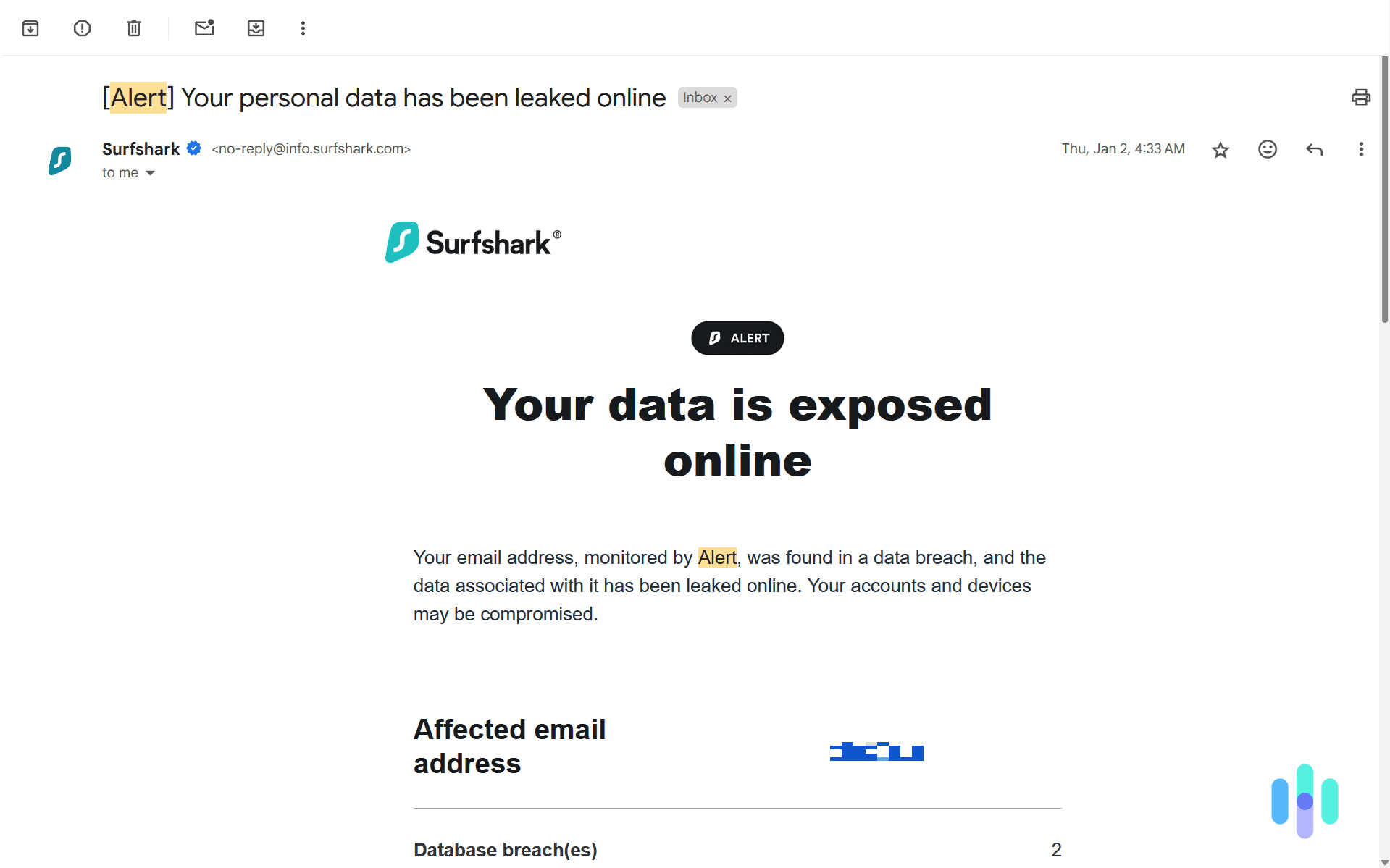
As a data leak monitoring tool, the primary feature that Surfshark Alert offers is 24/7 data leak monitoring. It checks for leaked data in a few different ways. First, it monitored the websites we use for disclosures of data leaks. If a website we use experiences a data leak, in most cases, they are required by law to disclose details about the leak. Surfshark keeps an eye out for these disclosures and notifies us anytime a website we use publishes one.
Second, it used the information we provided at signup and during the setup process to scan the web for our personally identifiable information. It looks at known sites and databases that sell or expose leaked information, checking for any data connected to us. This scan runs 24/7, ensuring we get notified of any leaked data as soon as it shows up on the web.
Proactive data leak alerts give us the time to lock compromised credit cards, change passwords, and otherwise secure our identity before it gets used by someone else.
FYI: There are steps you can take to protect your data from data breaches. But, those steps only reduce the risk. You can’t guarantee your data will never be in a data breach unless you never trusted another organization with your information, which in today’s world, is impossible.
Malware Detection
Another way our data can get leaked is if one of our devices gets infected with malware. However, not all malware is designed to steal data. The most notable type of malware that targets data harvesting is keyloggers, which is exactly what Surfshark Alert monitors for. As a more targeted detection tool, Alert can more effectively identify these specific threats than traditional antivirus software.
When it detects malware on one of your devices, it immediately sends you a notification. From there, you can quarantine the device by disconnecting it from the internet and Bluetooth. That will prevent it from potentially spreading to other devices. Then, you can try to remove the malware and worst case scenario, a factory reset usually clears a device.
>> Read More: How to Remove & Get Rid of a Virus on a PC
Guided Recovery and Data Leak Prevention Tips
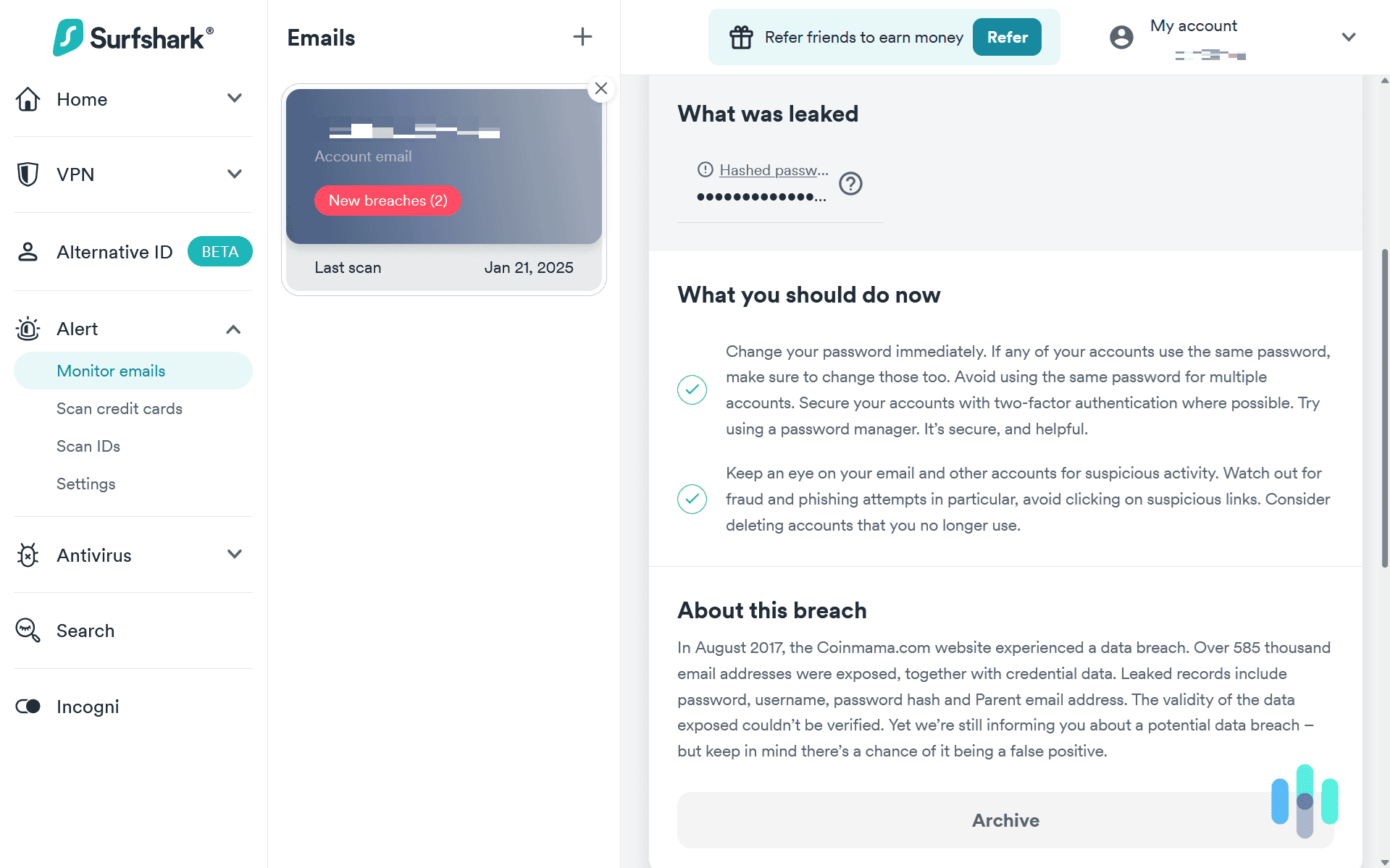
You can know where your data has been leaked and what data has been leaked, but if you don’t know what to do with that information, it doesn’t provide any value. So, Surfshark Alert pairs its notifications with actionable steps on how to secure your accounts and prevent a breach from occurring in the future.
This checklist of steps tells you exactly how to secure your accounts or information both before any leaks happen and once a breach has occurred. Most of these steps are straightforward and align with standard security best practices. In fact, it’s exactly what we’d tell a friend looking for help dealing with a data breach.
What Surfshark Alert Doesn’t Protect
As a data leak alert tool, there are a few things that Surfshark Alert doesn’t offer. Being aware of its limitations is crucial to keeping your data, identity, and accounts secure. So, let’s dig into what you might need other tools for when trying to keep your data safe online.
Data Removal
Surfshark Alert does not remove your data from people search sites and data broker lists. And it does not brand itself as a data removal service. Instead of alerting you of data breaches including your information, data removal services actively remove your data from people search sites and data brokers. They do this by submitting opt out requests on your behalf. This can help secure your personal information and help you stay anonymous online.
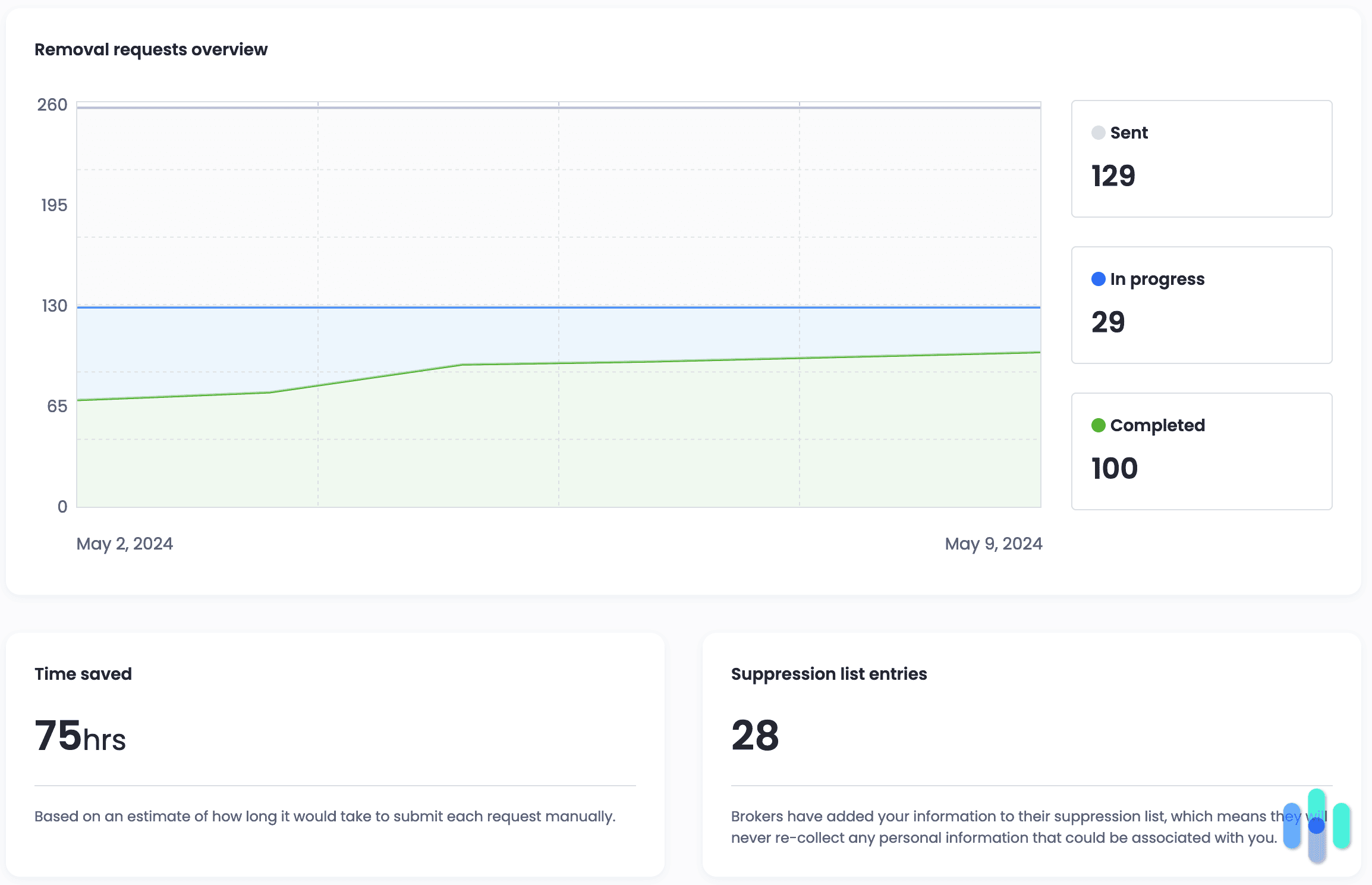
Although Surfshark Alert doesn’t act as a data removal service, Surfshark makes one of our favorite data removal services. They call it Incogni. We tested Incogni alongside a trial to the Surfshark One+ plan. It successfully removed our data from 100 sites and initiated removal requests on another 29 sites within just one week of activation. Those are impressive results, though we lost access when we downgraded to a standard Surfshark One subscription.
>> Learn More: A 2026 Guide to Data Removal Services
Password Manager
Surfshark and NordVPN are very similar, so we were surprised to find out that Surfshark does not offer a password manager. We figured since we got a password manager when we tested NordVPN, we would get one with our Surfshark subscription too. But we didn’t and Surfshark Alert does not include a built-in password manager either.
Pro Tip: Just because Surfshark doesn’t include a password manager doesn’t mean you need to buy one. When we tested NordPass, we were impressed with the quality of its free plan. It worked as a fully featured password manager without any limitations aside from features already included in a Surfshark One subscription, such as data breach monitoring and email masking.
Vulnerability Management
Another data-protection related tool commonly associated with data breach alerts is vulnerability management. Vulnerability management tools help you identify potential risks in your data security so you can secure them before someone takes advantage of the weakness. For instance, if you use the same password on all of your accounts, a vulnerability management tool will notify you to change some of your passwords. That improves the security of all your accounts.
Unfortunately, none of Surfshark’s tools offer vulnerability management features. This means users could potentially use identical passwords across multiple accounts without receiving any security warnings or recommendations to update them.
Bundled Features
As we mentioned, Surfshark Alert isn’t available as a standalone product. It can only be purchased as part of a bundle. So, let’s break down what you get in those bundles. Here’s a quick overview:
| Features | Surfshark One | Surfshark One+ |
|---|---|---|
| VPN | Yes | Yes |
| Private search | Yes | Yes |
| Alternative ID | Yes | Yes |
| Antivirus | Yes | Yes |
| Incogni | No | Yes |
| $1 million identity theft coverage | No | Yes |
Surfshark VPN
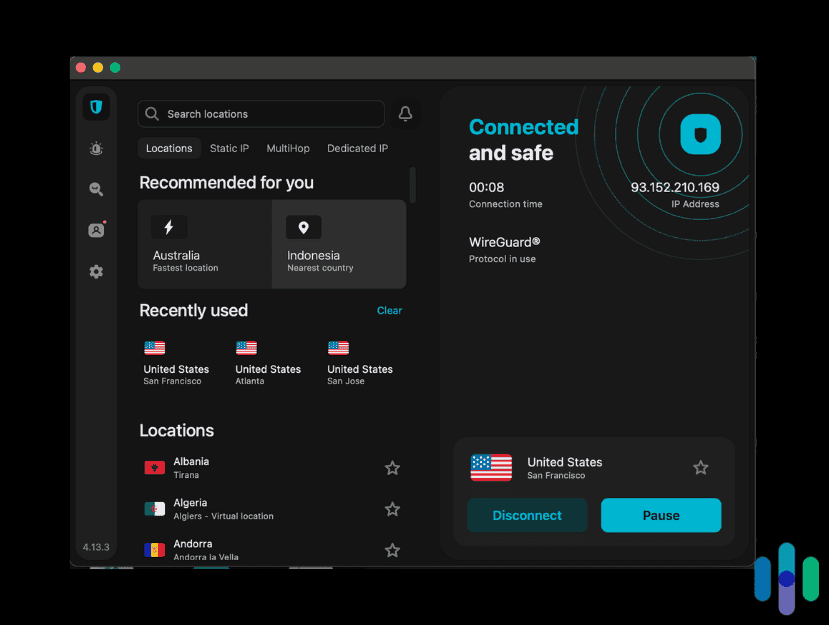
As the first product Surfshark launched, they include their VPN in every subscription they offer. It’s the core of their tool set encrypting your data as you browse the web. This keeps the websites you visit and the data you input on those websites hidden from any prying eyes. When we tested Surfshark VPN, we confirmed its effectiveness by running our own encryption checks.
Surfshark Private Search
Normal search engines make their money by collecting your data. They track the websites you visit, your location, and a whole bunch more information, and then sell targeted ads as well as the data itself. That’s why Surfshark created their own search engine for their users. It lets you search the web without getting your data collected. They also don’t put ads in their search results for a cleaner user experience.
Surfshark Antivirus
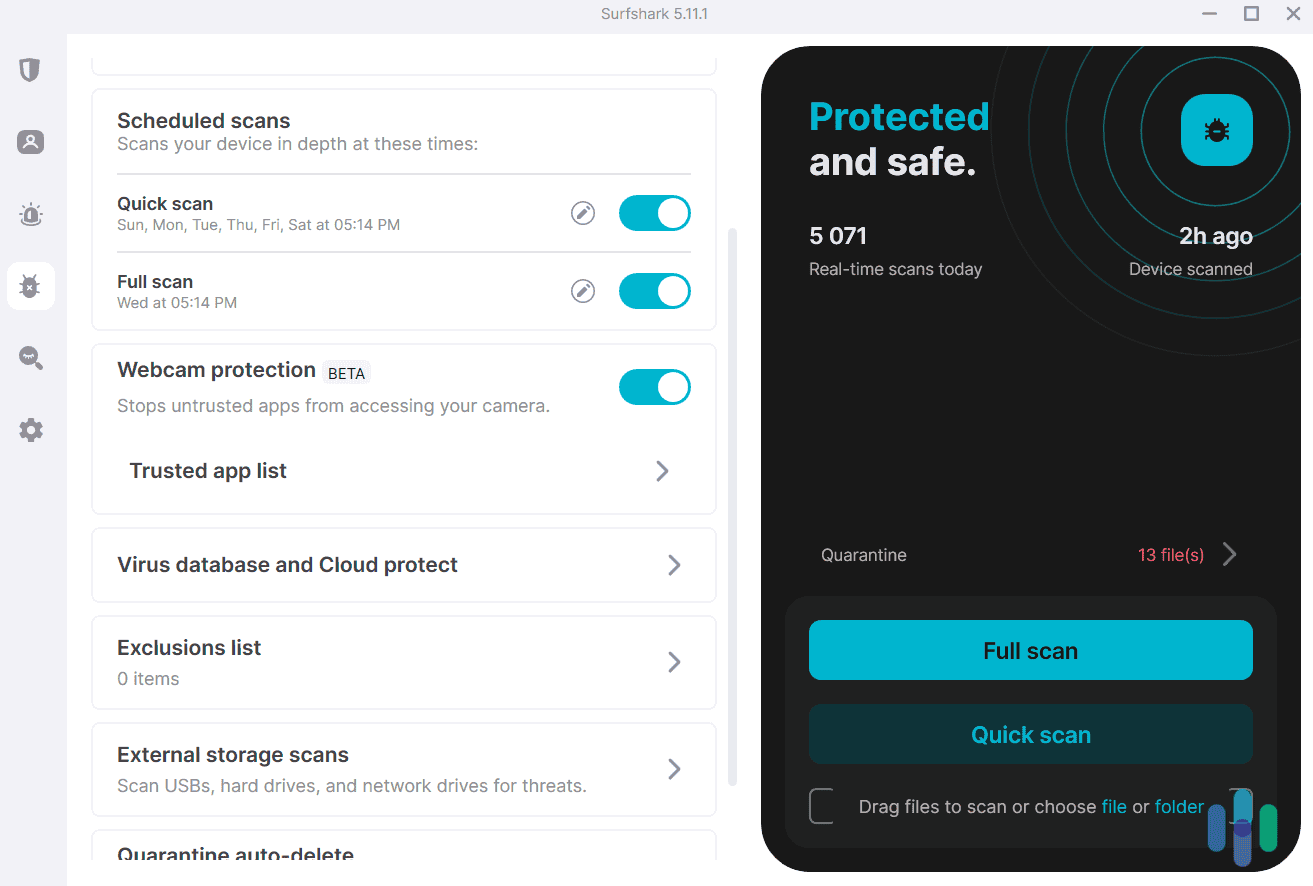
One of our favorite parts of Surfshark One is the inclusion of antivirus software. While it doesn’t work on unlimited devices like Surfshark VPN (Surfshark Antivirus supports up to five devices), most VPNs do not include a complete antivirus. They tend to focus on online protections like scanning downloads. While testing Surfshark Antivirus, we were able to run full scans of our devices to ensure they were not compromised. Its effectiveness at detecting malware and the app’s user-friendliness prompted us to add it to our list of the best antivirus software of 2026.
Alternative ID
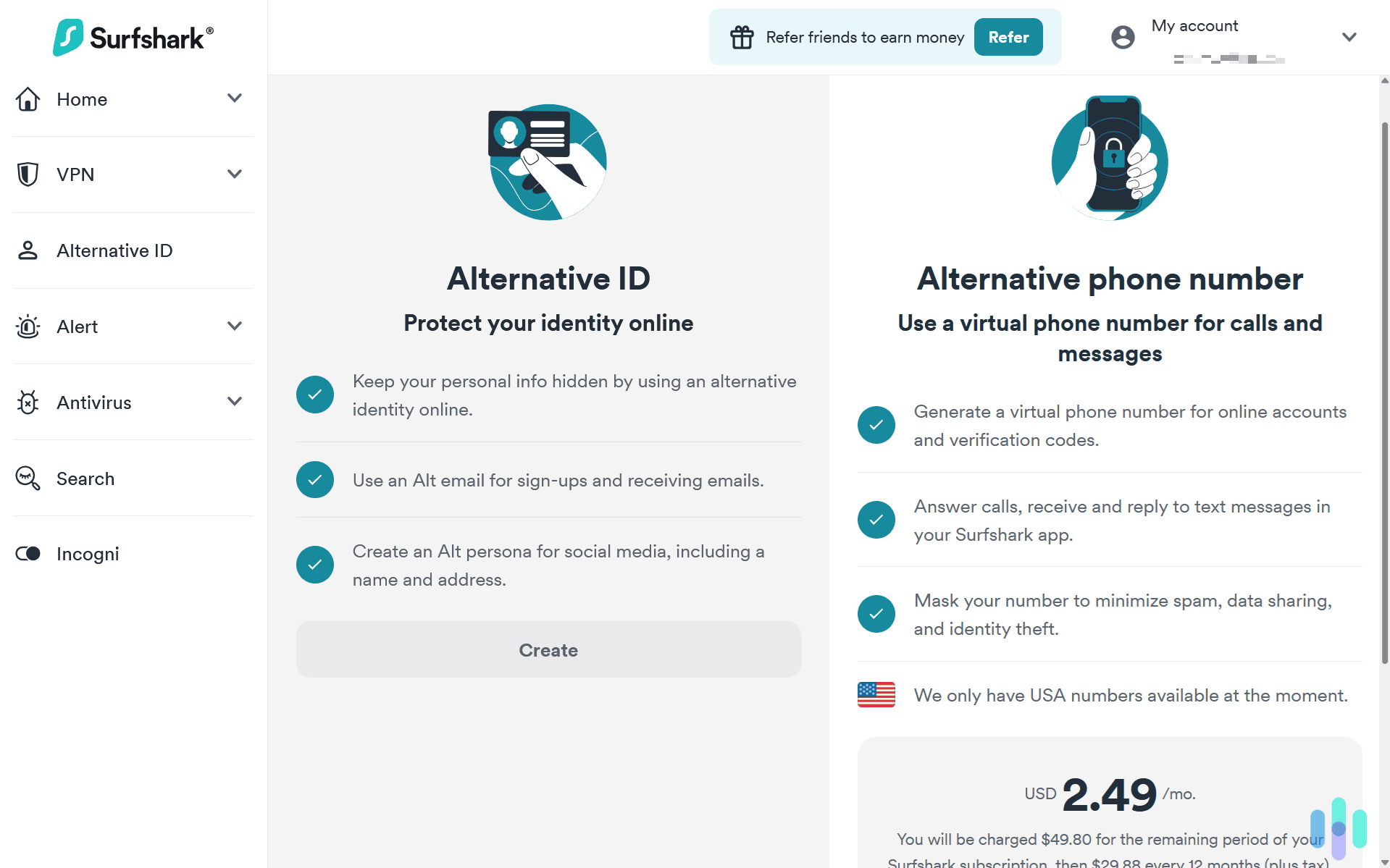
You know when you want to subscribe to a newsletter or sign up on a new website, but they ask for too much personal information? Well, you can leave that up to Surfshark with Alternative ID. It creates an online persona for you filling out those pesky details in online forms. This limits the exposure of your real information and the potential for your data being included in data breaches.
Incogni
Finally, we have Incogni. This software only comes with a Surfshark One+ subscription. We already discussed it, but it scrubs your data from data brokers and people search sites. Our team appreciated it for its efficiency. It gave us quick results at a low price only adding a few dollars per month to our Surfshark subscription.
Did You Know: Limiting the exposure of your personally identifiable information is an effective identity theft protection measure. It’s not a replacement for a high-quality identity theft protection service, but it can help limit your risk of becoming a victim.
Our Experience Using Surfshark Alert
So, we’ve gone over just about everything Surfshark has to offer. But, what’s it like using Surfshark Alert? We bought a two year subscription and tested it for several months to find out. Here’s what we found.
Signing Up for Surfshark Alert
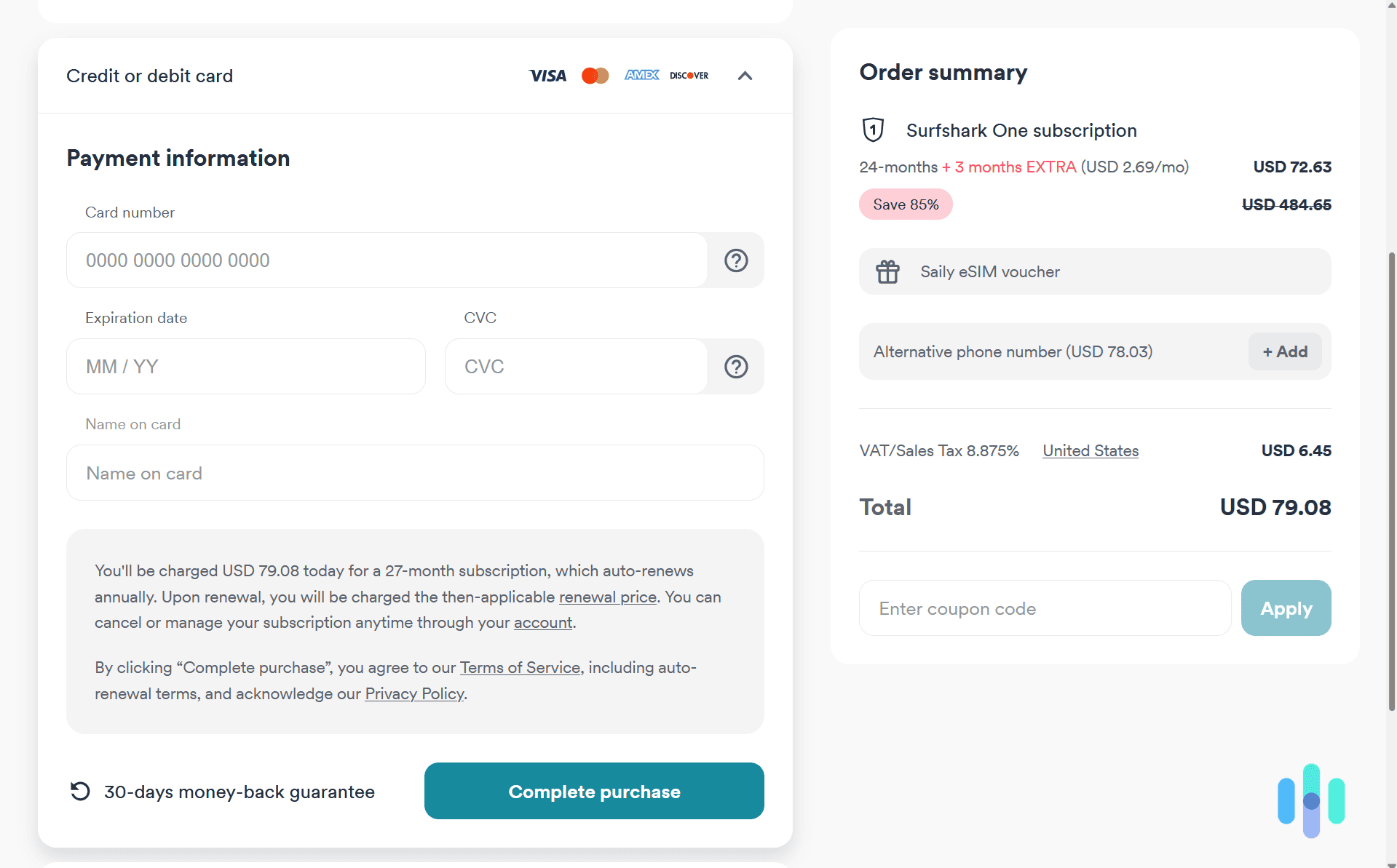
First things first, we needed to sign up for Surfshark One or One+ to start using Surfshark Alert. We opted for a two-year subscription to Surfshark One like we mentioned. That’s because we already knew we liked Surfshark VPN and Surfshark Antivirus with Surfshark Alert being a bonus, so committing for two years to lock in their lowest price seemed like the best option.
To sign up, we headed to their pricing page, selected our subscription, and clicked the “Get One” button. That took us directly to checkout, where we could pay with a credit card, PayPal, Google Pay, Apple Pay, or cryptocurrency. After entering our email address, we chose to pay with our credit card since we trust Surfshark’s security practices. Once we entered our payment details and clicked “Complete purchase,” we were all set. Including sales tax, our two-year subscription cost $65.69.
Uploading Our Data to Surfshark Alert for Monitoring
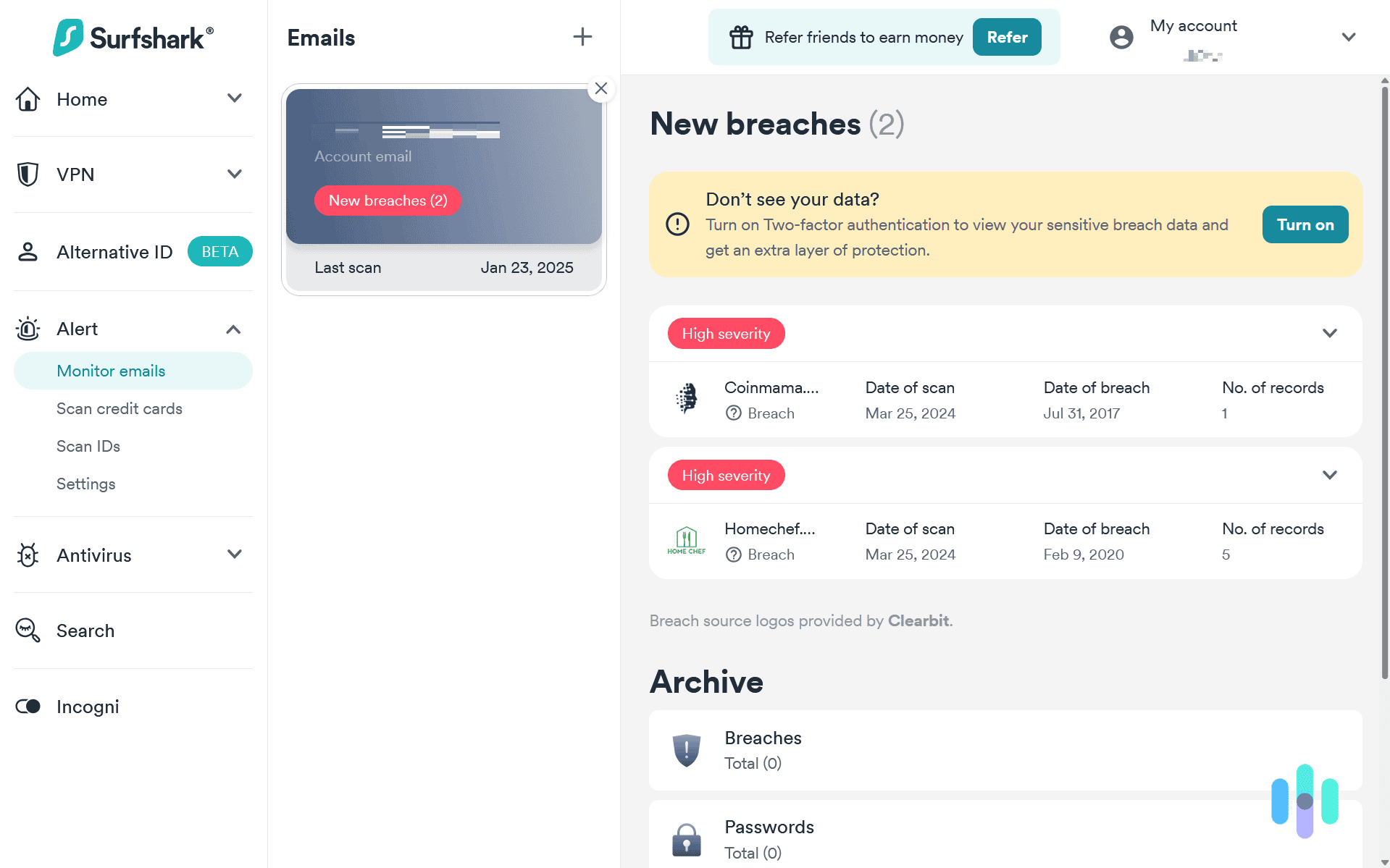
After starting up our subscription, the first thing we did was head over to the Surfshark dashboard. To get there, we went to Surfshark’s website, logged into our account, and then we were directed to the dashboard. On the left-hand side, we found a tab called “Alert.” That’s where Surfshark displayed all of our information that’s been compromised. They already had our email from when we signed up so there were already two alerts in our account.
We wanted alerts for more than just our email, so we decided to add our credit cards, ID, and personal identification number to Surfshark’s monitoring. These were separate windows within the “Alert” dropdown on the dashboard. To scan our credit cards, we only needed to input our credit card numbers — something we could also do from the mobile app for convenience.
For our personal identification number, we entered the relevant number in the designated field. Then, it ran an immediate scan. We could leave it at that with the one-time scan or add our ID numbers to Surfshark Alert so it’d regularly scan for new leaks. If you’re looking to optimize the privacy of Surfshark’s VPN service, we recommend sticking with one-time scans.
Receiving Alerts From Surfshark Alert
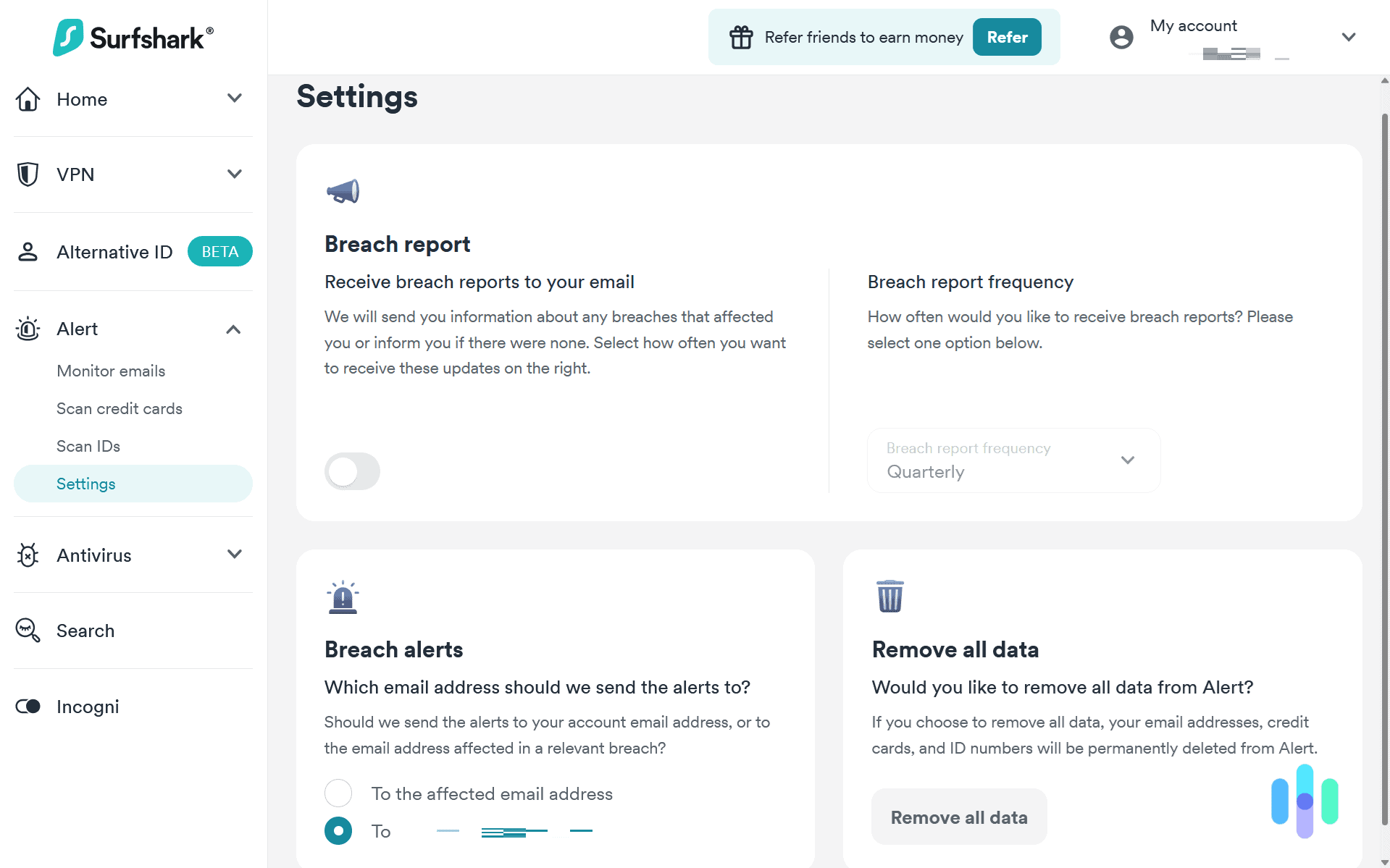
So how does Surfshark send alerts? Whenever a piece of our information showed up in a data breach, Surfshark sent us an email. We had the option to send the alert to the email we used for our Surfshark account or directly to the affected email address. Since we could add multiple emails to our account, this meant we could set up data breach alerts for everyone in our family, with each of them managing their own alerts. All we had to do was add their emails to Surfshark Alert and toggle the setting to send alerts to the affected email.
One thing we wish Surfshark offered was the ability to send alerts via push notification or SMS. That way, we’d get an alert on our phone no matter where we were. Since we only check our email occasionally and don’t have email notifications enabled on our phone, getting alerts through SMS or push notification would help us respond to breaches faster.
>> Read About: Web of Deception: How to Prevent the Latest Online Scams
Final Thoughts: Is Surfshark Alert Worth It?
We wouldn’t recommend Surfshark Alert if you’re buying a Surfshark One subscription and only plan to use Alert. That said, we believe it’s a useful addition to Surfshark’s digital protection suite. It complements their privacy-related features like their VPN and “Alternative ID” by scanning for both current and past data breaches affecting your information.
Subscribing to Surfshark One or One+ delivers some of the best value in the digital protection industry. They don’t offer the absolute best services in every category, but the quality-to-price ratio is something other digital protection products struggle to match.
Surfshark Alert is great if you’re looking for …
- An affordable bundled suite of digital protection services
- Data breach scans for emails, credit cards, and ID documents
- Real-time email-based notifications of data leaks
Choose a different data leak monitor if you’re looking for …
- Free data breach alerts
- A standalone solution
- Alerts via SMS
FAQs About Surfshark Alert
-
What is Surfshark Alert?
Surfshark Alert is a data breach notification tool that’s included in Surfshark One and Surfshark One+. It scans data breach records and sites known for selling leaked data looking for your information to notify you of any compromised accounts, credit cards, or identity-related documents.
-
Is Surfshark Alert free?
No, access to Surfshark Alert requires a Surfshark One or Surfshark One+ subscription. Those subscriptions start at $2.29 per month.
-
Can I subscribe to just Surfshark Alert?
The only way to get access to Surfshark Alert is through a Surfshark One or Surfshark One+ subscription. It is not available as a standalone product.
-
How many emails can Surfshark Alert monitor?
You can add as many emails to Surfshark Alert for monitoring as you want. Best of all, you can have data breach alerts sent to the affected email address. That means you can easily add your family members’ emails to it as well and they’ll get their own alerts.
-
Is Surfshark One worth it for Surfshark Alert?
Solely for Surfshark Alert, we don’t think a Surfshark One subscription is worth it. But if you need a VPN and antivirus software as well, you’d be hard-pressed to find a better deal. We think Surfshark offers one of the best value digital protection bundles on the market.

-
Identity Theft Resource Center. (2026). Identity Theft Resource Center 2025 Annual Data Breach Report: Record Number of Data Compromises in 2025; 79 Percent Jump Over Five Years.
https://www.idtheftcenter.org/post/2025-annual-data-breach-report-record-number-compromises/