
Best Power over Ethernet Security Cameras
With over 100 feet of cable included and high video compression capability, Lorex is easily our top choice for PoE cameras.
 &
&
 Last Updated on Feb 25, 2026

- Comes with 100 feet of ethernet cable, enough to handle large homes
- Higher than average compression rate means you can store more video
- With no need for a power cord, installation is a breeze

- Place cameras anywhere, without worrying whether there’s an outlet nearby
- Back up all your cameras’ power with a single universal power supply
- With PoE options, system is infinitely scalable

- No need to worry about changing batteries regularly
- PoE setup allows for plug-and-play installation
- Power control options are all centralized
Editor’s Note: We highly recommend incorporating Power over Ethernet cameras into a DIY home security system. You can customize the solution to your unique living situation and add devices such as sensors, smart alarms, and video doorbells.
- Power over Ethernet (PoE) security cameras combine the ease-of-setup of wireless cameras with the reliability of wired cameras.
- Typically, PoE cameras connect to a DVR or NVR for local storage, but there are some that connect to a router to send and store videos in the cloud.
- Most PoE cameras don’t offer as advanced features as Wi-Fi cameras, but check out our Lorex review. You’ll be surprised by its features, especially the video quality.
| PoE security cameras | Local storage capacity in TB |
|---|---|
| Swann SWNVK-886808FB-US | 2 |
| Reolink RLK16-410B8 | 4 |
| Lorex LNK782C2D2KB | 2 |
| Reolink RLK8-520D4 | 2 |
Wireless security cameras have their benefits, but due to reliability issues, some homeowners prefer the dependability of wired cameras. There’s a specific subset of wired cameras, though, that fill the unique needs of specific homeowners.
Power over Ethernet cameras make installation a little easier, since these cameras don’t need to be wired into a home’s electrical system. They are more reliable than their wireless counterparts, and a little more DIY friendly than their traditionally wired cousins.
That said, there are a ton of options out there when you’re shopping for PoE security cameras, and a lot of other features to consider. Don’t worry, though. I’ve spent hours and hours putting these cameras to the test in my own home to determine what the best PoE camera options are for our readers. Here are the best of the best.
Pro Tip: PoE cameras use special hardware to deliver power and telecommunication through a single cable, and due to this, most PoE systems are pretty expensive. That said, Swann has the cheapest PoE cameras you’ll ever see. Read more in our Swann pricing guide.
The Best PoE Security Cameras of 2026
- Lorex - Best 4K PoE Camera System
- Swann SWDVK-445802V - Best PoE Camera System with Smart Platform Integrations
- ReoLink RLK16-410B4 - Best PoE Camera System for Local Video Storage
- ReoLink RLK8-520D4 - Most Affordable PoE Camera System
Spec-by-Spec Comparison of the Best PoE Security Cameras
| Lorex 8 Channel 2 TB NVR + 2x Bullet and 2x Dome 4K PoE Cameras | Swann 8 Channel 2 TB NVR + 8x 4K PoE Cameras with Dual LED Spotlights | Reolink 16 Channel 4 TB NVR + 8x 5 MP Super HD PoE Cameras | Reolink 8 Channel 2TB NVR + 4x 5 MP Super HD PoE Cameras | |
|---|---|---|---|---|
| Product Code/Model | LNK782C2D2KB | SWNVK-886808FB-US | RLK16-410B4 | RLK8-520D4 |
| Price | $649.99 | $1,079.99 | $699.99 | $319.99 |
| Usage | Indoor and Outdoor (IP 66 rated) | Indoor and outdoor (IP 66 rated) | Indoor and outdoor (IP 66 rated) | Indoor and Outdoor (IP 66 rated) |
| Camera Resolution | 4K | 4K | Up to 5 MP | Up to 5 MP |
| Field of View | 93 degrees | 90 degrees | 80 degrees | 80 degrees |
| Night Vision | Infrared night vision and color (using spotlights) for low-light conditions | Infrared and color (using spotlights) | Infrared | Infrared |
| Night Vision Range | Up to 130 feet with infrared night vision | -Infrared: Up to 200 feet
-Color: Up to 115 feet |
Up to 100 feet | Up to 100 feet |
| Audio | Microphone only | Two-way | Microphone only | Microphone only |
| Local Video Storage | 2 TB NVR | 2 TB Network Video Recorder (NVR) | 4 TB NVR | 2 TB NVR |
| Maximum Number of Cameras | 8 | 8 | 16 | 8 |
| Free Cloud Storage | N/A | -7 days free cloud storage with Swann Secure+ Service
-Backup videos and photos to a personal Dropbox account |
Upload to user’s File Transfer Protocol (FTP) server | Upload to user’s File Transfer Protocol (FTP) server |
| Paid Cloud Storage | N/A | Starting at $3.99 month-to-month or $39.99 per year | N/A | N/A |
| Paid Cloud Storage Features | N/A | -60 days of cloud backup
-Vehicle and pet detection -Extended warranty -Alerts with snapshots -Free camera replacement if stolen (with a valid police report) |
N/A | N/A |
| Smart Platform Integrations | N/A | Alexa and Google Assistant | N/A | N/A |
| Artificial Intelligence | N/A | Person detection and facial recognition for free, vehicle and pet detection with a paid plan | N/A | N/A |
Camera Resolution Fact: 5 MP cameras have approximately 5 million pixels, whereas 1080p HD cameras have 2 million, and 4K cameras have over 8 million. Because the number of pixels plays a big role in the image quality of cameras, that means 5 MP is better than 1080p HD, but 4K still stands the tallest.1
Highlights of the Best PoE Security Camera Systems
-
1. Lorex - Best 4K PoE Camera System
 View Packages Links to Lorex
Product Specs
Resolution Up to 4K HD Field of View Up to 180° Power Wired, battery, PoE Connectivity Wi-Fi, ethernet Video Storage Cloud, Local Smart Platform Compatibility Alexa and Google Home
What We Like:
- 4K resolution with 93 degree viewing angle
- Infrared LED lights for night vision and spotlights for low-light conditions
- H.265 video compression to maximize video storage
- Expandable NVR storage up to six TB
What We Didn’t Like:
- No cloud storage options
- Expensive for a four-camera system
- Uses an older Lorex mobile app (Lorex Cirrus)
- Limit of eight cameras for one NVR
Editor’s Note: This specific PoE Camera is no longer available through Lorex, although it is still available through third-party retailers. That said, Lorex offers plenty of other PoE options. If you’re interested in cameras from this manufacturer, consider the Lorex H30. It has 4K resolution and offers smart lighting and motion detection for $209.99
DIY Installation, Professional-Grade System
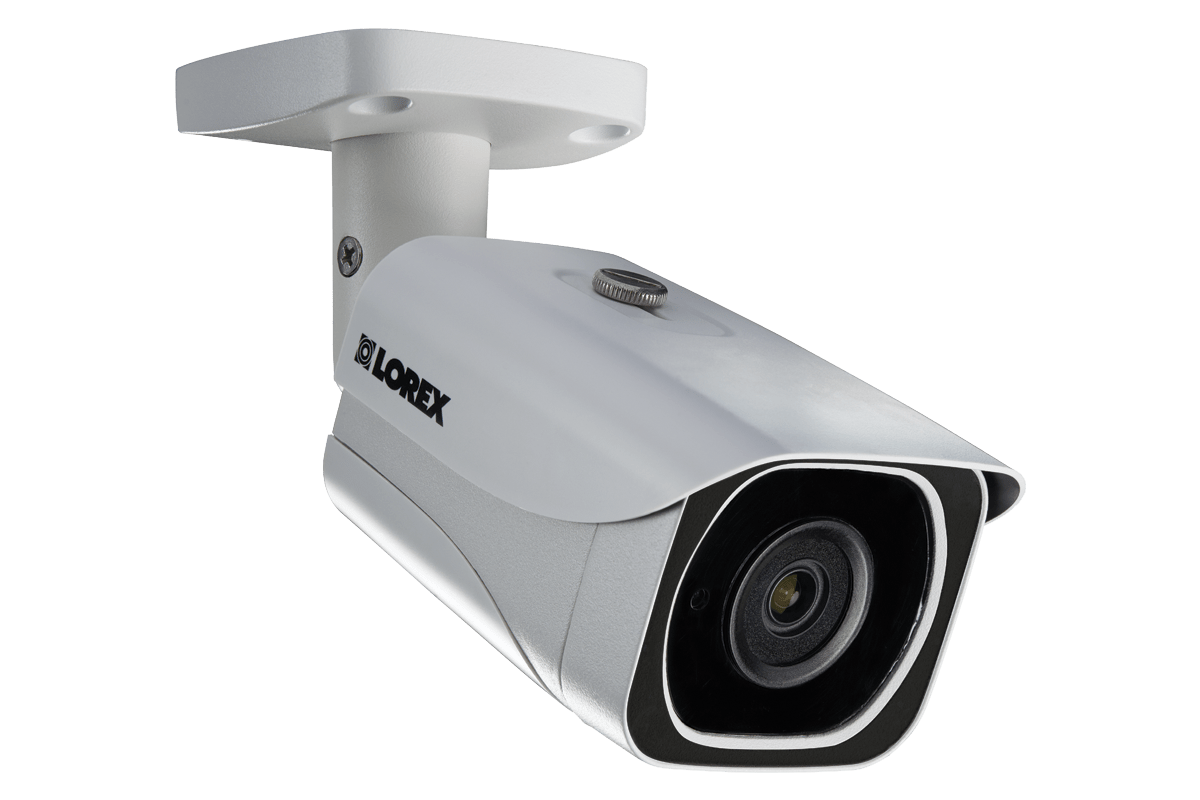
Lorex security cameras are often used in commercial security settings, so they have a reputation for being reliable. That doesn’t mean the installation process is difficult. We found it pretty straightforward.
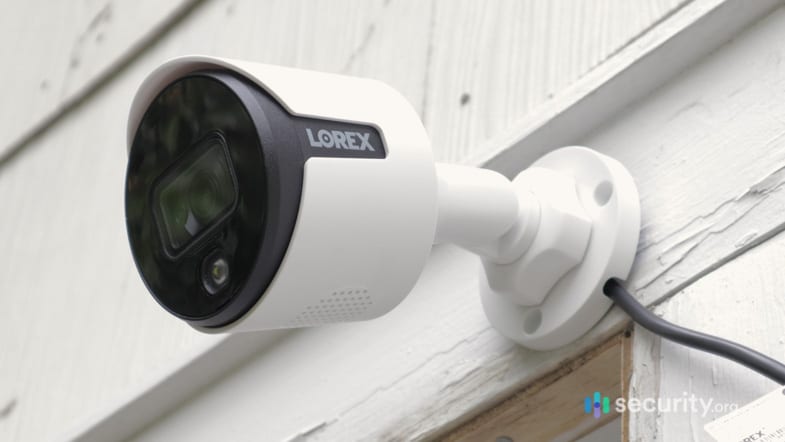
The system we tested came with four cameras, each with a 100-foot Ethernet cable. That was plenty for our home. The dome and bullet cameras also came with wall and ceiling mounts, which were also simple to assemble.
You can learn more about the setup process in our Lorex camera review or if you prefer a video review, check out our YouTube channel.

Mounted Lorex Camera Exceptional Video Quality
One of the things that stood out was the video quality of the Lorex 4K PoE camera system. It wasn’t the only 4K PoE camera we tested, but it had just the right mix of technologies to make it stand out. It automatically switched between daytime videos, infrared night vision, and color night vision depending on the light condition. It was capable of zooming in without losing quality. And of course, the 4K resolution made its videos almost stunning.
The viewing angle isn’t as impressive. It’s limited to 93 degrees, so it didn’t capture as wide an area as we hoped. We prefer fields of view over 130 degrees. Lorex’s limitations aren’t a dealbreaker, though, especially considering how much we paid for the cameras.
Intelligent Video Compression
We loved Lorex’s 4K resolution, but we know that 4K videos take a lot of storage space. Fortunately, Lorex’s 4K PoE cameras use h.265 compression instead of the usual h.264. The higher compression rate means the size of the video files are greatly reduced; according to Lorex, by up to 50-percent. That seems to be true. It took all four cameras an entire week of recording continuously to fill our 2 TB NVR.
-
2. Swann SWDVK-445802V - Best PoE Camera System with Smart Platform Integrations
 View on Amazon Links to Amazon.com
Product Specs
Resolution Up to 4K Field of View Up to 180° Power Wired, Battery, or PoE Connectivity Wi-Fi, ethernet Video Storage Cloud, local Smart Platform Compatibility Alexa and Google Home
What We Like:
- 4K resolution
- Infrared and color night vision
- Alexa and Google Assistant Integrations
- Included local video storage and free cloud storage
What We Didn’t Like:
- Most expensive
- 90 degrees field of view
- NVR supports only up to eight cameras
- Vehicle and pet detection requires a cloud subscription
Editor’s Note: Similar to the camera listed above, this one is no longer offered by the manufacturer, but it is still available through certain third parties. If you’re interested in PoE solutions from Swann, you might consider the four camera, eight channel 4K Ultra NVR system, which is available for $599.99.
Simple Installation
The Swann 4K PoE camera system included all the accessories and cables we needed for installation, not that it needed a lot anyway. A 60 feet Cat5e Ethernet cable supplemented each camera and a three feet cable of the same came with the NVR. Once we decided where to place the cameras, we used the longer 60 feet cables to connect them to the NVR and the shorter cable to connect the NVR to our router. Just a little bit of setting up on the software side of the NVR and voila! All eight cameras were up and running in more or less than 30 minutes. That’s impressive for a PoE security camera system.
Free Person Detection and Facial Recognition
The Swann 4K PoE system is the most expensive camera on this list, but it’s also the only one with AI features. The devices can distinguish between people and objects, and even recognize faces. You don’t even need a subscription to access this feature.
With our help, the video labeled the faces it recognized. We uploaded regular visitors to the NVR under Advanced Analytics, and after that, the cameras were able to tell if they were in the frame. That wasn’t the only customization option. We could also set up perimeters around the house, so if someone entered the area without our permission, we would get an alert.

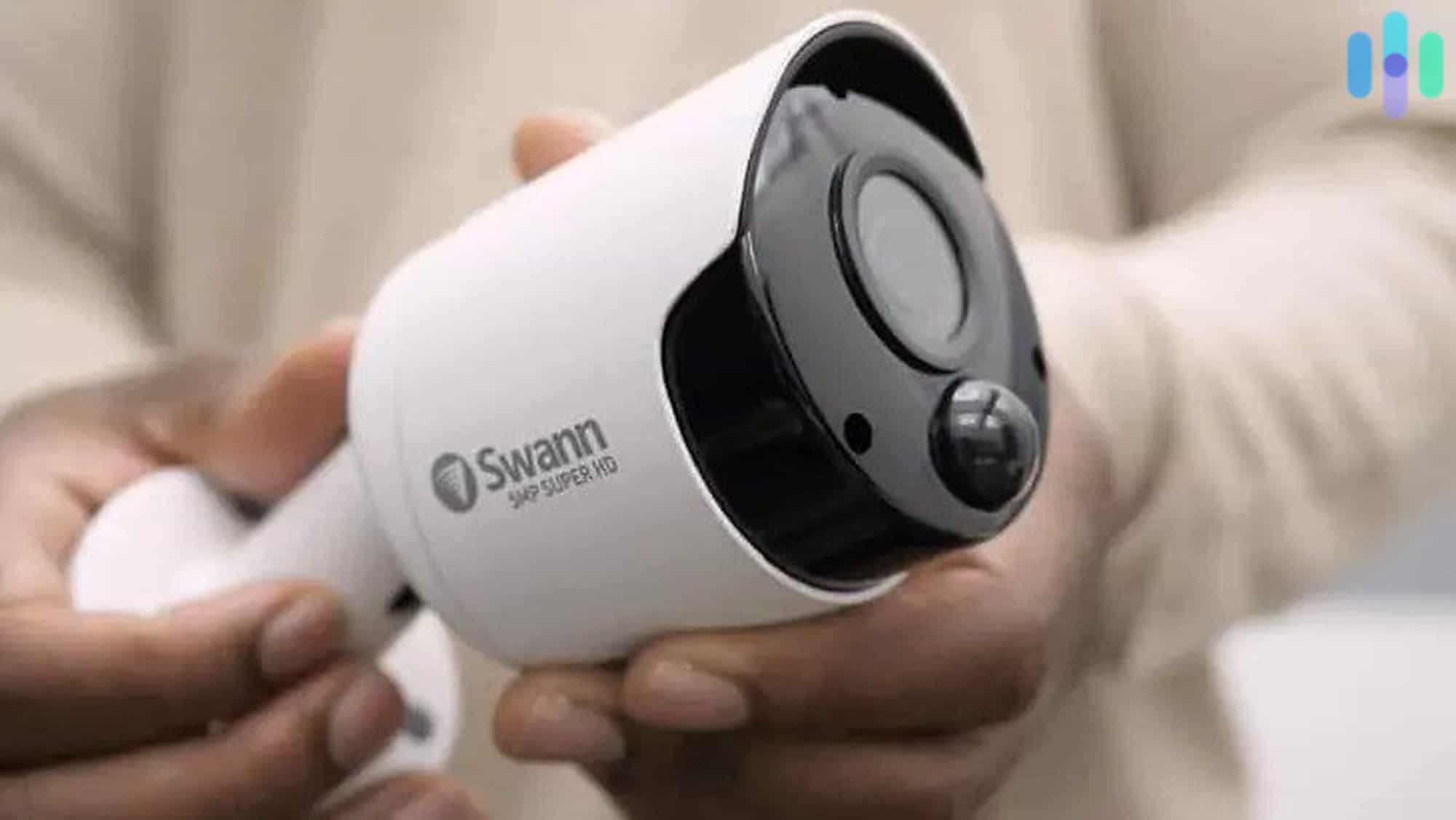
Swann Camera
Integrations with Alexa and Google Assistant
Another feature that stood out is Swann’s integration with Alexa and Google Assistant. We used them to view live feeds on our smart displays. It was easy to keep an eye on the kids via the Echo Show 8 and Google Nest Hub Max. We even used voice control to bring up the front camera and see who was at the door.
FYI: The cameras don’t directly integrate with Alexa or Google Assistant. We set it up via the NVR connection. This will also enable voice control.
3. ReoLink RLK16-410B4 - Best PoE Camera System for Local Video Storage


What We Like:
- 3 TB NVR with two slots for additional hard drives
- NVR supports up to 16 cameras
- Compatible with most personal FTP servers
- 5 MP resolution
What We Didn’t Like:
- No smart platform integrations
- Narrow 80 degrees field of view
- Lacks free and paid cloud storage options
- No speakers for two-way audio
Editor’s Note: This specific Reolink camera package is currently unavailable, but it hasn’t been discontinued by the manufacturer. If you’re interested in this specific model, you can sign up for the wait list on their website.
Plug-and-Play
The Reolink 5 MP PoE camera system was truly plug-and-play. We plugged in the NVR and connected to our router, then we used the included Ethernet cables to connect and power the cameras. Each cable was 18 meters (approximately 60 feet), which was more than sufficient even for the cameras we placed outdoors. And because they were IP 66 rated— which means they were waterproof and dustproof— we didn’t worry about leaving them out under the sun or in the rain. We just made sure to use the included waterproof lids to protect the part of the cable that plugged into the cameras.
Need a Longer Cable?: The Reolink 5 MP PoE cameras can transmit videos to its NVR through a CAT6 Ethernet cable up to 330 feet long without losing its reliability.
Versatile Local Video Storage
The NVR that came with the Reolink 5MP PoE system was the RLN16-410, and it’s a pretty flexible NVR. For starters, it had a built-in three TB hard drive pre-installed, which was more than enough to store several days worth of videos from the eight included cameras. However, it also had two more available hard drive slots, each capable of supporting a SATA drive up to four TB. We had one lying around and we used it to expand the storage to seven TB. That’s a couple of weeks worth of video storage for us. Another great thing about the NVR was that it supported up to 16 cameras, perfect for large homes or businesses. That many cameras would have been overkill for our mid-sized apartment, but it was good to know that we could add more cameras if needed.
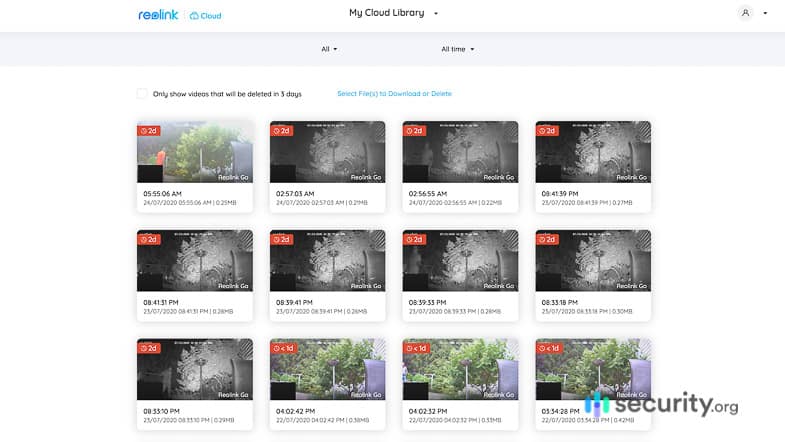
ReoLink Cloud Storage online Local and Remote Video Streaming and Playback
The NVR was also capable of video output to a TV or monitor that supports HDMI or VGA inputs. We had it connected to our bedroom TV via HDMI so that we could check on things without getting out of bed just by turning on our TV and selecting HDMI as the video source. But even when we weren’t home, we could still watch our cameras through the Reolink mobile apps, PC clients, and web apps. They had software for Android and iOS mobile devices, Windows and Mac computers, and Internet Explorer, Edge, Chrome, and Firefox browsers.
4. ReoLink RLK8-520D4 - Most Affordable PoE Camera System
What We Like:
- 5 MP resolution at 30 frames per second
- Entry-level pricing with four cameras and an NVR
- Up to 100 feet night vision using 18 infrared LED lights
- Micro-SD card slot for additional video storage
What We Didn’t Like:
- Lacks person detection, facial recognition, and other artificial intelligence
- Doesn’t work with Reolink cloud storage subscriptions
- Includes dome type cameras only
- No Alexa and Google Assistant integrations
Easy Setup and Installation
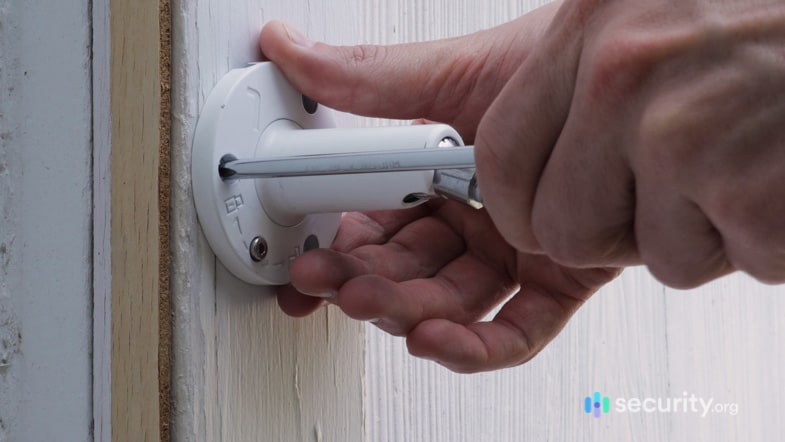
This Reolink 5 MP PoE camera system included four dome type cameras, each with a 60 feet Ethernet cable for PoE installation. The setup process followed the usual steps for installing PoE cameras— plug in the NVR and connect the cameras to it using the Ethernet cables. However, what we particularly liked about the camera was that we were able to adjust it freely post-installation. The camera rotated freely on its base up and it tilted up and down up to 70 degrees. This made it easy for us to adjust the viewing angle while the camera was on, using the live stream as a reference.
Installing ReoLink Affordable PoE Camera System for Residential Use
The Reolink 5 MP PoE system with an eight-channel NVR was one of the most affordable PoE cameras we tested. The entire system— cameras, NVR, and accessories included— only cost $320. Better still, when we sprung for additional cameras, each one cost us just under $50. If we do the math, we could have built an eight-camera system for $540. That’s a hard-to-beat price considering that similar PoE systems are usually in the $800 to $1,200 price range.
FTP Server as Backup Storage
We’ve been using an FTP server to share work files among our colleagues, and because it had a considerable amount of storage space, we used it as backup storage for our Reolink cameras. Setting this up was straightforward. Using the NVR itself, we just entered our server IP address, entered our username and password, and defined the rules for saving videos to the server.
We configured the NVR so that it would backup motion activated videos to our FTP server. The advantage of this setup is that if someone breaks in and manages to destroy all video evidence in the NVR, we’d have backup videos safely stored on the FTP server.
How We Picked The Best PoE Cameras
Testing and comparing security cameras is our bread and butter, and so we always make sure to cover all the important aspects when putting together our best security cameras pieces. We usually spend months researching, buying, and testing cameras. We also devise unique methodologies for comparing cameras.
For PoE security cameras, in particular, one of the main factors we considered was the ease of installation. What each camera system included in the box spoke volumes, particularly the mounting accessories and length of cables. For instance, even though we live in a mid-sized apartment spanning about 30 feet from wall to wall, we needed Ethernet cables no shorter than 45 feet so we could neatly hide the wires. Anything shorter than that and we would have had to risk tripping on cables running through our living room. But that’s just one part of our ease of installation test. Going through the installation process ourselves, we paid attention to how easily (or otherwise) the cameras paired with their respective NVRs, their mounting options, and how well they adapted to outdoor conditions and temperatures.
Given that PoE camera systems often come with a dedicated local recording device like an NVR and DVR, we also compared their local storage capacity. Ideally, an eight-camera system needs two TB of video storage or more while a four-camera system needs at least one TB of storage. But since high-resolution videos take up more storage space, we also looked for systems with an expandable storage capacity. That means either the NVR has free ports for additional hard drives or the cameras have micro-SD slots. We prefer the former as it’s more practical and easier to implement than putting in micro-SD cards to each camera.
We also made sure that each camera’s video quality was up to our standards. That means they had a 1080p HD resolution or higher, infrared night vision, and a wide field of view, ideally at least 120 degrees. However, we’ve found that most PoE cameras have a limited field of view. So we made do with what’s available and chose the ones with the widest viewing angles.
Of course, security is the main reason people buy security cameras, so we also tested each camera for security features. The bare minimum security feature we require is motion detection, and fortunately, most of the cameras we tested had this feature. That means they were able to send motion alerts to us as well, either via mobile app notifications or email. We also checked for smart features that would improve the cameras’ ability to detect possible threats, such as person, pet, and vehicle detection, activity zones, and facial recognition. More and more people are buying into the idea of smart home security; research predicts that the smart home security segment will become a $15 billion market by So while artificial intelligence features are not yet absolutely necessary today, they might become the norm in the future. Unfortunately for PoE cameras, only a select few brands offer these features.
Lastly, we checked for smart platform integrations or the ability to integrate with the likes of Alexa, Google Assistant, and Siri. Because PoE cameras are often parts of standalone camera systems, there weren’t many options for smart platform integrations. Only one system with integrations made it to this list, as highlighted in our feature breakdown.
To sum it all up, the top factors we considered for this list were the following:
- Ease of installation
- Video storage
- Video quality
- Security features like motion detection
- Artificial intelligence
- Smart platform integrations
Also, we compared each camera’s:
- Cost
- Overall value
- Extra features
- Availability of cloud storage
- Mobile app performance
Frequently Asked Questions
An entire article isn't enough to cover everything about the best PoE security cameras, so if you have additional questions, check out this FAQ section.
-
What are the best PoE security camera brands?
Based on our tests, the best security camera brands for PoE systems are Swann, Lorex, and Reolink.
-
What are the advantages of a PoE security camera system?
PoE camera systems have several advantages over hardwired and wireless systems. The most notable benefit of using PoE cameras is the ease of installation. With only one cable providing both power and data transmission, PoE cameras are easy to set up yet just as reliable as hardwired cameras.
-
What type of cable do PoE cameras use?
Older PoE cameras often used Cat5 Ethernet cables, but because modern security cameras have much higher resolutions, we recommend using Cat5e or Cat6 Ethernet cables. These cables allow for video transmissions at one Gbps or higher. Most PoE cameras, however, already include a suitable Ethernet cable.
-
Can I use PoE cameras at home?
Although many PoE cameras advertise themselves as business security solutions, PoE is actually a good option for residential use as well.
-
How many PoE cameras can NVRs support?
The number of PoE cameras that NVR can support depends on how many channels there are. Most NVRs for residential use either have eight or 16 channels, which means they support up to eight or 16 cameras, respectively.


-
Association for Advancing Automation. (2019). How to calculate image resolution.
https://www.automate.org/vision/tech-papers/how-to-calculate-image-resolution
-
Statista. (2020). Smart Home – revenue forecast for the segment Security in United States from 2017 to 2025.
statista.com/forecasts/645432/revenue-in-the-smart-home-segment-security-in-united-states