
Best VPNs for Disney+ in 2026
NordVPN tops our list as it features servers in 118 countries and excellent mobile apps, so you can watch Disney+ anywhere.
 &
&
 Last Updated on Mar 11, 2026

- Choose from servers in 59 different countries for more Disney+ streaming content
- Strict privacy policy means no one can uncover where you’re streaming your content from
- Strong mobile apps mean you can watch Disney+ safely on your phone or tablet
- Easy access to Disney+ service
- Lets you stream on a wide range of platforms, from Windows to XBox
- With split tunneling, access the regular internet while you’re streaming Disney+ on the VPN
- Can access over 22 regional libraries
- Has intuitive apps for all desktop, mobile, and smart TV devices
- Maintains very fast speeds for streaming in HD and 4K
Disney hasn’t been doing great in the cinemas lately. Luckily, Disney+ is there to hold the fort for the house of mouse. It’s one of the best streaming platforms right now for the young and young at heart, featuring everything from The Mandalorian and MCU titles like Avengers: Endgame to Pixar tearjerkers and Walt Disney Animation classics like Encanto.
Much like Netflix, Disney+ libraries vary depending on where you are — and that’s where a VPN comes in. VPNs change your virtual location by changing your IP address, and since IP addresses are location-specific, connecting to the right country can unlock georestricted Disney+ content. We’ve spent hundreds of hours testing streaming VPNs and have narrowed down the best VPNs for Disney+ specifically. Here are our top picks.
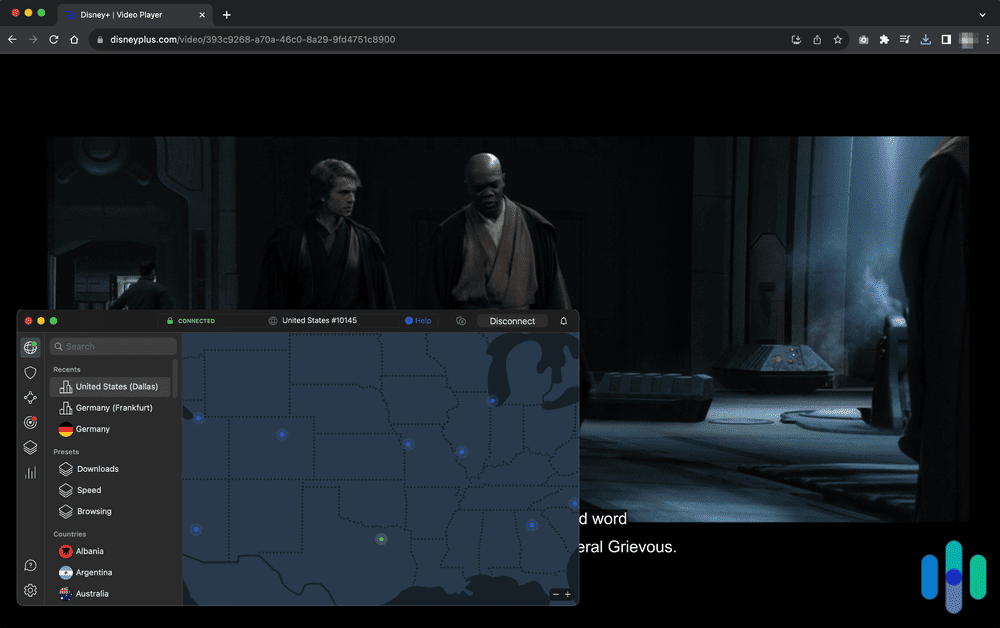
The simple solution? Use a virtual private network (VPN). VPNs have the ability to change your virtual location by changing your IP address. And since IP addresses are location-specific, getting an IP address that’s located in the right country can get you access to georestricted Disney+ content. We tested a bunch of VPNs to see which ones are the best fit with Disney+. Here are our top picks:
The Best VPNs for Disney+ Streaming
- NordVPN - Most Reliable Unblocking
- Surfshark - Fastest Streaming Speed
- Proton VPN - Best for Multiple Disney+ Libraries
- Private Internet Access - Best for Getting U.S. Access
- ExpressVPN - Best for Smart TV/Console Users
- CyberGhost VPN - Best for Smartphone/Tablet Users
Disclaimer: Not All VPNs Work With Disney+
Unblocking georestricted streaming content is one of the most popular uses of a VPN. In our annual VPN Market Report, we found that 37 percent of people who use VPNs do so to access streaming content. We even have a roundup of the best VPNs to use for streaming.
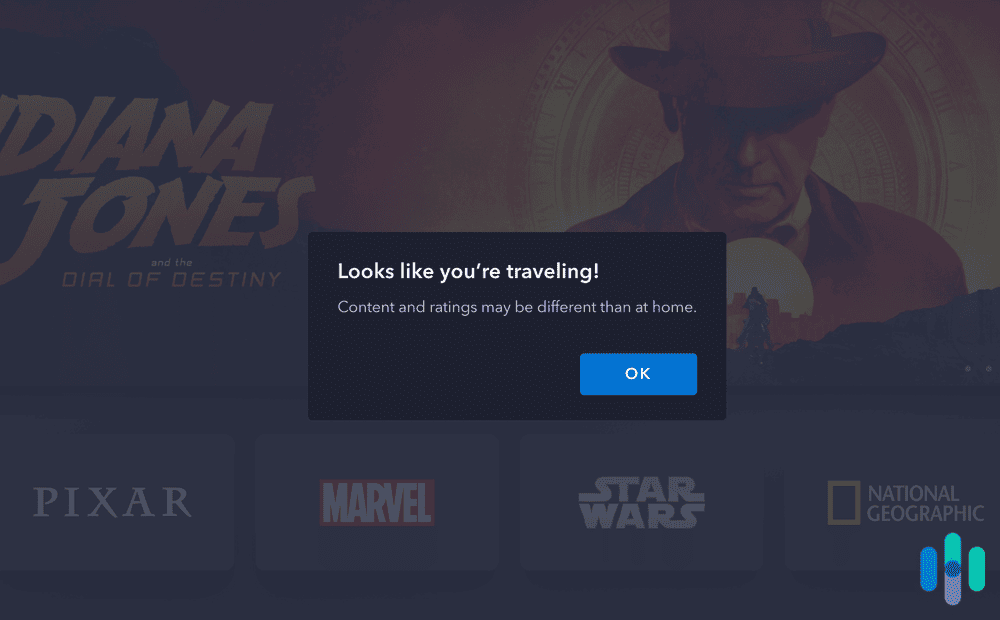
That said, streaming services and VPNs are constantly locking horns. Using a VPN to access georestricted content violates the usage terms of most streaming services. It’s not illegal, but if a service sees that you’re connecting through a VPN, it could deny you access until you turn off your VPN. And Disney+ just happens to be one of the best at detecting VPNs.
When we tested the Netflix VPNs, all the frontrunners had no problem changing our Netflix region. This time around, even some of our top Disney+ VPNs occasionally missed the mark. We’ll share with you all the results in a bit, but we tested each VPN 10 times, and the best one among them was able to access Disney+ only seven times. That’s how good Disney+ is — and given that it’s guarding access to some of the most beloved franchises on the planet, from Star Wars to the MCU, we weren’t surprised.
VPN Specs Sheet: What Our Top Options Offer
| System |
NordVPN
|
Surfshark
|
Proton VPN
|
Private Internet Access

|
ExpressVPN

|
CyberGhost VPN

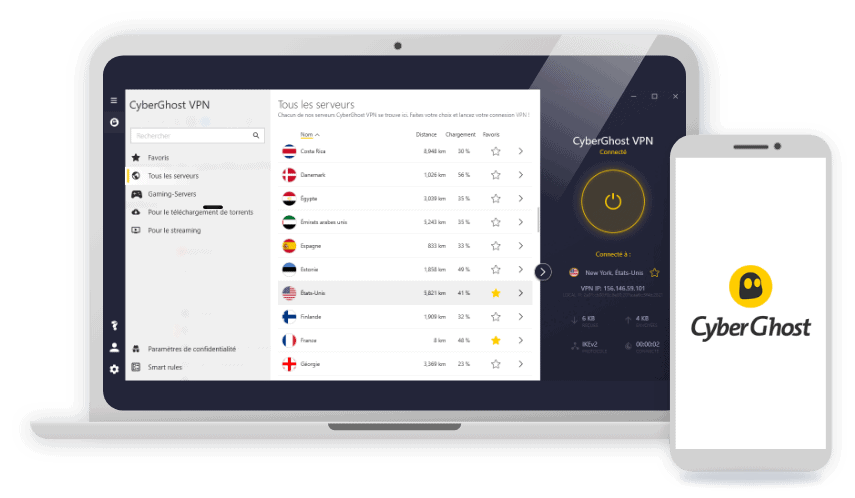
|
|---|---|---|---|---|---|---|
| Ranking | 1st | 2nd | 3rd | 4th | 5th | 6th |
| Ratings | 9.7/10 | 9.5/10 | 9.3/10 | 9.4/10 | 9.1/10 | 8.9/10 |
| Price | $3.39 | $1.99 | $2.99 | $2.03 | $2.44 | $2.19 |
| Success Rates | 7 out of 10 | 6 out of 10 | 6 out of 10 | 4 out of 10 | 6 out of 10 | 5 out of 10 |
| Average download speed | 279 Mbps | 287 Mbps | 261 Mbps | 252 Mbps | 271 Mbps | 264 Mbps |
| Servers | 9,000+ in 127 countries | 3,200+ in 100 countries | 15,000+ in 120+ countries | Servers in 91 countries | Servers in 105 countries | 10,000+ in 100 countries |
| Works on smartphones | Android and iOS | Android and iOS | Android and iOS | Android and iOS | Android and iOS | Android and iOS |
| Works on computers | Windows and macOS | Windows and macOS | Windows, macOS, Linux | Windows and macOS | Windows and macOS | Windows and macOS |
| Works on smart TVs | Android TV and Fire TV | Android TV and Fire TV | Android TV, Fire TV, Apple TV | Android TV and Fire TV | Yes; via Aircove router | Android TV and Fire TV |
| Smart DNS | Yes | No | No | Yes | Yes | Yes |
| Read Review | NordVPN Review | Surfshark Review | Proton VPN Review | Private Internet Access Review | ExpressVPN Review | CyberGhost VPN Review |
In Detail: The Best Disney+ VPNs
-
1. NordVPN - Most Reliable for Unblocking
 Get NordVPN Links to NordVPN
Product Specs
Server locations 130 countries Average Speed Loss 6% download & 4% upload Apps Windows, MacOS, Linux, Android, iOS, Chrome, Firefox, Edge, Android TV, tvOS Best Monthly Rate $3.39/mo with a 2-year plan Money-Back Guarantee 30 days full refund
Accessing Disney+
Remember that VPN we were talking about that was able to access Disney+ seven times out of 10? That was NordVPN, and of the more than 15 VPNs we tested, that was the best record. Seventy percent may not be a top grade in school, but to put it into perspective, there were VPNs that scored only one out of 10. One such VPN was Atlas VPN, which we found interesting because NordVPN and Atlas have the same parent company (Nord Security).1

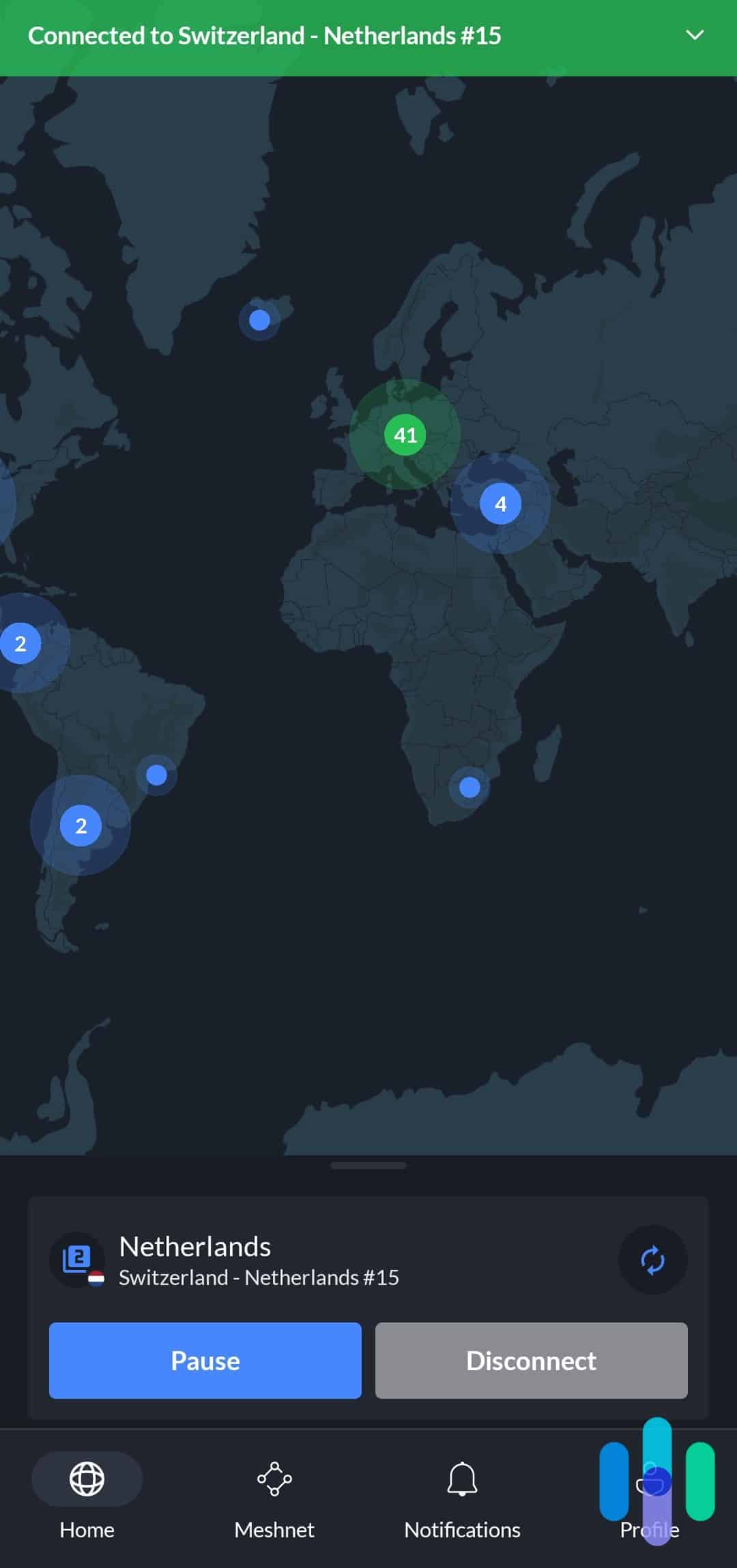
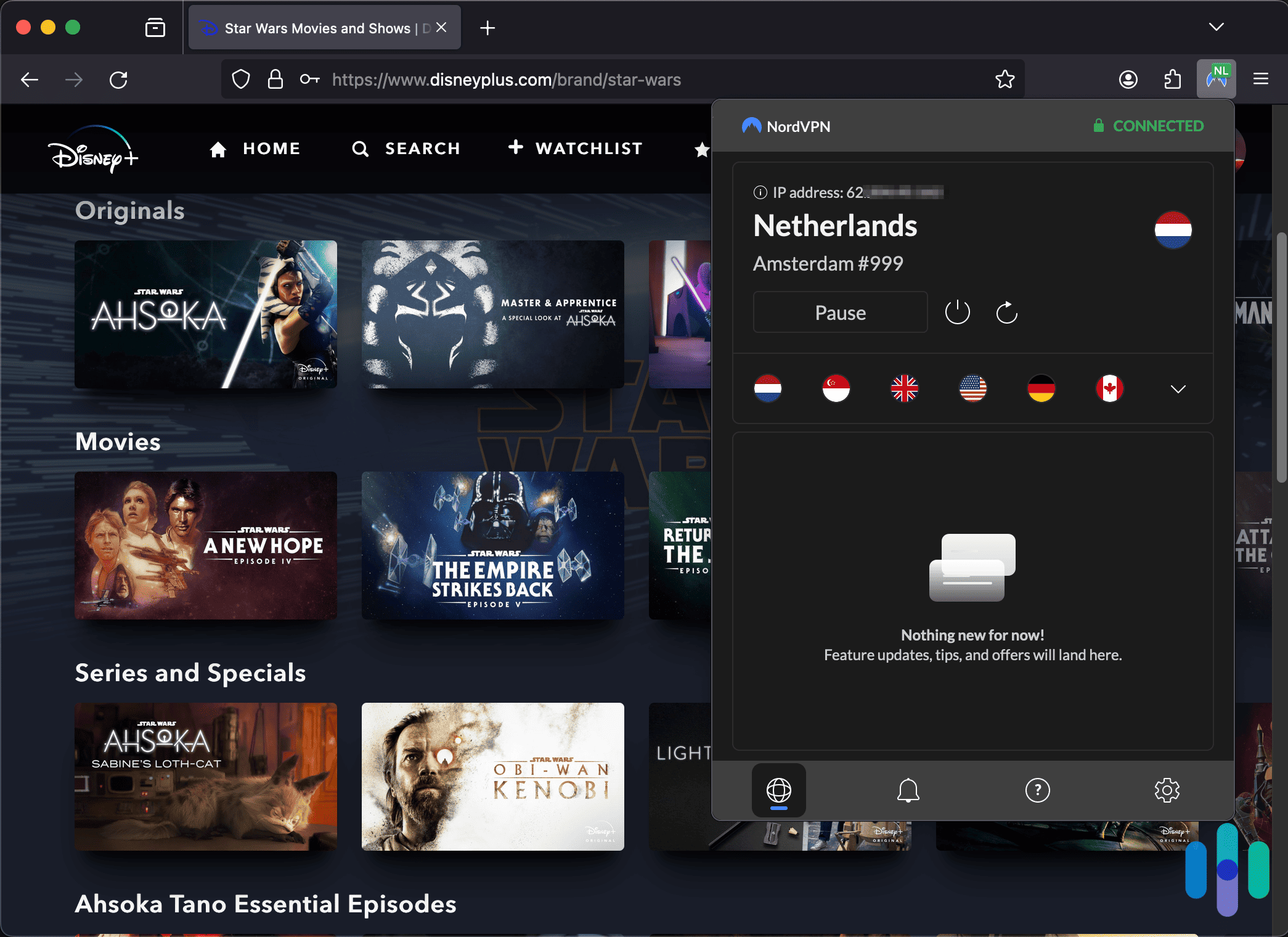
Browsing Disney+ in the Netherlands using the Firefox NordVPN extension So while NordVPN’s 70 percent score wasn’t perfect, its ability to access Disney+ was impressive, and it doesn’t even have specialty servers for streaming, unlike VPNs like CyberGhost.
Streaming Speed
We also got more than decent speeds from NordVPN, and every time we streamed, we didn’t see any buffering — just a five- to eight-second load time at the beginning.
To be more objective, we measured our download speed while connected to NordVPN. It averaged 279 Mbps on our 300 Mbps network. That’s a 7 percent decrease, which is much better than the 40 percent industry average. On top of that, we used Ookla’s Android Speedtest app2 to see the maximum resolution we could stream on NordVPN’s bitrate. The result? 4K. And indeed, we had no problems streaming Avengers: Endgame — all three hours of it — in 4K without a single buffer.
>>Related: Comparing VPN Speeds
Server Network
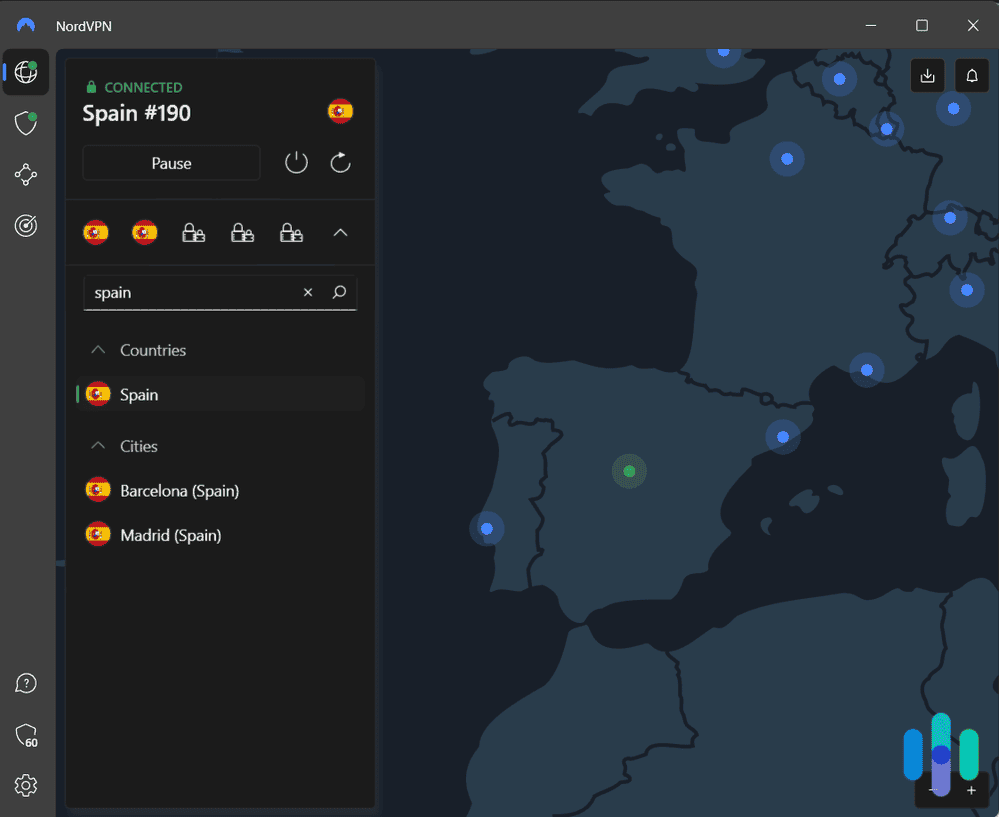
The server networks of VPNs evolve over time. Right now, NordVPN offers the widest global reach with servers in 127 countries. We should note that those are not all physical servers, but a mix of physical and virtual servers. For example, the server in India is a virtual server physically located in Singapore, but it can get you an India IP address. That’s how NordVPN built such an impressive reach.
For comparison’s sake, ExpressVPN has servers in 105 countries. It’s such a narrow gap, so before choosing either of the two, compare the server locations and make sure they have servers in your favorite countries to connect to. NordVPN keeps a list of its server locations on its website.3
>> See Also: The Best VPNs for Singapore
On top of its 127 server locations, NordVPN has a total of over 9.000 servers and is growing. Just last year that figure was in the low 5,000s. The network size matters in terms of streaming. Even if one server is blocked by Disney+, you have plenty of others at your disposal. We think that’s one reason why it’s so good at unblocking websites and streaming content.
What We Like
- Vast server fleet with 9.000+ servers in 127 countries
- Minimal speed decrease
- Reliable for website and content unblocking
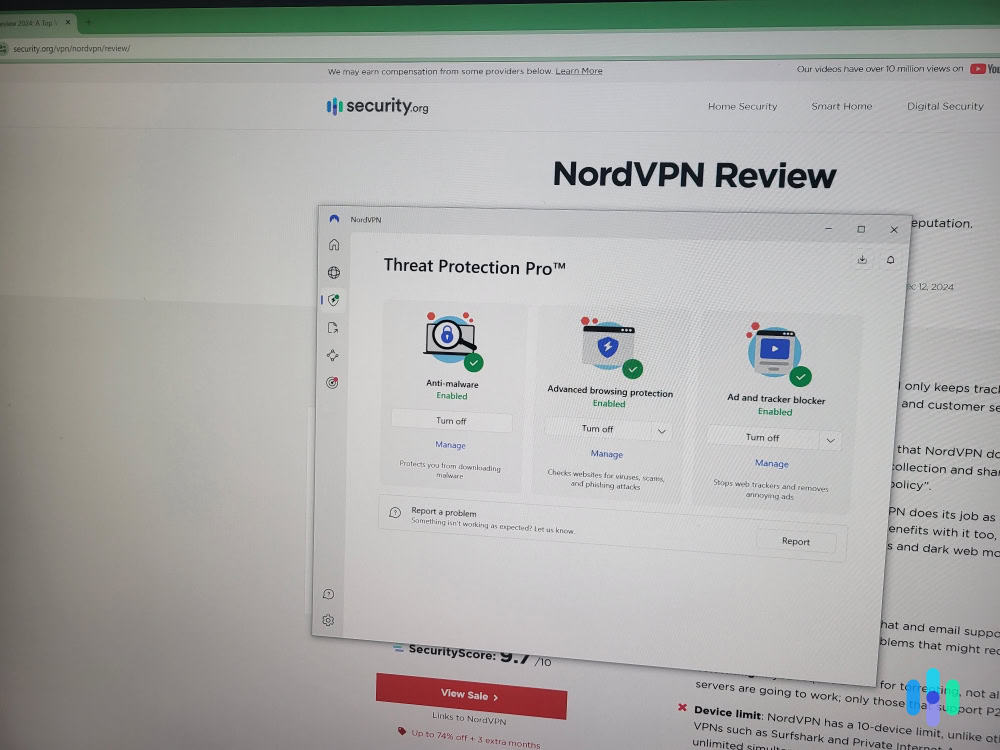
- Extra security features like ad and malware blocking
What We Don’t Like
- Max of 10 connections per user
- Not as many server locations as other options
- High price
- No streaming-optimized servers
NordVPN’s impressively secure connections also translate to its ability to unblock georestricted streaming content. Aside from being great for streaming Netflix and Disney+, it’s also the best VPN for Hulu, another tough streaming platform to crack. If, like us, you have subscriptions to multiple streaming services, NordVPN is a great choice.
>> More Like This: The Best VPNs for Prime Video Streaming
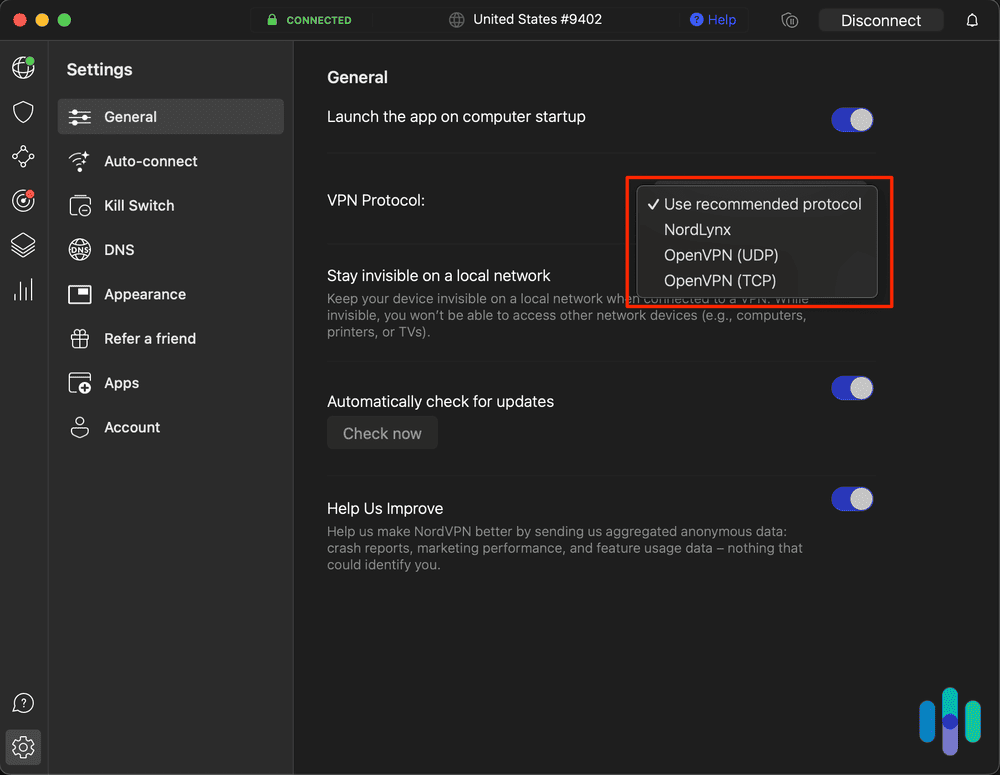
When streaming with NordVPN, we prefer to use the NordLynx protocol. VPNs use tunneling protocols (aka VPN protocols) to decide how traffic flows from a device to a VPN server. They can make a huge difference in speed and security, and in our experience, NordVPN’s proprietary NordLynx protocol (which is built around the speedy WireGuard protocol) is wonderful for streaming Disney+. It’s about 10 percent faster than OpenVPN, and even though we were able to stream in 4K with both NordLynx and OpenVPN, videos loaded about five seconds faster with NordLynx.

NordVPN’s different protocols and encryption methods As for price, we think NordVPN’s subscriptions are competitive. They’re a little pricier than the competition, but the difference is negligible. For instance, the cheapest offer from Surfshark, our second pick, is $1.99 per month for a 24-month subscription. With NordVPN, the best price is $3.39 per month for a subscription of the same length.
>> Related: How Much Do VPNs Cost?
-
2. Surfshark - Fastest Streaming Speed
 Get Surfshark VPN Links to Surfshark.com
Product Specs
Server locations 100 countries Average Speed Loss 8% download & 50% upload Apps Windows, MacOS, Linux, Android, iOS, Chrome, Firefox, Edge, tvOS, Android TV, Fire TV Best Monthly Rate $1.99/mo with a 2-year plan Money-Back Guarantee 30 days full refund
Accessing Disney+
Our second pick did well accessing Disney+ with a six-out-of-10 success rate. Considering that it doesn’t have streaming-optimized servers, that’s a solid performance.
That said, we noticed that many of its U.S. servers were blocked, so it may not be the best choice if you’re trying to access Disney+ U.S. content. All four servers that failed to access Disney+ were U.S. servers; only one was successful.
As such, we recommend using Surfshark to change your location from the U.S. to a different country. That’s good if you’ve already binged through Disney+ U.S. — every Marvel series, every Pixar rewatch — and want to explore what other libraries have to offer. For example, you might not be able to watch nationally broadcasted games even if you’re an NBA League Pass holder in the U.S. due to local blackout restrictions, but if you’re outside the U.S. and Canada, you have access to every game. That’s a bit unfair, yes, and that’s why we recommend Surfshark.
Streaming Speed
On the bright side, we enjoyed lightning fast speeds with Surfshark. Our network remained capable of 4K streaming the whole time, and our download speed with Surfshark averaged 287 Mbps. That’s less than 5 percent lower than our baseline internet speed — very impressive.
A quick note on VPN speeds: We tested the VPNs on a 300 Mbps fiber-optic network, through which we get a reliable 290+ Mbps nearly all the time. Disney+ recommends at least 25 Mbps for 4K streaming,4 so even if we use a slow VPN, it’s still possible for us to stream in 4K. That may not be the case for some, so if your internet connection isn’t very fast in the first place, you might get less-than-ideal speeds even if you use a fast VPN.
>> Check Out: Troubleshooting VPN Speed and Connection Issues
Server Network
Besides its speed, we were impressed by Surfshark’s server network. It’s smaller than NordVPN’s network, but still has over 3,200 servers in 100 countries across Europe, North America, Asia Pacific, the Middle East, and Africa.
Note that most of its servers are in Europe and Asia, so it’s a good VPN to use to take Disney+ with you while backpacking through those continents. We used Surfshark on our recent trip to some parts of Asia, and we can say it’s one of the top VPNs for traveling because of its vast server network.
What We Like
- Servers in 100 locations
- Less than 5 percent speed drop
- Good for bypassing network restrictions (if Disney+ is blocked on your school or office network)
- Affordable plans
What We Don’t Like
- Lacks streaming-optimized servers
- Many U.S. servers were blocked
- OpenVPN protocol tends to be slower
- No app for consoles and smart TVs (except Android and Fire TVs)
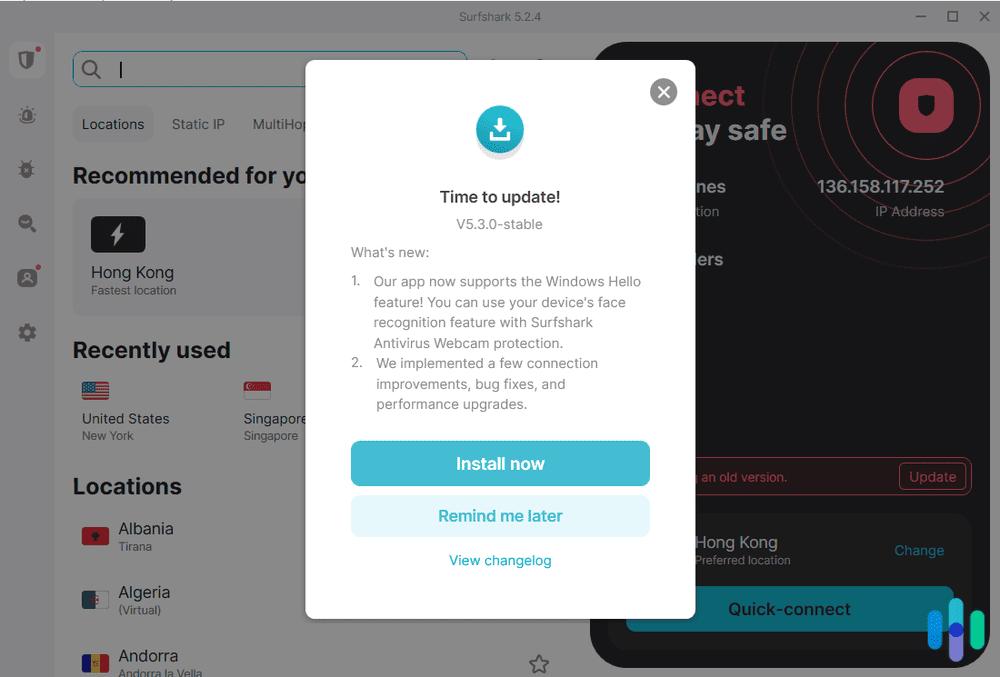
Surfshark is also commendable for its VPN apps. They are easy to use, they are generally bug-free, and they get constant updates. Through the almost one month we had Surfshark on our Windows laptop, it received updates twice.

One of Surfshark’s app updates Surfshark’s feature set was also impressive, offering features we don’t often see. For example, it has obfuscation. Essentially, a network firewall can detect if you’re using a VPN by looking at how traffic looks. Some office or school networks, for instance, use firewalls to prevent employees or students from accessing blocked websites (like streaming sites such as Disney+) through a VPN. Obfuscation camouflages the VPN traffic to make it look like normal traffic, allowing Surfshark to bypass such network blocks. That’s one of the reasons why Surfshark is a good VPN for school.
How about the price? Surfshark is affordable, as mentioned earlier. The two-year Surfshark plan costs $53.73, which breaks down to $1.99 per month.
>> Related: The Best Affordable VPNs
-
3. Proton VPN - Best for Multiple Disney+ Libraries
 View Plans Links to Proton VPN
Product Specs
Server locations 129 countries Average Speed Loss 8% download & 4% upload Apps Windows, MacOS, Linux, Android, iOS, Chrome, Firefox, Android TV, tvOS, Firestick Best Monthly Rate $2.99/mo with a 2-year plan Money-Back Guarantee 30 days
Accessing Disney+

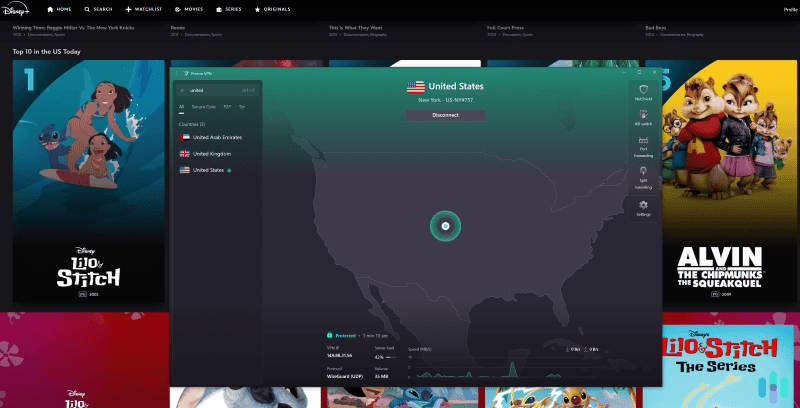
Proton VPN works with many Disney+ libraries, including DIsney+ US. Proton VPN achieved a six-out-of-ten success rate when accessing Disney+, just like Surfshark. It currently works with over 20 regional libraries. In our tests, it unblocked Disney+ content from the US, UK, Canadian, Japanese, and French libraries without any issues.
Pro Tip: If you can’t access Disney+ with Proton VPN (or any VPN, really), try using your browser’s Incognito/Private mode. Alternatively, use a separate browser just for streaming.
Streaming Speed
Proton VPN slowed our 300 Mbps baseline to 261 Mbps, which is only a 13 percent drop. Most Disney+ content loaded in less than five seconds, and we didn’t experience buffering while skipping through videos.
The VPN also includes VPN Accelerator, a tool that boosts VPN speeds, especially on distant servers. In our tests, it increased performance by up to 45 percent.
Keep in Mind: If you notice slowdowns, open Proton VPN’s protocol settings and switch to WireGuard. It’s a fast, lightweight protocol that’s known for great performance.
Server Network

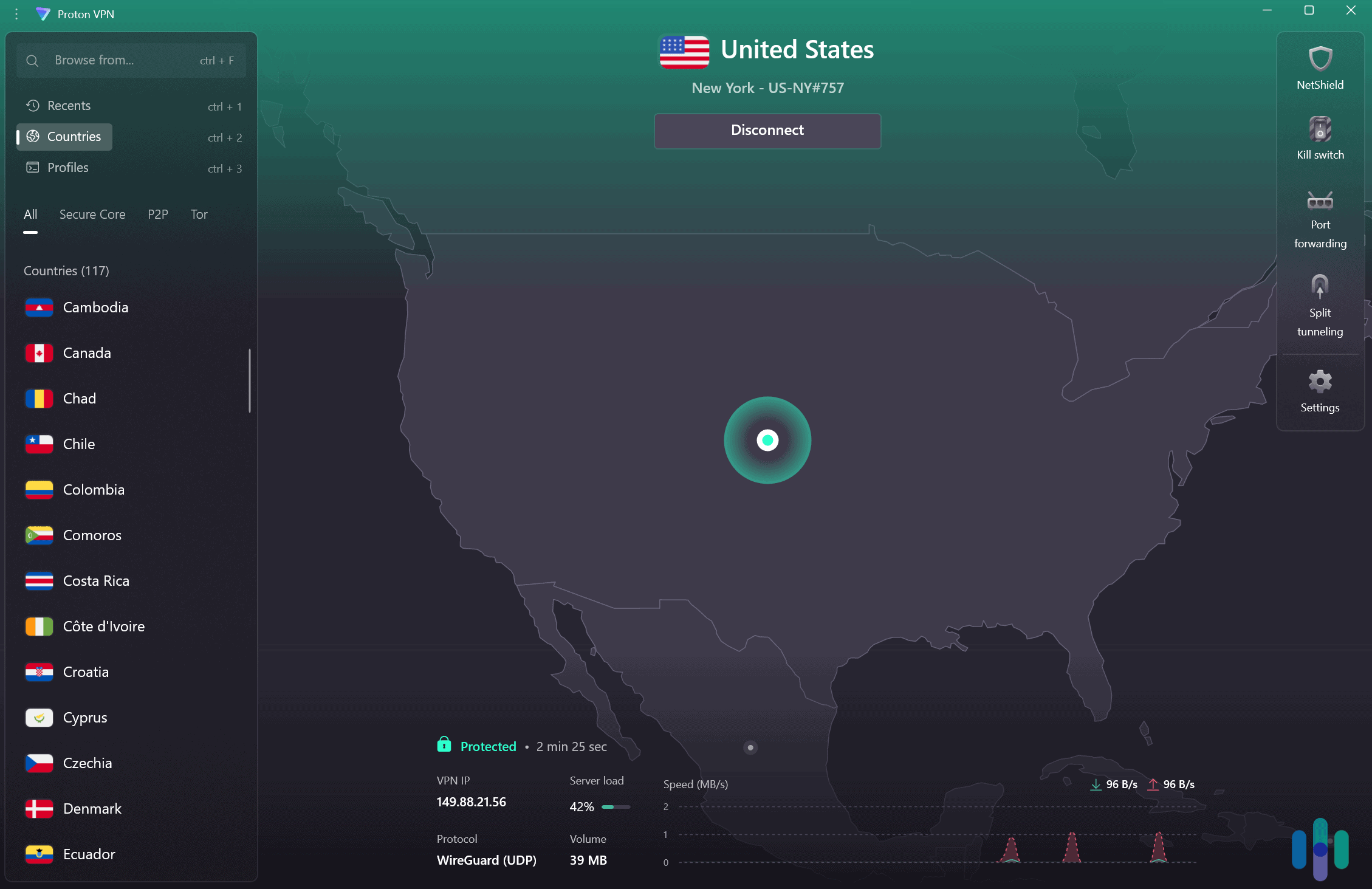
Proton VPN has a huge server network, numbering locations across 117 countries. Proton VPN has one of the largest server networks in 2026, with over 15,000 servers across 120 countries. Its size exceeds NordVPN and Surfshark.
Its huge server network gives you access to a wide range of Disney+ libraries. It also helps you connect to nearby servers for faster speeds when streaming local content.
What We Like
- Is compatible with over 20 Disney+ libraries
- Maintains very fast speeds for streaming
- Has very user-friendly apps for all devices
What We Don’t Like
- Doesn’t have a smart DNS
Its money-back guarantee is prorated
Proton VPN is very user-friendly. It has apps for Windows, macOS, Linux, iOS, Android, and smart TVs. The apps are intuitive and easy to navigate – it never took us more than ten seconds to connect to a server before streaming Disney+.
Its monthly plan costs $9.99, which is affordable. Longer plan starts at $2.99 per month, which is pricier than Surfshark but cheaper than NordVPN. All plans include a 30-day money-back guarantee, but refunds are prorated – you only get back the unused portion of your subscription.
FYI: Proton VPN has one of the best free plans in 2026, as it offers unlimited data. But we don’t recommend it for Disney+ since it doesn’t support streaming.
-
4. Private Internet Access - Best for Getting U.S. Access
 View Plans Links to Private Internet Access
Product Specs
Server locations 91 countries Average Speed Loss 5% download & 84% download Apps Windows, MacOS, Linux, Android, iOS, Chrome, Firefox, Android TV, tvOS Best Monthly Rate $2.03/mo with a 3-year plan Money-Back Guarantee 30 days full refund
Accessing Disney+
Four times out of 10 doesn’t sound so good, but Private Internet Access (PIA) stood out because all four of those successful connections were to U.S. servers. Even while in China, we were able to access Disney+ U.S. content, making Private Internet Access a premiere choice for Americans traveling abroad.
>>Read More: The Best VPNs for China
Additionally, while none of the five non-U.S. locations we tested worked on the first try, they did work eventually after several tries. A London server gave us access on our second try, a Singapore server worked after three tries, a Melbourne server also worked on the third try, and so on. So yeah, non-U.S. PIA servers can unblock Disney+; you just have to keep trying.
Streaming Speed
We didn’t have much problem streaming with Private Internet Access. The streaming speeds were actually pretty incredible. It maxed out at 4K resolution, despite the noticeable 15 percent drop in download speed. We averaged 252 Mbps throughout the time we were connected to PIA.
Server Network
What makes Private Internet Access a great choice for streaming Disney+ U.S. content is its ever-expanding server network with a massive focus on the U.S. It stopped posting the actual number of its servers, but at last count, it already had over 15,000 servers. Of those, there’s at least one server in each U.S. state. No other VPN has come close to that; even NordVPN, which has nearly 2,000 servers in the U.S. (a third of its server total), offers locations in only 16 states.
>> Read About: NordVPN vs. Private Internet Access
Now, the state in which the server is located doesn’t affect your Disney+ access. As long as you have a U.S. IP address, you will be able to watch shows available to Disney+ U.S. However, there are some streaming services that offer regional programming, and for those, PIA is a great option. For example, it’s one of the top VPNs for streaming ESPN+, which also makes it one of the best VPNs for watching NFL games.
What We Like
- Servers in all 50 U.S. states
- All U.S. servers are streaming-optimized
- Adjustable encryption standard to further optimize speeds
- Easy-to-use and lightweight apps
What We Don’t Like
- Non-U.S. servers were less reliable in unblocking Disney+
- Company is based in the U.S. (not the best for privacy)
- Three-year subscription required to get best prices
- Less-than-ideal customer service
We must admit, we had reservations about Private Internet Access. Despite PIA’s affordable subscriptions ($79 for three years), it’s a company based in the U.S., which is a part of an international alliance notoriously known for gathering and sharing communication intelligence called the Five Eyes. It’s always a risk going with a VPN that is based in a Five Eyes country, but fortunately, Private Internet Access is a no-log VPN. It doesn’t gather identifiable usage data, so it has nothing to share with the government.
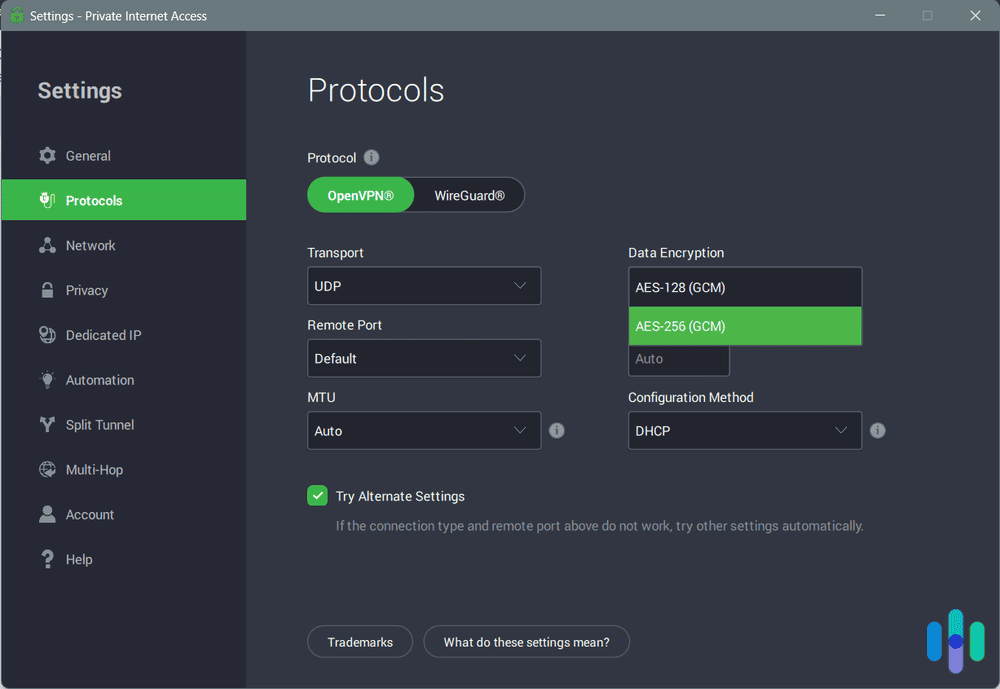
Once we were able to confirm that it doesn’t log critical usage data, we were able to test out Private Internet Access with confidence. And boy, were we impressed. Private Internet Access isn’t just a great VPN for streaming; it’s a great entertainment VPN, since it’s also one of the fastest gaming VPNs we’ve tested. That’s thanks to Private Internet Access’ customizable encryption.

Private Internet Access’ customizable encryption VPNs use encryption to protect data, the best encryption standard being 256-bit AES. That’s Pentagon-level security — the same encryption the U.S. government uses for top-secret communications.5 But let’s face it: Not all online activities require that much privacy; examples are streaming and gaming. Whenever we’re doing those things, we switch PIA to a lower encryption standard (128-bit AES) that, while still secure, is faster. That’s how we maintained access to fast streaming and gaming speeds even on distant servers.
-
5. ExpressVPN - Best for Smart TV/Console Users
 Get ExpressVPN Links to ExpressVPN
Product Specs
Server locations 105 countries Average Speed Loss 7% download & 24% upload Apps Windows, MacOS, Linux, Android, iOS, Chrome, Firefox, Edge, Android TV, tvOS Best Monthly Rate $2.44/mo with a 2-year plan Money-Back Guarantee 30 days full refund
Accessing Disney+
ExpressVPN’s success rate (six of 10) was similar to Surfshark’s, but the former’s U.S. servers were slightly better. Three out of the five U.S. servers successfully accessed Disney+. The three other successful locations were Spain, Germany, and the U.K; notably, all of them are in Europe.

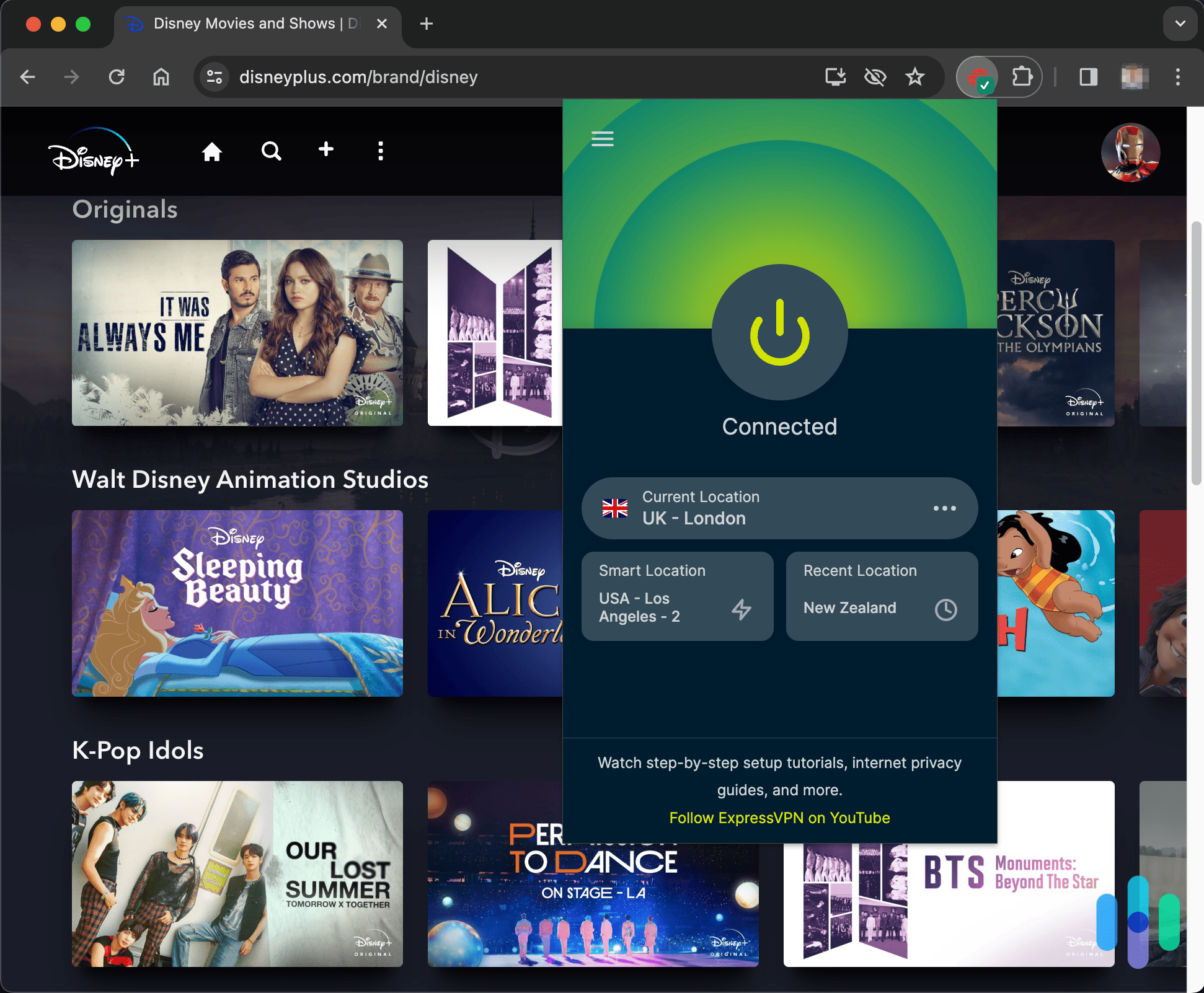
On Disney+ connected to London, UK using ExpressVPN with the Chrome extension >> Also See: How to Get a U.K. IP Address
Streaming Speed
Although a little bit slower than Surfshark and NordVPN, we had no problem streaming in 4K whether on our iPhones or laptops. We lost only about 10 percent of our network speed to ExpressVPN’s tunneling, as it averaged 271 Mbps. We did notice that the farther away the service is, the slower the connections become. While that is normal for most VPNs, there was a sudden and noticeable drop when we connected to a South Korean server, where the streaming speed maxed out at only 2K. So if you happen to be traveling to the Land of Morning Calm, be sure to read our roundup of the best VPNs for South Korea.
Server Network
As we touched on earlier when we compared ExpressVPN and NordVPN’s server networks, ExpressVPN has one of the largest networks right now. We counted 105 countries with server locations from the app. That is slightly more than Surfshark and CyberGhost’s 100 server locations, but less than NordVPN’s 127.
>> Compare: ExpressVPN vs. Surfshark
Streaming content varies from one country to another, so with 105 server locations, ExpressVPN has the potential to unlock more movies and shows than other VPNs. That’s another reason we picked it and why it made our list of VPNs for another streaming service we use on the daily, Prime Video.
What We Like
- Vast server fleet
- Offers a VPN router for devices that don’t support VPN apps
- Unlimited VPN connections for devices connected via VPN router
- Reliable Disney+ access
What We Don’t Like
- Pricey subscriptions
- VPN router sold separately ($189.95)
- VPN app offers limited simultaneous connections
- Slower speeds on distant servers

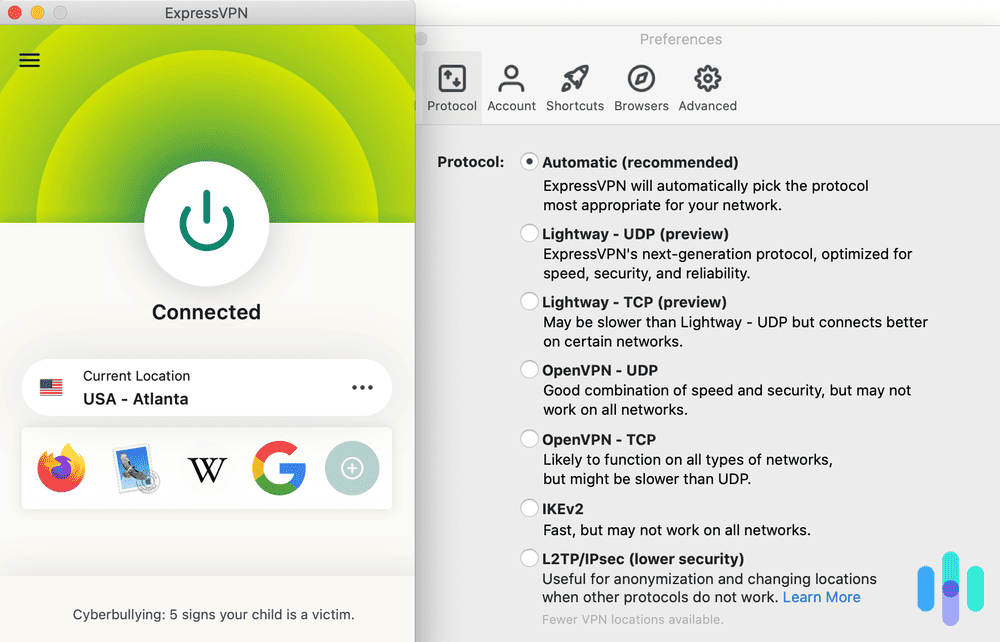
ExpressVPN’s protocol options ExpressVPN’s pricing is wallet-friendly. Its subscriptions start at $2.44 per month for the two-year Basic plan, which is cheaper than NordVPN but more expensive than Surfshark. The Advanced and Pro plans add extra simultaneous connections, a password manager, and ad-blockers, but are more expensive.
One of our favorites is the Aircove VPN router. A VPN router is like a regular router that connects you to the internet, except it tunnels all traffic to a VPN server first. So any device you connect to it is essentially connected to ExpressVPN as well. Right now, Aircove is the best VPN router on the market because of its easy setup and customizability. Some devices, like Apple TV, don’t support VPN apps. With Aircove, you can connect them to ExpressVPN without going through a tedious setup process.
>> Related: Best VPNs for Apple TV
And keep in mind that Aircove can create up to eight VPN connections. For example, you can have some devices connect to a U.S. server while others connect to a U.K. server. Here’s the beauty of that: Once you find a server that works with Disney+, you can have Aircove keep that VPN connection. That way, you won’t have to find another server that works next time you’re having a movie night. Just connect your streaming device to that Aircove connection and start streaming.
-
6. CyberGhost VPN - Best for Smartphone/Tablet Users
 Get Cyberghost VPN Links To CyberGhost
Product Specs
Multihop No Obfuscated Servers No Kill Switch Yes Split Tunneling Yes Netflix Yes Torrenting Yes
Accessing Disney+
CyberGhost did slightly better than Private Internet Access with a 50 percent success rate, but it still wasn’t as good as our top three picks. Of the five servers that passed our tests, two were located in the U.S. while the other three were located in the U.K, Singapore, and Spain.
It’s also worth noting that CyberGhost offers specialty servers or servers optimized for streaming Disney+. They are based in the U.S., so we didn’t find much use for those. If, however, you’re traveling or living outside the U.S. and you want access to Disney+ U.S. catalogs, those optimized servers will come in handy.
Streaming Speed
CyberGhost’s streaming speed wasn’t the best. Of our five recommended options, it’s the only one with a maximum streaming speed of only 2K. It’s not that it’s slow; CyberGhost averaged 264 Mbps, which was a little better than Private Internet Access. It’s just that some VPN servers don’t have the bandwidth for 4K streaming, and as a result, they offer less-than-optimal bitrate (rate of data transfer from device to VPN server). When we tried streaming Cruella — one of Disney+’s live-action originals — in 4K while using CyberGhost, the movie buffered every five minutes or so.
>> Related: Your ISP May Be Throttling Your Internet
Server Network
All things considered, CyberGhost offers a solid server network. Besides having over 10,000 servers it has servers in 100 locations. It’s tied for second place with Surfshark in terms of server locations.
Moreover, the CyberGhost app’s server menu lists more than its servers. It also includes the latency and load of servers, which helped us pick which servers have the lowest load (more load equals more likely to be slow) and ping (lower ping equals better data transfer). With CyberGhost’s suboptimal streaming speed, that was necessary.
We also like that CyberGhost has a large server fleet in the U.S. It has 1,400 servers in 11 different states – from the East Coast to the West Coast. Thanks to that, we’ve been able to access regional broadcasts from services like YouTube TV.
>> Learn More: The Top VPNs for YouTube TV
What We Like
- User-friendly app
- 10,000+ servers in 100 locations
- Affordable subscriptions starting at $2.19 monthly
- U.S. servers optimized for Disney+
What We Don’t Like
- Slow streaming speed
- Maximum of seven VPN connections at a time
- Desktop apps not as good as smartphone apps
- Occasional dropped connections
We liked using CyberGhost to stream on our Android and iOS/iPadOS smartphones and tablets. Its smartphone apps are simply superb. They are easy to use, they have the server load/ping information display we mentioned earlier, and they are lightweight.

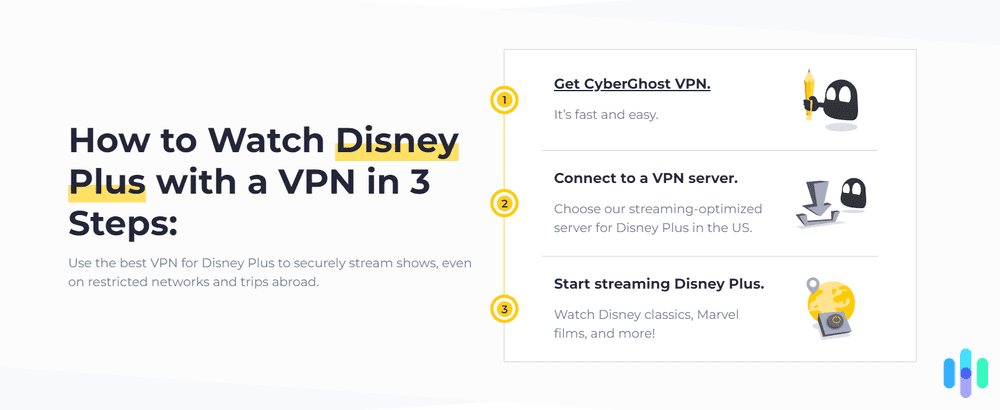
How to stream Dinsey+ with CyberGhost That last one is important, especially if you’re using your mobile device to stream on the go. Streaming by itself uses a lot of battery power, so you need a VPN that won’t deplete your phone’s battery any faster. With CyberGhost, our phones were able to go for eight hours straight while in use and connected to the VPN. And CyberGhost’s WireGuard protocol didn’t use much overhead data, so we were able to save on our monthly data allowance.
>> Related: VPN Data Consumption and Cellular Usage
Another thing we commend CyberGhost for is its affordability. The two-year CyberGhost subscription we signed up for cost us $56.94, which works out to about $2.19 per month. On top of that, it came with a 45-day money-back option; if we didn’t like CyberGhost (or if it didn’t work with Disney+ as we had hoped), we could have canceled our VPN subscription for a full refund.
>> Learn More: The Best VPNs With Risk-Free (Money-Back) Trials
What Content Differs by Disney+ Region?
While Disney+ is available globally, the content library isn’t identical in every country. What you can stream depends on licensing agreements, local regulations, distribution history, and Disney’s regional strategy. While major franchise titles are often consistent worldwide, other parts of the catalog vary by location. Here are some of the differences we noticed between Disney+ regions.
Movie Availability
We found that most blockbuster releases are available in many locations, but some titles vary by region. For example, major Marvel films like Avengers: Endgame are accessible, but some older titles or certain 20th Century Studios films are missing in some countries due to existing licensing contracts with local TV networks or other streaming platforms.
The same applies to animated films. Hits like Frozen II are generally available worldwide, but older Disney or Fox titles rotate in and out depending on regional rights.
TV Shows and Franchise Series
We found that most Disney+ Originals were available at launch worldwide. This meant we could watch the premiere of The Mandalorian as long as we were in a supported country.
We noticed some non-original and legacy shows vary. Long-running series such as The Simpsons are widely available, but episode formats, aspect ratios, or availability windows have differed across regions due to past licensing and distribution arrangements.
The Hulu Hub (International vs. U.S.)
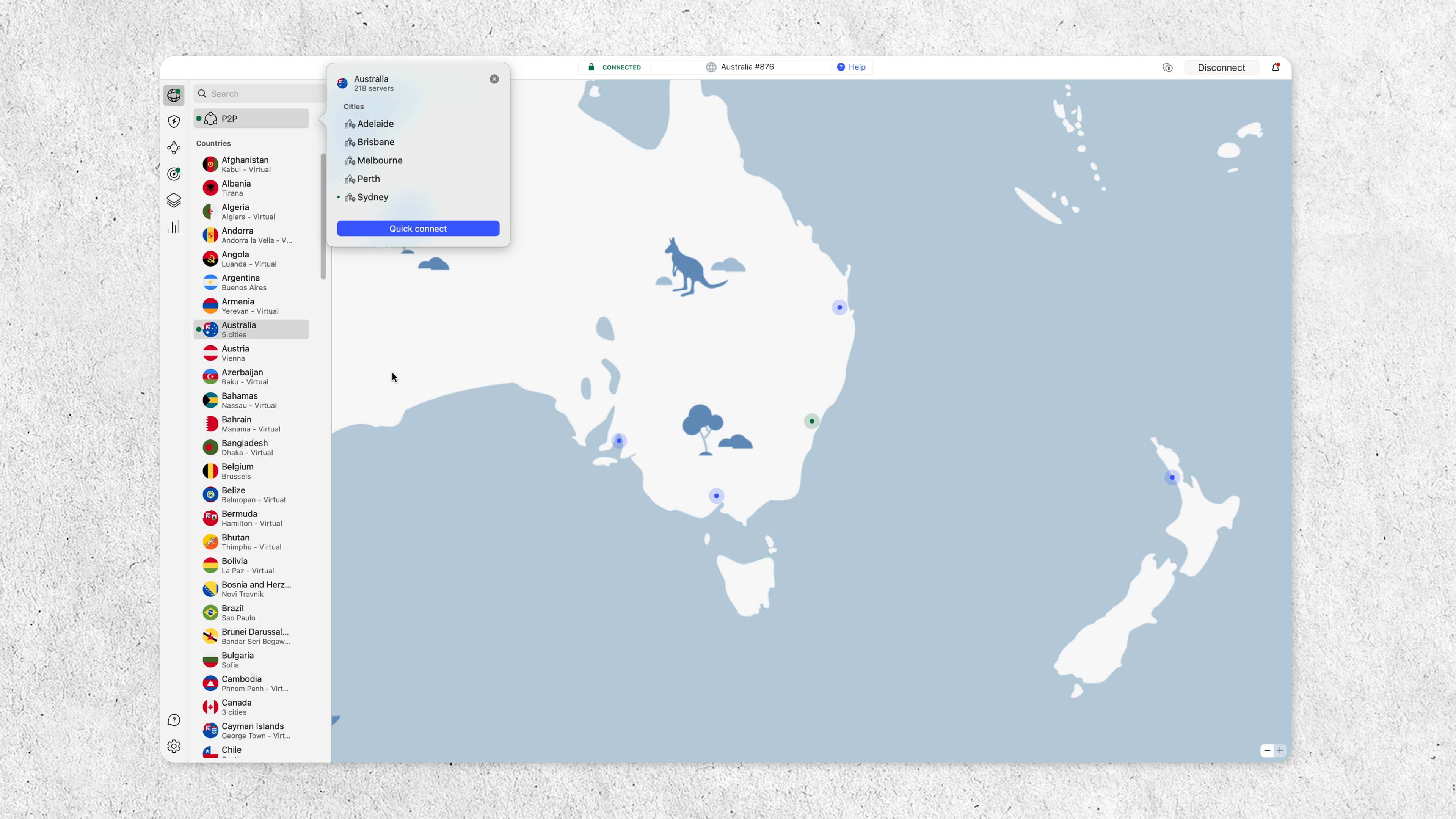
One of the biggest structural differences is the inclusion of the Hulu hub outside the United States. In countries like Canada, Australia, and much of Europe, Hulu is built directly into Disney+. It includes mature-rated dramas, crime series and thrillers, adult comedies, and 20th Century Studios films.
In the United States, a separate Hulu subscription is required. As a result, the U.S. Disney+ app appears more family-focused, while international versions feel broader and more general entertainment-oriented. We found this difference significantly impacts the total size and tone of the library.
>> Check out: The Best VPNs in Australia
Regional Originals and Local Productions
Disney+ has invested heavily in regional programming tailored to local audiences. While browsing catalogs, we came across Korean dramas, European thrillers, Latin American series, and Indian originals under Disney+ Hotstar.
Some regional originals expand globally if they perform well, while others stay exclusive to their home markets. This strategy helps Disney compete with local streaming services and appeal to viewers beyond Hollywood franchises.
Language and Localization
Language options also differ by country. When we streamed Encanto, we were offered different audio tracks and subtitle selections depending on our location.
Other regional differences we noticed were default audio language, available dubbing versions, subtitle language options, and localized title translations. We also found that some dubbing tracks were unavailable in certain markets due to production costs or licensing constraints.
FYI: Content ratings and age classifications follow national standards, which may affect how titles appear within profiles.
Release Dates and Windowing
Even when titles are available in multiple countries, release timing can vary. We noticed that most Disney+ Originals debut simultaneously. Other films may arrive earlier in one country, be delayed due to theatrical commitments, or rotate out at different times.
For example, a movie may stay in cinemas longer in one market before transitioning to streaming. Local broadcast agreements can also influence when catalog titles appear or disappear.
Overall Library Size
One of the most noticeable differences we found is that the total number of titles available varies significantly between regions. Countries that include the Hulu hub and have fewer legacy licensing restrictions often feature larger catalogs.
Regions with ongoing third-party agreements may temporarily have smaller selections. These differences evolve over time as contracts expire and Disney consolidates its global streaming rights.
Why Regional Differences Exist
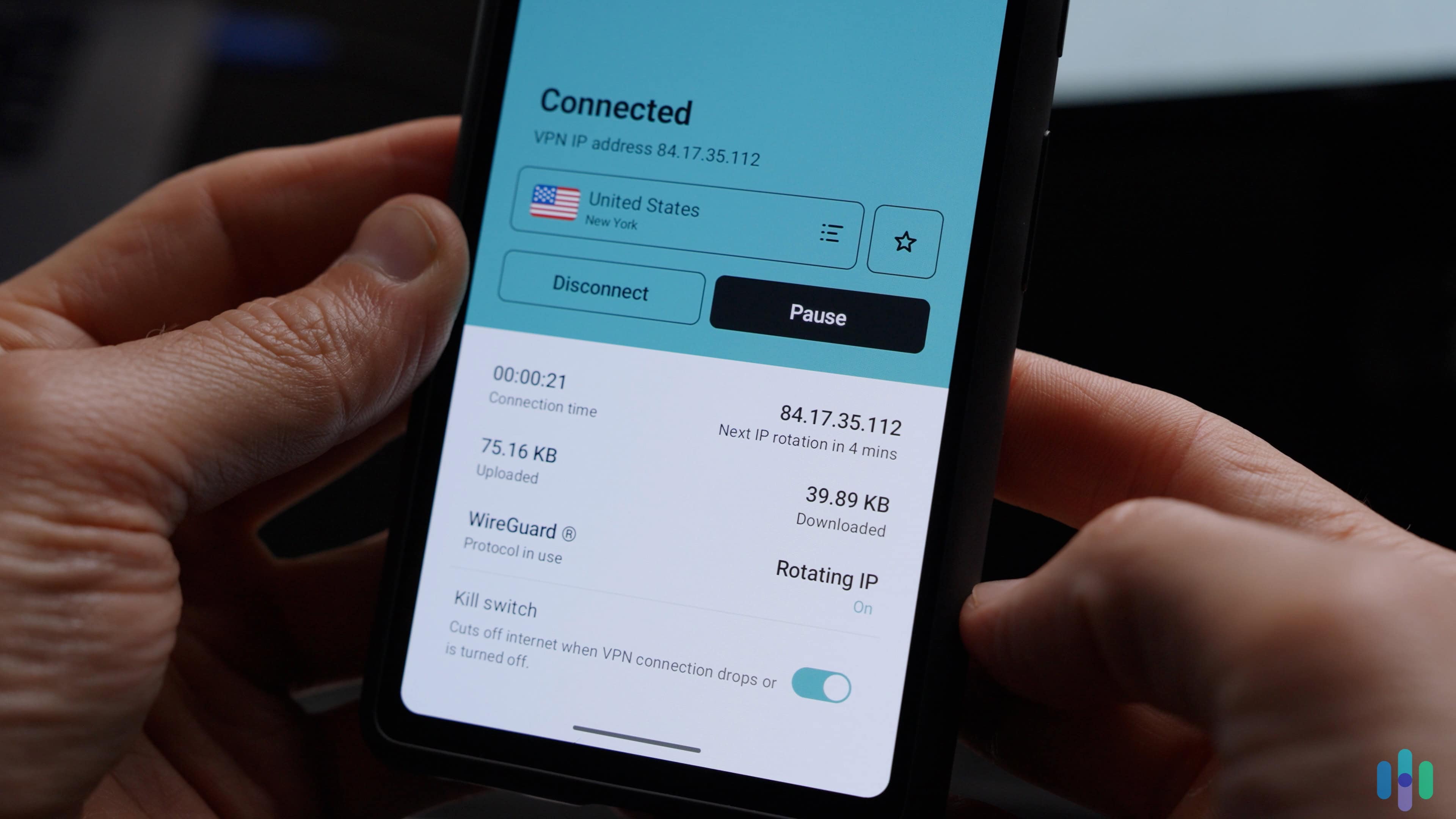
Streaming rights are complex and negotiated territory by territory. Even though Disney owns much of its content, older contracts still limit where and when titles appear. Based on what we’ve learned, Disney+ libraries vary primarily because of the following:
- Country-specific licensing agreements
- Historical distribution deals
- Local regulatory requirements
- Market positioning strategies
- Language and localization needs
Disney+ VPN Setup by Device
Setting up a VPN for Disney+ can vary depending on the device you’re using. Some platforms support native VPN apps, while others require a router-based setup or network sharing workaround. We’ve provided a device-by-device breakdown below so you can choose the right method.
Fire TV Stick
We’ve found that Amazon Fire TV devices are one of the easiest streaming devices for VPN use because they support native VPN apps directly from the Amazon Appstore. Here’s how you use a VPN on a Fire TV Stick.
What you’ll need:
- A compatible VPN subscription
- An Amazon Fire TV Stick
- Active Disney+ account
Step-by-step setup:
- Turn on your Fire TV Stick and open the Amazon Appstore.
- Search for your VPN provider’s app.
- Download and install the app.
- Log in with your VPN credentials.
- Connect to your desired server location.
- Open Disney+ and start streaming.
Because Fire TV runs a modified version of Android, most major VPN services offer dedicated apps optimized for it. This makes it one of the simplest devices for VPN streaming.
Smart TVs
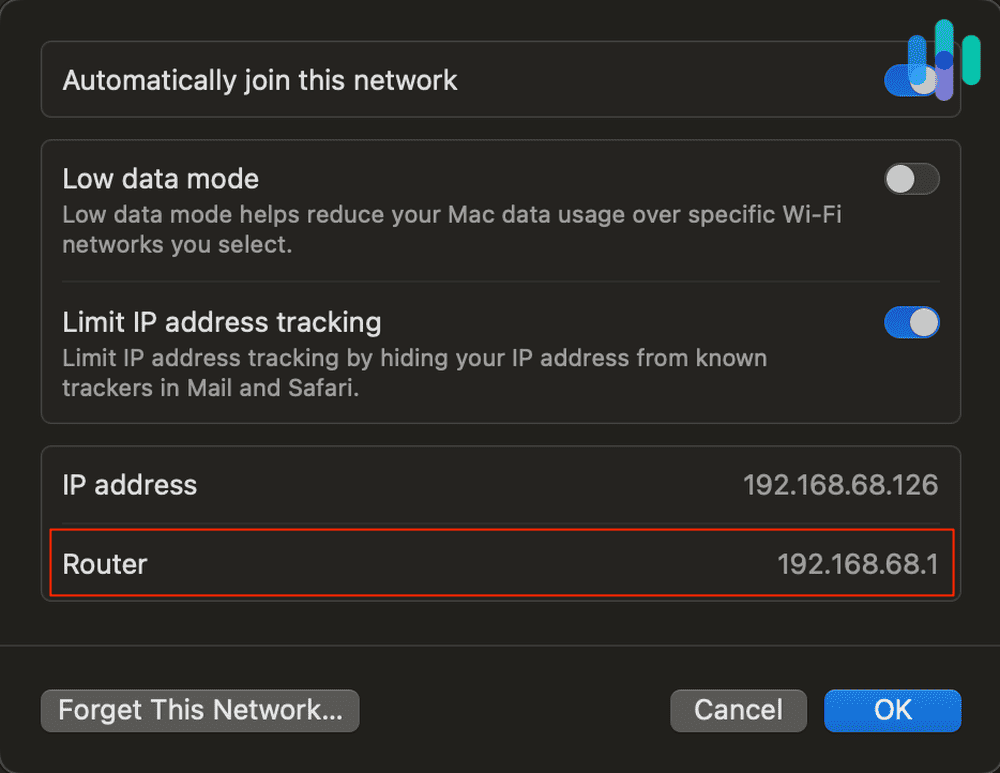
VPN setup on smart TVs is tricky because it depends on the operating system. If no native app is available, you’ll want to set up your VPN via your router. Here’s how you do that:
- Install VPN software on a compatible router (or purchase a pre-configured VPN router).
- Log in to your router’s admin panel.
- Enter VPN configuration details provided by your VPN service.
- Connect the router to your desired server location.
- Connect your smart TV to that Wi-Fi network.
- Launch Disney+.
FYI: Once the router is connected to a VPN server, every device on your network, including your TV, will use the VPN connection.
Some smart TVs that run on Android often support native VPN apps via the Google Play Store. Here’s what you need to do to set it up:
- Open Google Play Store on your TV.
- Download your VPN app.
- Log in and connect to a server.
- Open Disney+ and stream.
Roku
In our experience, Roku devices do not support VPN apps, and there is no way to install one directly. If you want to use a VPN with Roku, you need to set one up on your router or use a virtual router from a VPN-connected computer.
Router method (our recommendation):
- Install a VPN on a compatible router.
- Connect Roku to that Wi-Fi network.
- Launch Disney+.
Virtual router method:
- Connect your PC or Mac to a VPN server.
- Enable hotspot/network sharing.
- Connect Roku to your computer’s shared network.
>> Learn More: How to Find Your Roku’s IP Address
Gaming Consoles
Gaming consoles such as PlayStation and Xbox also do not support native VPN apps. To use a VPN with Disney+ on a console, you have two options:
Option 1: Router Setup (Our Pick)
- Configure VPN directly on your router.
- Connect your console to that Wi-Fi network.
- Open Disney+ and stream.
Option 2: Network Sharing via PC or Mac
- Install and connect to a VPN on your computer.
- Connect your console to your computer using Ethernet.
- Enable internet sharing in network settings.
- Select the VPN connection as the shared source.
We found that the router method is generally more reliable and doesn’t require your computer to stay on.
Apple TV
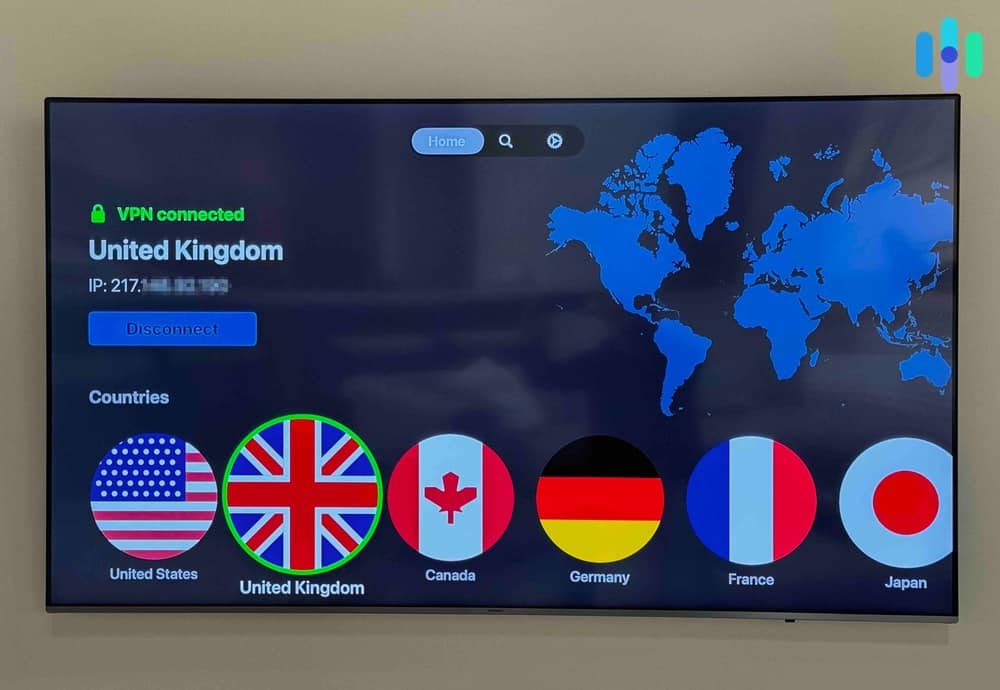
Only newer Apple TV models running recent versions of tvOS support native VPN apps. To set up a VPN on your Apple TV:
- Open the App Store on Apple TV.
- Search for your VPN provider.
- Install the app.
- Log in and connect to your desired server.
- Launch Disney+.
Older Apple TV models do not support VPN apps. In that case, you’ll need to use the router method we’ve mentioned above.
Mobile Devices
Setting up a VPN on smartphones and tablets is straightforward. For iOS and Android devices:
- Download your VPN from the App Store or Google Play.
- Log in and allow VPN configuration when prompted.
- Connect to a server location.
- Open Disney+ and stream.
Streaming HD content on your phone is a battery drainer. If you want to make it through a Star Wars marathon or a full Pixar binge without your phone dying halfway through, we recommend lowering screen brightness, using Wi-Fi instead of mobile data, closing background apps, and downloading content in advance when possible. Using a VPN also increases battery usage, but modern apps are optimized to minimize drain.
>> Check Out: The Best VPNs for iPhones in 2026
Smart DNS vs VPN for Disney+
To access Disney+ from outside supported regions or bypass geo-restrictions, you have two tools at your disposal: a VPN or Smart DNS. Both can work, but they operate in fundamentally different ways. Which one is better? Let’s find out.
How Each Technology Works
A VPN (Virtual Private Network) routes your entire internet connection through a server in another country, masking your real IP address, and making it appear as though you’re browsing from wherever that server is located. This means Disney+ sees a US, or UK, or Australian IP address instead of your real one. The service then allows you to stream content available in that region.
Smart DNS takes a lighter-touch approach. Rather than rerouting all your traffic, it only intercepts the specific DNS queries that reveal your location. Your actual data still travels the normal route, but there’s no encryption or IP masking. It’s just a subtle redirect that tricks streaming services into thinking you’re in a specific region.
The Trade-Offs: Speed, Security, and Setup
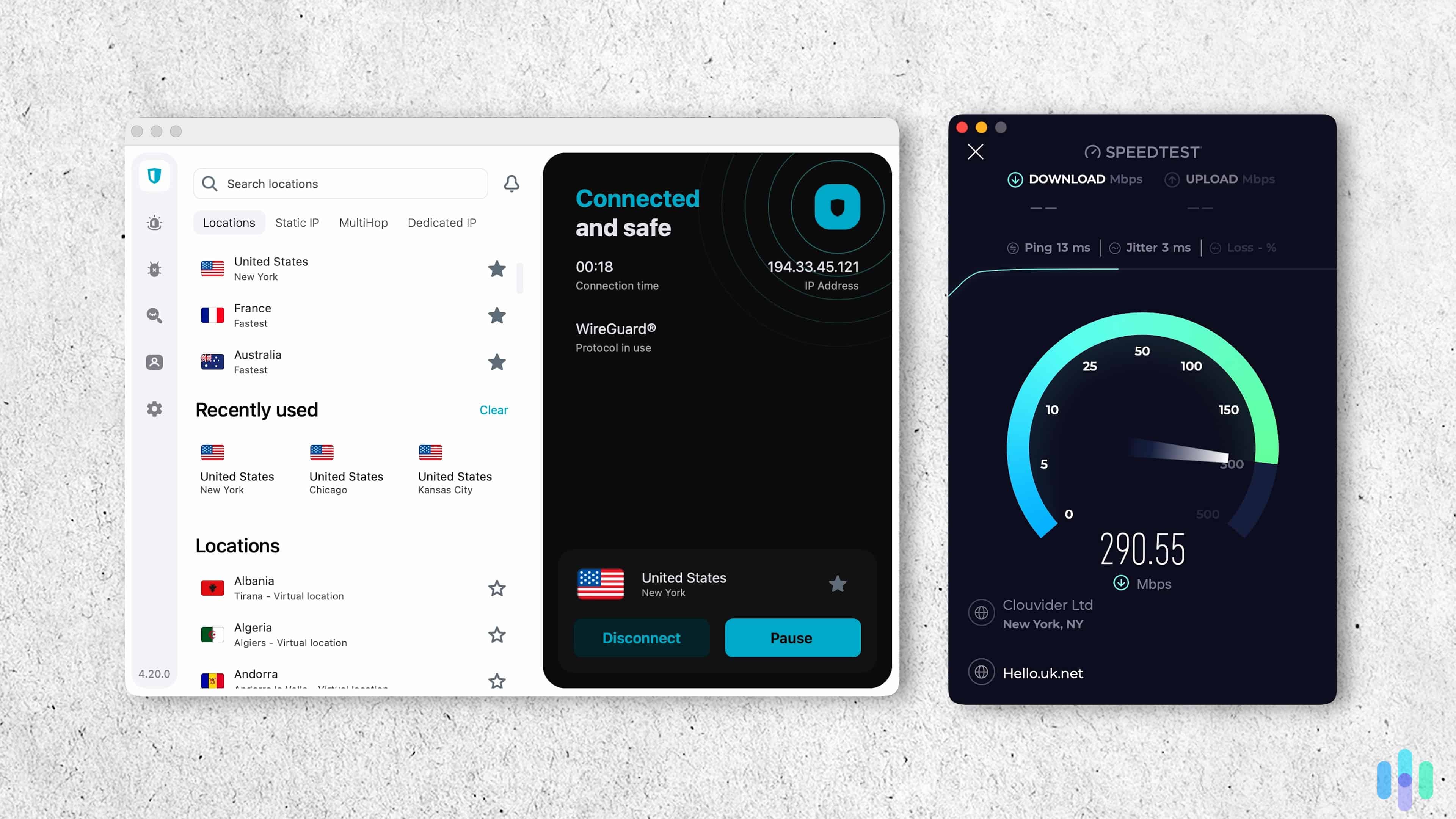
The most noticeable difference we found between the two is speed. VPNs introduce some overhead because of the encryption process and the physical distance your traffic travels to reach a server. We usually experience somewhere between a 5 to 15 percent reduction in connection speed, which is not always noticeable.
Smart DNS doesn’t touch your traffic in the same way, so there’s effectively zero speed penalty. If you’re on a slower connection and want to stream Avatar: The Way of Water or any other Disney+ 4K HDR title without buffering, Smart DNS has a clear advantage.
If security is your priority, though, VPNs encrypt everything, protecting your browsing data from your ISP, network administrators, and anyone else watching the wire. Smart DNS offers none of that. Setup difficulty also differs. Most VPNs come with polished apps for virtually every platform. Smart DNS requires manually changing settings on your device or router.
Device Compatibility Matters
One underappreciated advantage of Smart DNS is its device compatibility. Because it works at the DNS level, it can be configured on devices that don’t support VPN apps, like older smart TVs, certain gaming consoles, or any device that lets you manually enter DNS server addresses.
VPNs are limited to platforms where the app actually runs, which covers most modern devices but not everything.
Which VPNs Also Offer Smart DNS?
The good news is that some VPN providers bundle Smart DNS into their subscriptions, giving you the flexibility to use either option depending on the situation.
- NordVPN: Smart DNS is included in all plans
- CyberGhost: Smart DNS is included with all plans
- ExpressVPN: Offers MediaStreamer alongside its VPN
Providers like Surfshark, Private Internet Access, and Proton VPN don’t offer a Smart DNS feature, meaning you’re limited to the VPN connection only.
Which Should You Choose for Disney+?
If your priority is uninterrupted 4K streaming on a device that doesn’t support VPN apps and you’re not concerned about privacy, Smart DNS is the faster option.
If you want a single solution that handles both geo-unblocking and protects your browsing privacy, a VPN is the more complete choice. Providers like NordVPN or ExpressVPN that bundle both features offer the best of both worlds, letting you switch based on your needs at any given moment.
How to Use VPNs to Stream Disney+
After choosing a VPN, what do you do next? Well, if you picked one from our recommendations, now you have a VPN that can bypass content georestrictions of the house of mouse. And actually, you can use it right away to binge your favorite Disney+ shows.
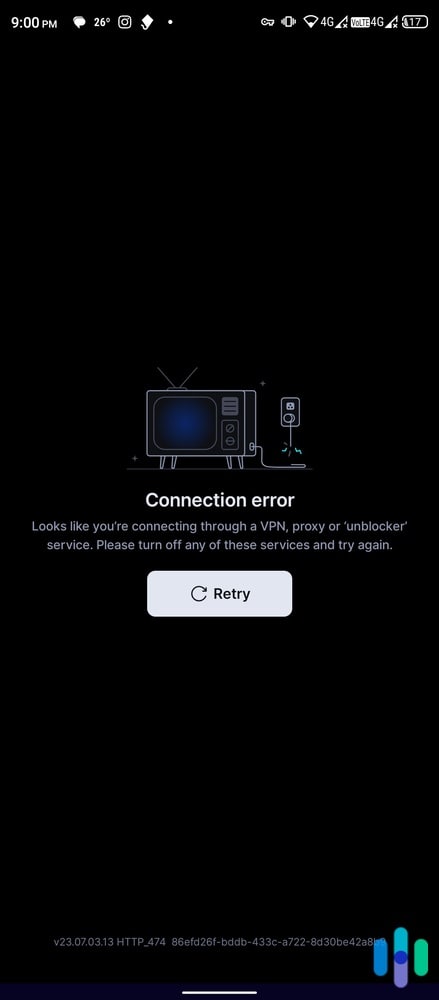
The process isn’t really much different from streaming Netflix with a VPN. Simply launch the VPN app on your streaming device, connect to any location of your choosing, switch to the Disney+ app, and voila! If it works, you should see the Disney+ homepage. Unfortunately, if it doesn’t, you’ll see something like this:
Can’t Access Disney+ With Your VPN? Here’s How to Fix It
If Disney+ detected that you’re connecting through a VPN IP address, it won’t let you in. But don’t worry, that’s not impossible to fix.
Option 1: Try a different server.
Your first move should be to try a different server.
- Close the Disney+ app.
- Disable the VPN.
- Force close and then reopen the VPN app.
- Connect to the same location. If the VPN offers multiple cities within the country you’re trying to connect to, try a different city.
- Open Disney+ and try again.
That may not work on the first try because, again, Disney+ has pretty good VPN detectors. Give it a few tries, and if it still doesn’t work, try the other options below.
Option 2: Clear your cache.
If you’re using a browser to access Disney+ (e.g., on your laptop), the streaming platform may also be deriving location information from your browser’s cookies and cache. So even if your VPN is successful in changing your PC’s location, Disney+ can still see where you really are. What you can do to prevent that is to clear your browser’s cookies and cache.
Here’s an example for Chrome users:
- Open Chrome and go to Settings.
- Go to the Privacy and Security tab.
- Select Clear Browsing Data.
- Tick the box next to Cookies and Other Site Data.
- Tick the box next to Cached Images and Files.
- Click Clear Data.
Now, try opening Disney+ again while connected to a VPN. You should be able to access it this time.
Option 3: Try a different device.
Sometimes, VPN apps are more user-friendly on other devices. For example, when testing a VPN’s unblocking ability, we prefer using laptops and desktops over smartphones. It’s just easier to switch back and forth between apps that way.
If you can’t access Disney+ on a smartphone, we recommend using a desktop or laptop to test a VPN app first. After all, VPN subscriptions typically allow users to use the VPN on multiple devices.
First, log in to your VPN account on your desktop. Connect the VPN, and then try to access Disney+ using a browser. If it works, add the VPN connection to your favorites (if your VPN app allows it), go to your mobile device, and use the same connection to access the Disney+ app.
>> Check Out: The Best Android VPNs
Option 4: Try a different VPN protocol.
As explained briefly earlier, a VPN protocol is kind of like a user manual that your VPN app uses to know how to direct traffic when a VPN connection is active. Some protocols, such as WireGuard and OpenVPN, are better at working around georestrictions. If your VPN is not using those protocols by default, you should go to the settings and manually select them as your preferred VPN protocol. That way, whenever you attempt to establish a connection, the app will use those protocols first.
>> Learn More: VPN How-tos
Option 5: Try another VPN.
If all else fails, try a different VPN. While we were able to make all of our top picks work, that may not be the case for everyone. Sometimes, it’s a location thing. Maybe all of the VPN’s IP addresses in the location you selected have been blocked.
If the VPN isn’t working for you, it’s time for you to cancel your subscription. Most VPNs have a 30- to 45-day money-back guarantee. If you’re still within that window, contact support, cancel your subscription, and request a refund. Then, try a different VPN.
Is It Possible to Get a Disney+ Subscription for Cheap?
There’s one other advantage of using a VPN to access Disney+: You may be able to get a cheaper Disney+ subscription.
Subscription costs vary from one country to another. Ad-free playback costs $140 per year in the U.S., but in some Asian countries, for example, it costs only about $60.
For it to work, however, you might need a working phone number through which you can receive a one-time PIN. Instead of email verification, Disney+ requires phone number verification in some countries.
When it’s time to buy a Disney+ subscription, just connect your VPN to your selected country, go to the Disney+ website, and buy a subscription. Don’t forget to clear your cache and cookies beforehand to make sure Disney+ doesn’t see your actual location.
>> Related: How to Hide Your IP Address
Methodology: How We Compared Disney+ VPNs
How We Review VPNs
We begin with a list of 60 or so VPNs, then select the best 40 to review in depth. Each of our reviews involves over a month of hands-on testing. We look into encryption and VPN protocols, privacy policies, special features, and more. When the results are in, we compare and rank our top picks according to a specific set of testing criteria.
How We Ranked the Best VPNs for Unblocking Disney+
All the VPNs on this list unblocked Disney+ in our tests, though some did a better job than others. That was our main criteria. Aside from their ability to access Disney+, we also ranked VPNs based on several other criteria:
- Speed: VPNs add an extra stop for your traffic, so they tend to slow down your overall internet connection. Our top picks had very little impact on our internet speed, minimizing buffering.
- Server network (25%). When it comes to accessing Disney+, you need a VPN that has both a lot of servers (at least 1,000) and servers in multiple locations. A VPN with at least 60 server locations is ideal. VPNs at the top of this list have thousands of servers in over a hundred countries.
>> Related: The Fastest VPNs of 2025
Our VPN Experts
We test VPNs for a living, and write about our experiences. Our articles, reviews, and studies on digital security have been cited by some of the world’s most respected media outlets, including HuffPost, The New York Times, and Tech Radar, to name three.
Together, we’ve published:
- 600+ written product reviews and counting
- 450+ video reviews on our YouTube channel
- 100+ research and studies
- 50+ guides on home, personal, and digital safety topics
Conclusion: Should You Always Use a VPN?
We’ve given you all the information you need to access Disney+ using a VPN. But we’ll leave you with one more vital piece of information. While unlocking Disney+ libraries full of Star Wars series, Marvel films, and Pixar originals is one of the main reasons people use VPNs, it’s actually not a bad idea to use a VPN whenever you’re streaming.
VPNs protect your privacy. And in these times we’re living in, companies can gather data from pretty much anything we do online, including streaming. Some types of data-gathering are benign; for example, a social media site might take a brief look at your device’s cookies and cache to see what you’ve streamed lately and show you relevant ads.
However, we can never be too sure these days. It’s best to always assume that a website or service we’re using is gathering more than just simple data about us and that it could be used for pretty much anything. We don’t have time to read and memorize the content of each website’s privacy policy.
If you want to protect your data and yourself from invasive data-gathering practices, using a VPN even while streaming is recommended.
FAQs
Still have questions about the best VPNs for Disney+? Read on to find our answers to some of the most common.
-
What Disney+ regions/libraries can I access with a VPN?
With a VPN, you can access regional libraries of Disney+ by connecting to servers in countries like the US, UK, Japan, Canada or Australia. Title availability still depends on licensing restrictions and may change over time.
-
Does Disney+ ban VPN users?
No. Disney+ usually blocks VPN IP addresses rather than banning accounts. If playback fails, switching servers or disconnecting the VPN should fix the issue.
-
Can I use a free VPN for Disney+?
We’ve found that most free VPNs are unreliable for streaming on Disney+ due to limited speeds and blocked IP addresses. Proton VPN’s free tier may occasionally work but is not consistent.
-
What to do if Disney+ detects my VPN?
If your VPN is detected, we recommend disconnecting and reconnecting the VPN, then trying a different server or clearing your cache. Another trick is to start playback before reconnecting the VPN.
-
Which VPN is fastest for Disney+?
Based on our speed tests, Surfshark averages about 287 Mbps and NordVPN about 279 Mbps on optimised servers. This is suitable for HD and 4K streaming.
-
AtlasVPN. (2021). Press release: Nord Security extends its portfolio of cybersecurity brands with Atlas VPN.
atlasvpn.com/blog/press-release-nord-security-extends-its-portfolio-of-cybersecurity-brands-with-atlas-vpn -
Google Play. (2023). Speedtest by Ookla.
play.google.com/store/apps/details?id=org.zwanoo.android.speedtest&hl=en&gl=US -
NordVPN. (2023). Over 5000 best VPN servers worldwide.
nordvpn.com/servers/ -
Disney Plus. (2023). Internet speed recommendations.
help.disneyplus.com/article/disneyplus-en-us-recommended-speeds?redirect=false -
National Institute of Standards and Technology. (2023). Withdrawn NIST Technical Series Publication.
nvlpubs.nist.gov/nistpubs/FIPS/NIST.FIPS.197.pdf