
Best VPNs for Prime Video in 2026
Our top pick, Surfshark, regularly refreshes their server IP addresses to more easily bypass Prime Video’s VPN blocker.
 &
&
 Last Updated on Mar 11, 2026
- Nexus technology enhances speeds
- Unlimited simultaneous connections mean you can watch on different devices
- Regularly refreshed server IP addresses get around Prime Video’s VPN blocker

- Servers in all 50 states can unlock any U.S. regional content like Thursday Night Football
- Low prices starting at $2.03 per month
- Easy-to-use app on all devices

- Offers routers with their VPN pre-installed for easy setup on devices without VPN apps
- Competitive renewal rates that don’t spike as much as competitors
- Ad blocking and malicious site blocking included in all plans
It might feel like you get unlimited entertainment options when you sign up for Prime Video. But to get the most out of your subscription, you should invest in a virtual private network, or VPN. A VPN’s primary purpose is to keep you safe online, by encrypting your connections and giving you an anonymous IP address so no one can track your movements. They also let you access content libraries in other regions and parts of the world.
Our team tested over 50 VPNs to find the best VPNs for Prime Video. We ended up with six options good enough to earn our recommendation. Each one can reliably bypass Amazon’s VPN blocker while providing fast enough speeds for 4K streaming on a decent network. They’re also easy to use and offer exceptional security. Let’s dig in to figure out which VPN’s best for your streaming needs.
>> Read More: The Best VPNs for Traveling Inside and Outside the U.S.
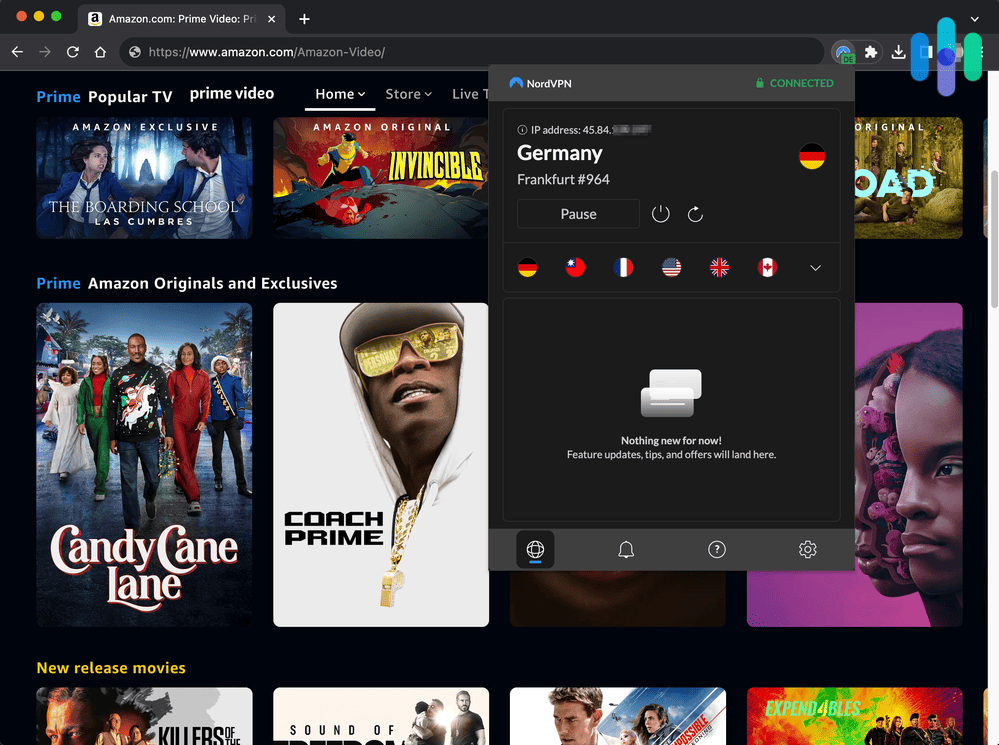
The Best VPNs for Amazon Prime Video
- Surfshark - Best for Bypassing Prime’s VPN Blocker
- Private Internet Access - Best for U.S. Regional Content
- ExpressVPN - Best for Devices Without VPN Apps
- NordVPN - Best Security Features
- Proton VPN - Most User-Friendly Prime Video VPN
- Hotspot Shield - Best free VPN
Comparison of the Best VPNs for Prime Video
| System |
Surfshark
|
Private Internet Access
|
ExpressVPN
|
NordVPN

|
Proton VPN
|
Hotspot Shield

|
|---|---|---|---|---|---|---|
| Ranking | 1st | 2nd | 3rd | 4th | 5th | 6th |
| Ratings | 9.5/10 | 9.4/10 | 9.1/10 | 9.7/10 | 9.3/10 | 8.9/10 |
| Monthly cost range | $1.99 to $15.45 | $2.03 to $11.95 | $2.44 to $12.99 | $3.39 to $12.99 | $2.99 to $9.99 | $2.99 to $12.99 |
| Contract length | 1 to 24 months | 1 to 36 months | 1 to 24 months | 1 to 24 months | 1 to 24 months | 1 to 36 months |
| Split Tunneling | Yes | Yes | Yes | Yes | Yes | Yes |
| Amazon Prime Video | Yes | Yes | Yes | Yes | Yes | Yes |
| Netflix | Yes | Yes | Yes | Yes | Yes | Yes |
| Number of servers | Over 4,500 in 100 countries | Over 35,000 in 91 countries | Over 3,000 in 105 countries | Over 9,000 in 130 countries | Over 18,000 in 129 countries | Over 1,800 in 70 countries |
| Obfuscated servers | Yes | Yes | Yes | Yes | Yes (via Stealth protocol) | Yes |
| Read Review | Surfshark Review | Private Internet Access Review | ExpressVPN Review | NordVPN Review | Proton VPN Review | Hotspot Shield Review |
What Content Differs by Prime Video Region?
While Amazon Prime Video’s region-lock library is significantly smaller than Netflix and Disney+, there are still some region-specific gaps. Here’s what to expect:
Amazon Originals
If you’re primarily a fan of Amazon’s in-house productions, you’re largely protected from regional fragmentation. Amazon funds these productions directly and distributes them on its own platform worldwide, which means all Prime Video customers get access.
Some of the biggest titles that travel consistently across all regions include:
- The Boys
- Reacher
- Fallout
- The Marvelous Mrs. Maisel
- Rings of Power
Licensed Content
Licensed third-party content — films and TV shows that Amazon has acquired streaming rights to, but only for specific territories — is more complicated. Here are some common scenarios:
- A Hollywood blockbuster available on Prime Video in the UK but unavailable in the US, because another service holds the rights.
- Local series from Germany or Japan licensed only for their home territory.
- Older and independent films with fragmented international rights
- Sports packages tied to jurisdiction-specific broadcast deals, such as NFL Thursday Night Football (US) or Premier League matches (UK)
Niche and catalog titles are particularly prone to these gaps because most licensing deals were structured before global streaming was the norm.
Prime Video Channels
Prime Video Channels lets you bolt on third-party services directly through Amazon, but availability varies significantly by country. For example, some channels are available in the US but not in Australia. For users subscribed to various Channels, this can impact your streaming access if you travel or relocate. The specific services you’ve added may simply not follow you to a new region.
What It Means If You’re Traveling or Living Abroad
If you’re a U.S. Prime subscriber traveling abroad, your core watchlist will largely be intact — but licensed films may disappear and sports packages may become inaccessible depending on where you are. For longer stays, these gaps become more noticeable over time.
The practical fix is a VPN. By connecting through a server in your home country, you maintain access to your full library — licensed films, sports packages, and Channels — as if you never left. All of the best VPNs for traveling inside and outside the U.S. can easily unlock this content from abroad. Just choose a provider with dedicated streaming support and a track record of bypassing Prime Video’s VPN blockers.
If you know where you’re headed, check out our country-specific guides to Japan VPNs, Germany VPNs, France VPNs, and Australia VPNs.
Detailed Look at the Best VPNs for Amazon Prime
-
1. Surfshark - Best for Bypassing Prime’s VPN Blocker
 Get Surfshark VPN Links to Surfshark.com
Product Specs
Server locations 100 countries Average Speed Loss 8% download & 50% upload Apps Windows, MacOS, Linux, Android, iOS, Chrome, Firefox, Edge, tvOS, Android TV, Fire TV Best Monthly Rate $1.99/mo with a 2-year plan Money-Back Guarantee 30 days full refund
Privacy and Security
Surfshark really couldn’t be much safer. It uses top-of-the-line AES-256 encryption. It offers a choice between the two most-tested protocols out there: OpenVPN and WireGuard. It has a kill switch to ensure no one can see what we’re up to, even if the VPN fails. It has camouflage mode, multihop servers, and — get this — something called dynamic multihop. Like multihop, dynamic multihop routes your internet connection through multiple servers, but unlike standard multihop, it rotates the servers periodically for even more encryption goodness. It also has an air-tight privacy policy. With that kind of protection, it didn’t faze us at all that Surfshark is located in the Netherlands, a country committed to sharing intelligence about its citizens with eight other countries.
>> Check Out: Top VPNs in the Netherlands
Servers
Surfshark recently made it into the 100 Club, a group of VPNs that offers servers in 100 or more countries. The servers are a little more spread out than the servers at some VPNs. Surfshark offers only around 4,500 total servers, which is far fewer than PIA and a couple thousand fewer than NordVPN. That means you can access Prime Video libraries in 100 different countries, but you may not always be able to find a server with light traffic. We saw the results of this in Surfshark’s speeds, especially on Windows devices. Our tests found that download speeds slowed by 56 percent when we were using the VPN, and latency increased by 2,742 percent. The good news is that our Mac speeds were all good, with latency at just 2 percent.
Affordability
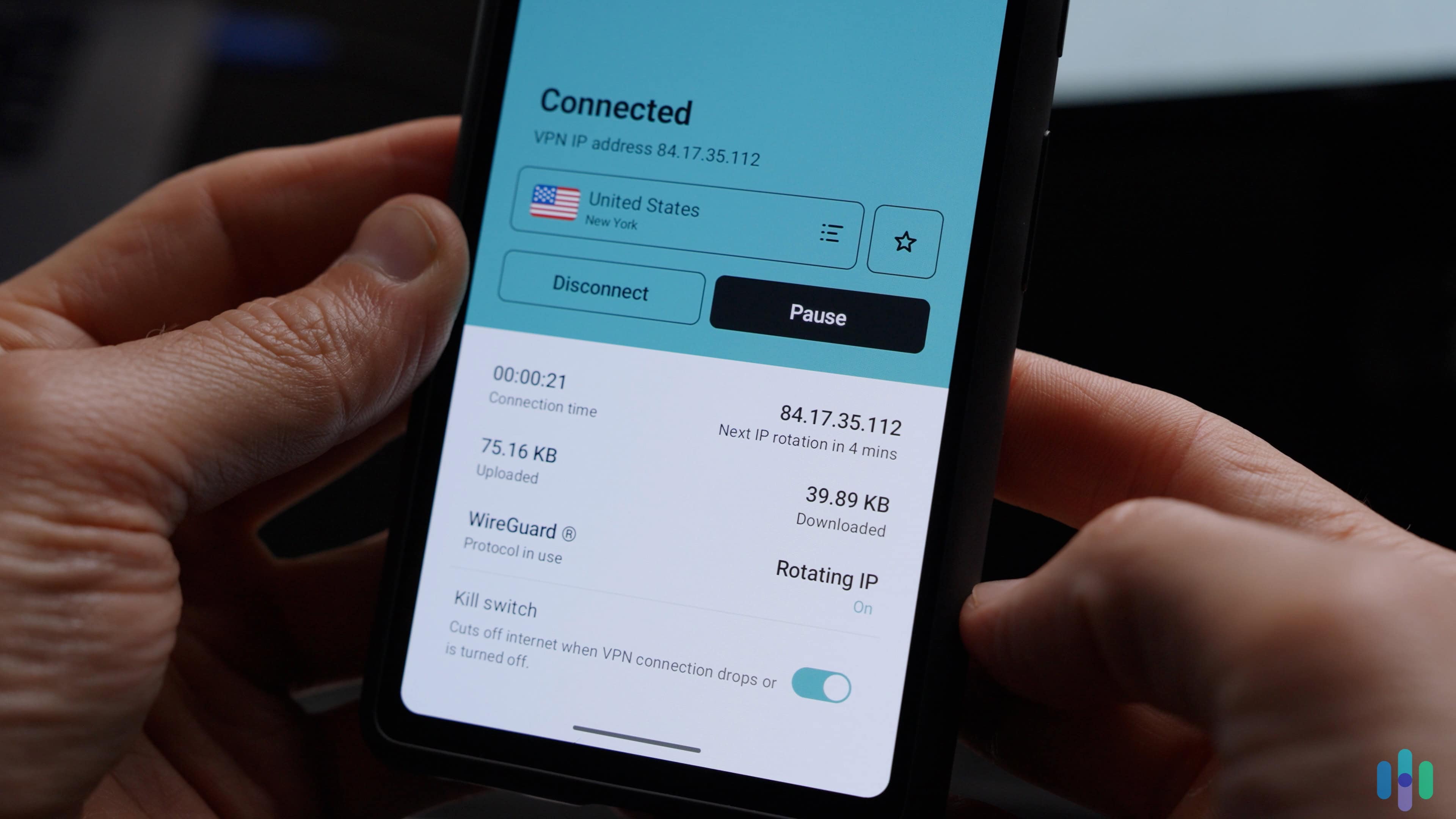
Surfshark isn’t all that interested in single-month business. Surfshark costs $15.45 for one month of protection, which is the highest price on this list. At $2.19 per month, though, its two-year price is very affordable. With one subscription, you can install Surfshark on as many devices as you want. Even better, with unlimited simultaneous connections, you can use Surfshark on all those devices at once. That’s not only affordable, but also impressive value — especially considering an Amazon Prime membership is a whopping $15 per month.

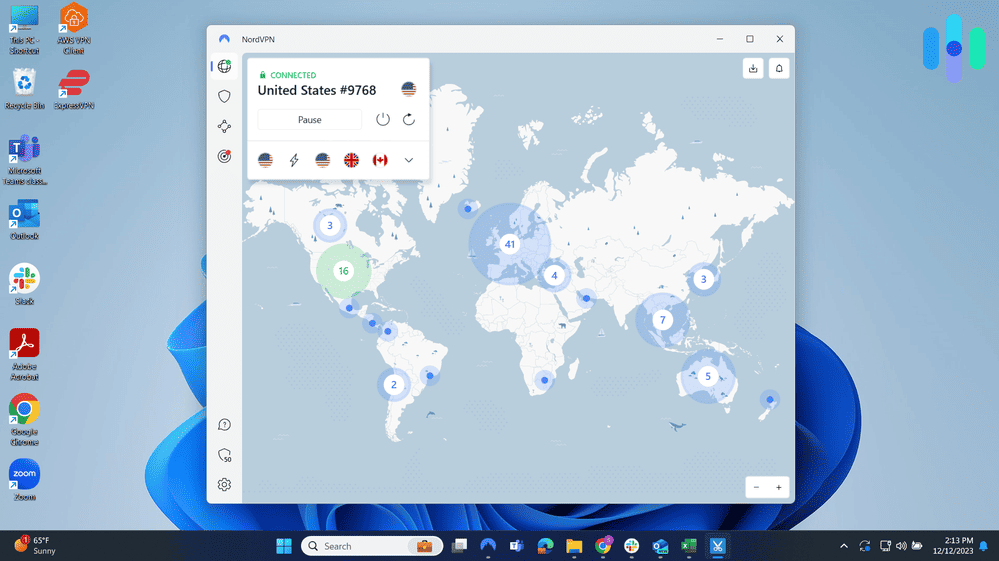
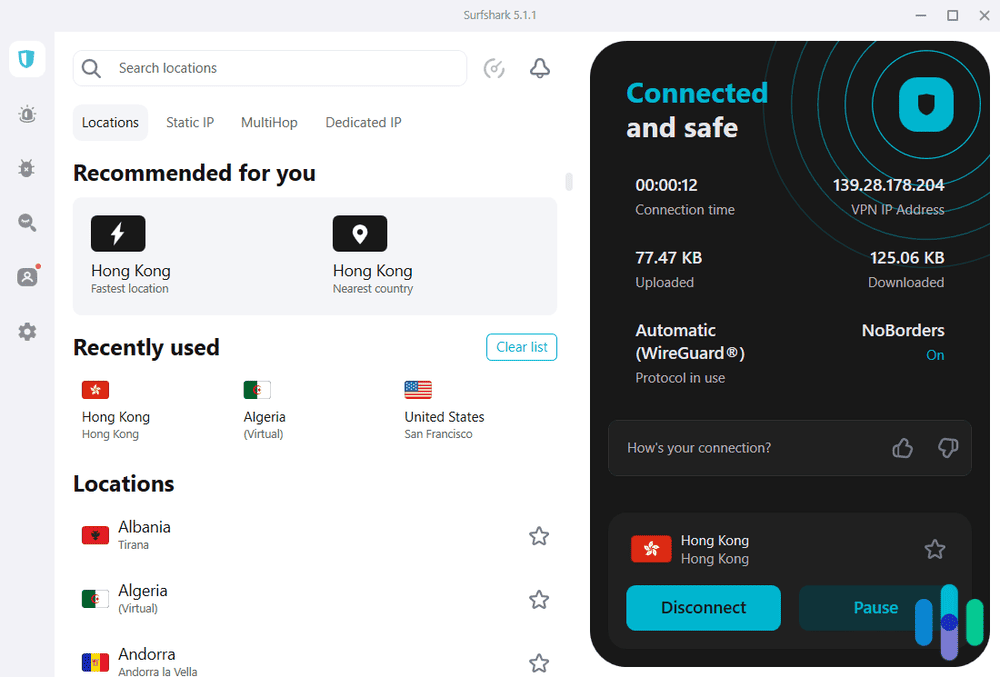
Surfshark connected to Hong Kong What We Like
- Offers dynamic multihop
- Access to multiple streaming services in addition to Prime Video
- Unlimited simultaneous connections
- Regularly refreshed server IP addresses consistently bypass Prime Video’s VPN blocker
What We Don’t Like
- No phone support
- Relatively slow speeds
- Static IP addresses
- Kill switch on Windows app requires manual setup
We were at our sister’s place last weekend. She has three boys, and it’s never not a madhouse there. Two of them fought over the Xbox in one room, while the third blasted Spotify music in another. Meanwhile, her husband was using Prime Video to flip back and forth between a couple of SEC football games. Exhausting. It made us grateful to be single. We had to give her this though: She took our advice and signed up for Surfshark. It’s one of the few VPNs that lets users install its software on an unlimited number of devices, and you can use the VPN on all those devices at the same time. We at least knew everyone in the house was protected.
That’s the thing we like most about Surfshark. The company seems committed to protecting its customers from any potential online hazards. In addition to covering all your devices, Surfshark offers unique services such as torrenting support because it recognizes that torrenting is one of the online activities where you’re at your most vulnerable.
>> See Also: Best Free VPNs for Torrenting
It’s no surprise that Surfshark doesn’t just provide access to Prime Video. While testing Surfshark, we visited Netflix libraries in Spain, checked out the local news in Atlanta on Hulu+, and got around ESPN+ blackouts for sports right here in New York. Each time we visited these sites, we rarely ran into their VPN blockers since Surfshark regularly changes the IP addresses of their servers.
>> Learn About: The Best VPNs for Spain
-
2. Private Internet Access - Best for U.S. Regional Content
 View Plans Links to Private Internet Access
Product Specs
Server locations 91 countries Average Speed Loss 5% download & 84% download Apps Windows, MacOS, Linux, Android, iOS, Chrome, Firefox, Android TV, tvOS Best Monthly Rate $2.03/mo with a 3-year plan Money-Back Guarantee 30 days full refund
Privacy and Security
We hate to start with a negative, but we should point out from the start that Private Internet Access is located in Denver. We have nothing against the Mile High City, but it’s located in the U.S. That means it’s squarely in Five Eyes country. If you’ve been paying attention, you know that means the company can be required to turn over customer records to law-enforcement agencies.
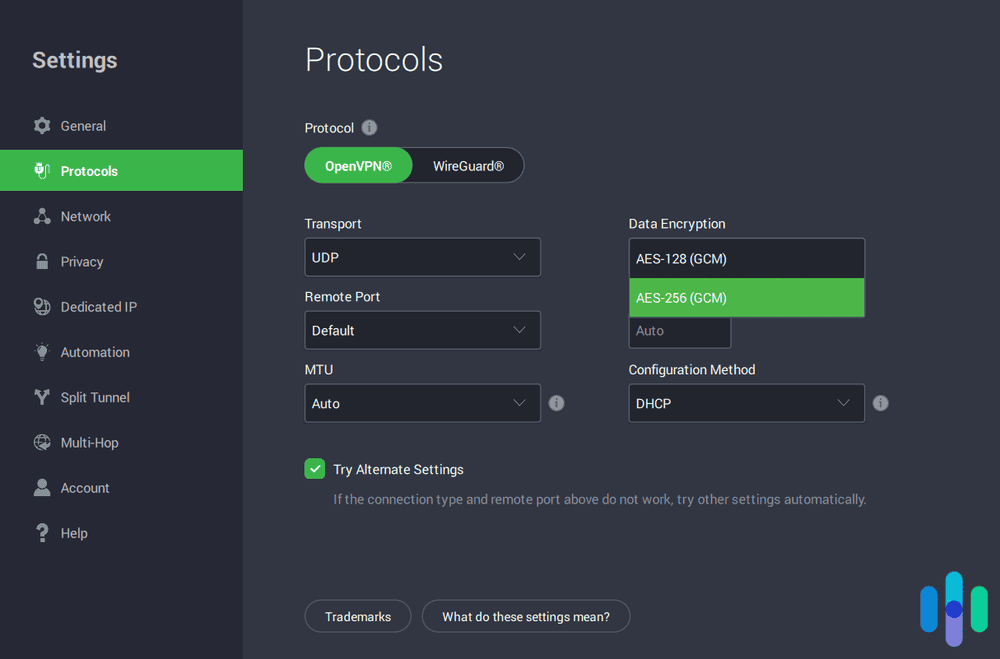
Luckily, PIA has a very strict logging policy. The company doesn’t log anything related to online activities. Also, in our tests, PIA allowed us to choose between 128-bit or 256-bit AES encryption. We thought that was a nice touch.
Servers
In all our research — and we do a lot of research — we have yet to come across a VPN that operates more servers than Private Internet Access. And the company seems to be adding more all the time. As of this writing, it claims to run over 35,000 servers. What difference do all those servers make? The less traffic on a server, the faster your internet connection. The faster your connection, the better your Prime Video streaming experience.
Speed is also affected by how close you are to a server. With servers in all 50 U.S. states and 91 countries, we were always able to find one that was both close and relatively uncrowded. It’s no wonder, then, that PIA’s speeds are solid across the board. None of our speeds slowed by more than 65 percent when we were using the VPN, and our Mac latency was basically zero. It doesn’t get any better than that.
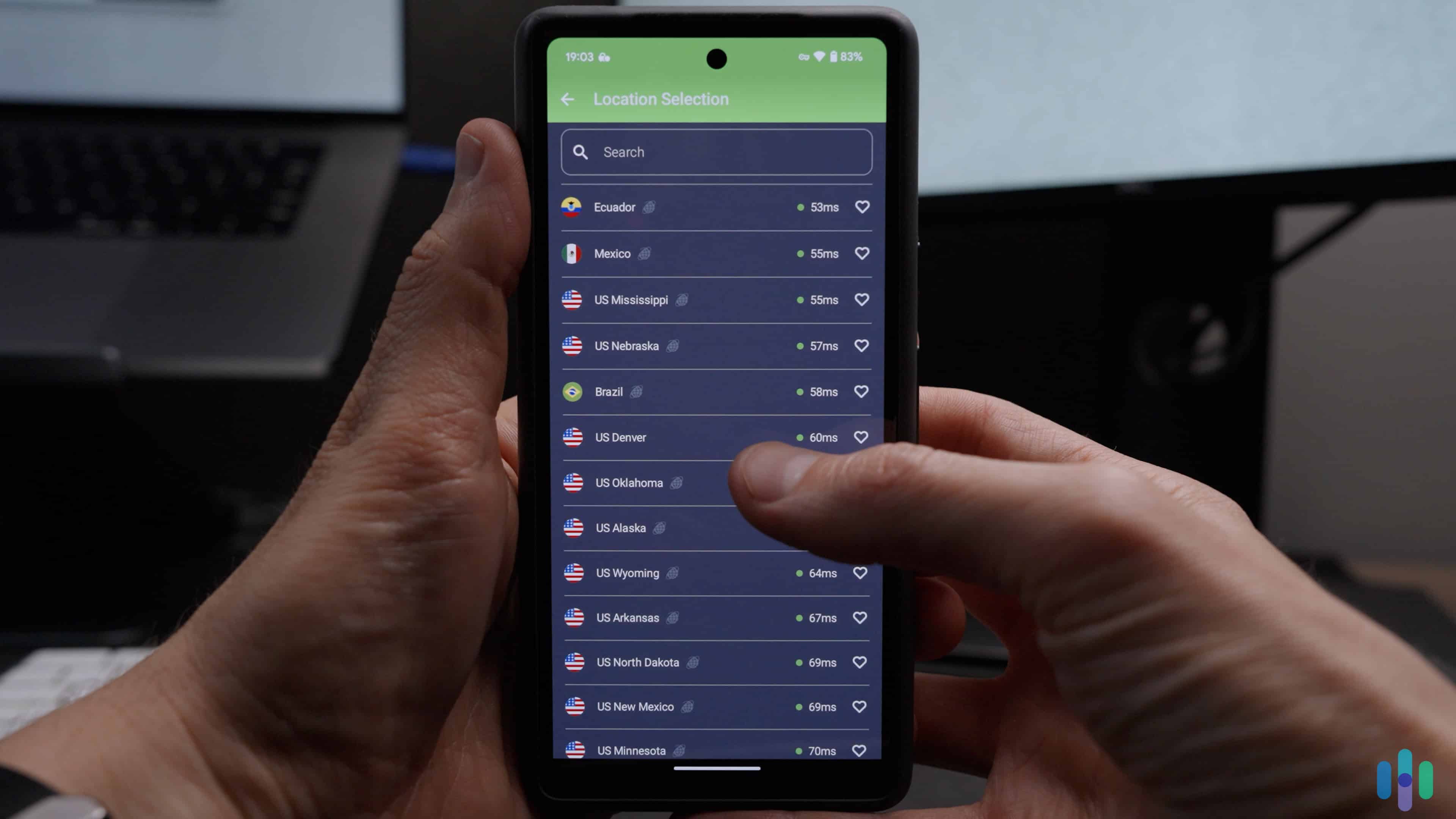
Expert Insight: With servers in all 50 U.S. states, you can access any region-locked U.S. content on Prime using Private Internet Access. We used that to watch our home state’s Thursday Night Video while we were on a cross-country vacation.
Affordability
PIA’s price for one month of service is $11.95, a full dollar cheaper than both NordVPN and ExpressVPN. Not bad. Like most VPNs, though, the real savings come when you sign up for a longer subscription. One year of PIA costs $39.95, which works out to $3.33 per month. If you’re willing to sign up for three years, the price drops to just $2.03 per month. That’s competitive with any of the VPNs on this list.

Private Internet Access’ customizability What We Like
- Servers in all 50 U.S. states
- Support for a variety of platforms
- Intuitive, easy-to-use app
- Fast speeds on Windows devices
What We Don’t Like
- Spotty customer support
- Based in the U.S., a Five Eyes country
- No free trial
- Slower speeds on Macs
Remember how we just said VPNs in Five Eyes countries can be forced to turn over customer data? And how we vastly prefer when VPNs are based in non-member countries, like, say, the British Virgin Islands? Guess where Private Internet Access is located? Denver. Beautiful city, but definitely in the Five Eyes zone. So what is it doing on this list?
For starters, it’s another VPN with a very strict privacy policy. All VPNs collect some information on their customers. PIA kept our email address and credit card number. How else can it function as a business? It didn’t keep a record of our browsing history or IP addresses though. Even better, PIA has taken the extra step of inviting an independent auditing service to verify its privacy policy claims. That goes a long way toward allaying our security fears.
>> Read More: What Can Someone Do With Your IP Address?
PIA has some additional features that are tailor-made for a great Prime Video experience. Beyond the fact that we were able to bypass filter blocks, PIA gave us access to tens of thousands of servers in over 90 countries. That means plenty of content libraries. It also means a lightning-fast connection. When we were checking out the French TV series “The Bureau,” we had a couple of glitches. Nothing we couldn’t live with, but we didn’t have to live with them. We switched to another of PIA’s many Paris servers, and, just like that, nary a glitch.
-
3. ExpressVPN - Best for Devices Without VPN Apps
 Get ExpressVPN Links to ExpressVPN
Product Specs
Server locations 105 countries Average Speed Loss 7% download & 24% upload Apps Windows, MacOS, Linux, Android, iOS, Chrome, Firefox, Edge, Android TV, tvOS Best Monthly Rate $2.44/mo with a 2-year plan Money-Back Guarantee 30 days full refund
Privacy and Security
One of the advantages of investing in an ExpressVPN subscription is that the company is headquartered in the British Virgin Islands (BVI), which means it’s outside the jurisdiction of the Five Eyes, Nine Eyes, and 14 Eyes surveillance organizations. Countries in these groups share intelligence information with one another, and any law enforcement agency in one can subpoena customer information from companies in another. That means, for example, that the Canadian Mounties could force a U.S.-based VPN to tell them about all our online activities. Not a problem if you sign up for ExpressVPN though. BVI is not a member of the surveillance alliance. Something to keep in mind!

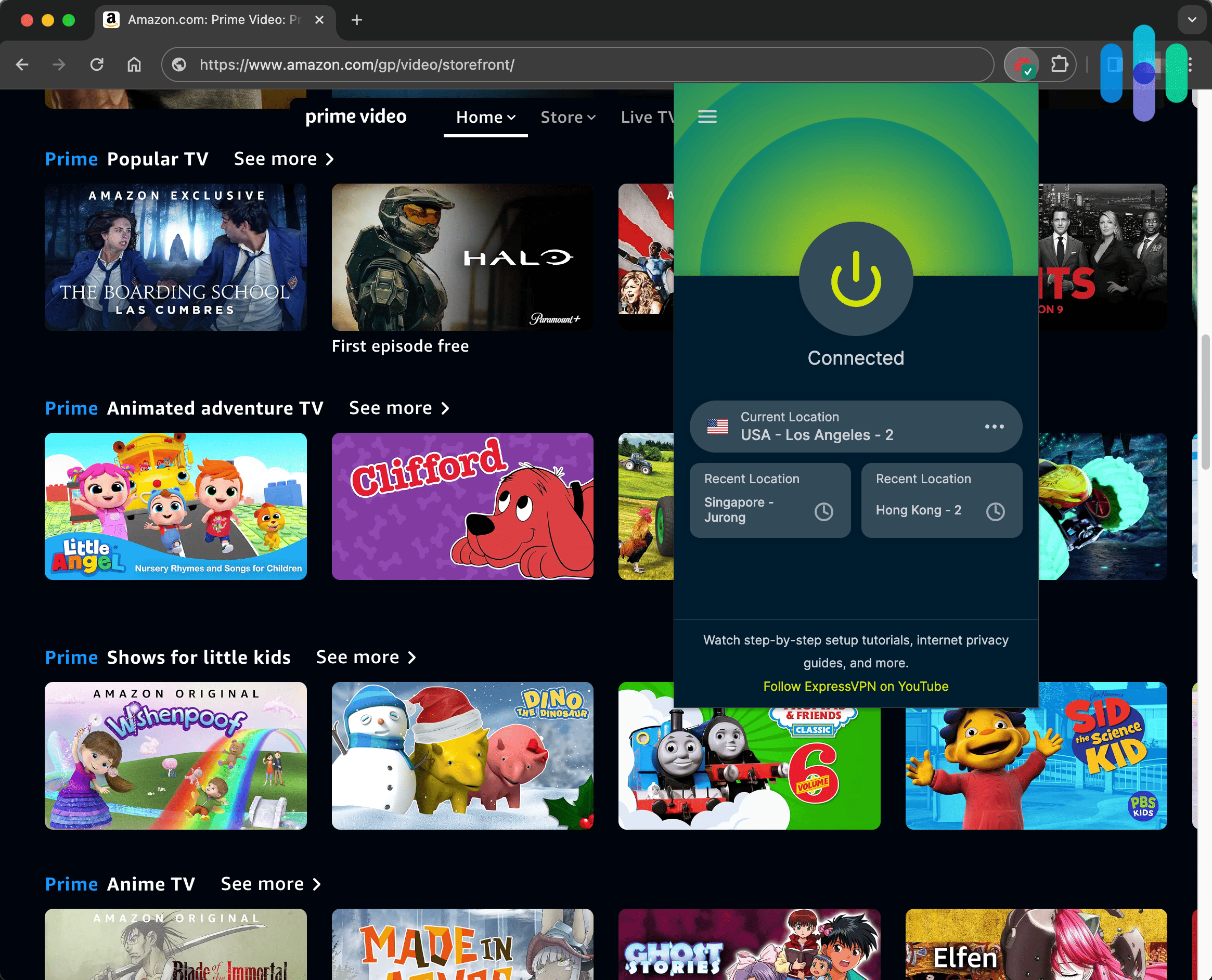
Using Prime Video while connected to ExpressVPN Servers
ExpressVPN doesn’t have quite the number of servers that NordVPN does, but it maintains servers in 105 countries. Throw a dart at a map and chances are, there will be an ExpressVPN server nearby. Since Prime Video offers different content libraries in different countries, that means ExpressVPN gives us access to streaming content from around the world, too.
Affordability
If ExpressVPN has an Achilles’ heel, it’s the company’s relatively high prices. The single-month price isn’t terrible — $12.99 is the same price as NordVPN — and the price falls if you’re willing to sign up for a longer subscription. Two years of service still costs $4.99, though. Over $4 is pretty pricey when you consider that Ivacy VPN costs as little as $1 per month.

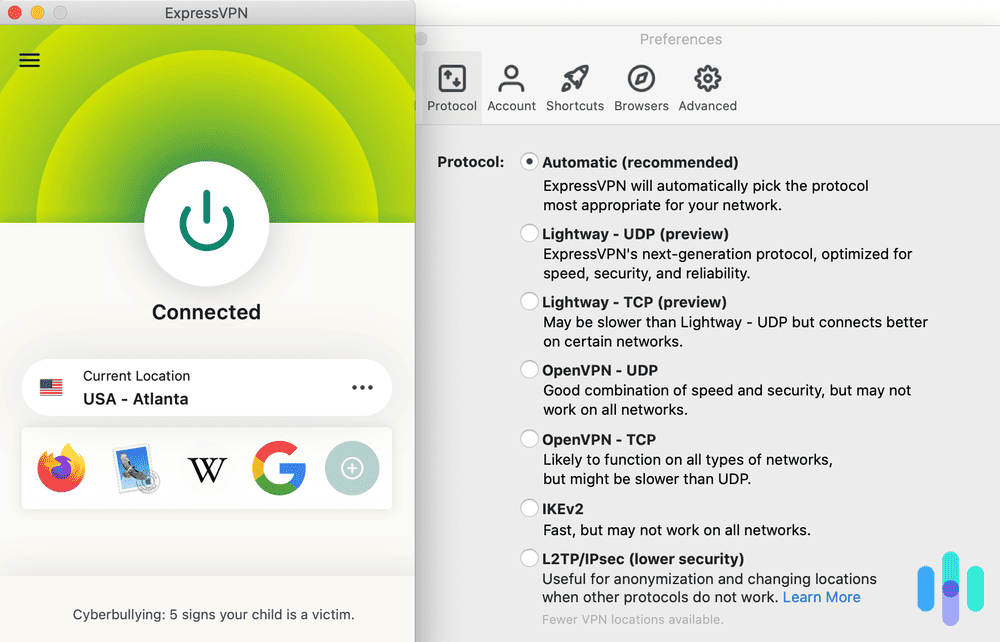
ExpressVPN’s protocol options What We Like
- Headquarters outside Five Eyes, Nine Eyes, and 14 Eyes member countries
- Access to Netflix, Hulu+, Disney+, and Max, in addition to Prime Video
- Servers in 105 different countries
- Offers Aircove routers with ExpressVPN pre-installed
What We Don’t Like
- No multihop
- Only 10 simultaneous connections on basic plan
- Slower speeds on Macs
- Relatively high prices
In addition to being headquartered in privacy-friendly BVI, ExpressVPN maintains a privacy policy that’s among the strictest in the industry. We combed through it and discovered that the company doesn’t collect any information related to our online activities. It doesn’t record time stamps, IP addresses, or browsing histories. Even if a government agency shows up with a subpoena, ExpressVPN wouldn’t have any of your data or browsing activity to turn over.
On top of being great on privacy, ExpressVPN also makes it easy to use their service on devices that don’t natively support VPNs, such as a Roku or gaming console. With those devices, you’d normally need to mount a VPN to a router or set up a virtual router on your computer. Both of those are relatively complicated processes. ExpressVPN simplifies it by offering high-quality Aircove routers with their VPN software pre-installed. All you need to do is plug it in, sign into your account, and you’re up and running.
-
4. NordVPN - Best Security Features
 Get NordVPN Links to NordVPN
Product Specs
Server locations 130 countries Average Speed Loss 6% download & 4% upload Apps Windows, MacOS, Linux, Android, iOS, Chrome, Firefox, Edge, Android TV, tvOS Best Monthly Rate $3.39/mo with a 2-year plan Money-Back Guarantee 30 days full refund
Privacy and Security
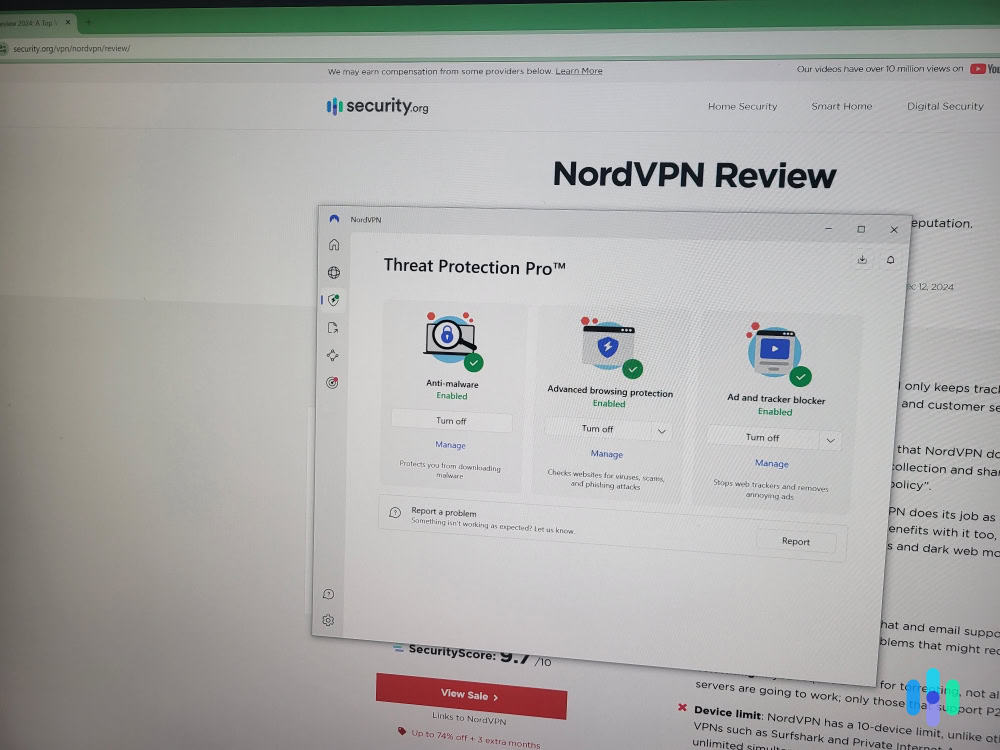
You won’t find a more secure VPN than NordVPN. It’s the chief reason we put the company at the top of our best VPNs list year after year. NordVPN uses the same encryption method as the CIA (AES-256) and it also offers the most tested, most trusted protocol (OpenVPN). On top of those fundamental security features, it offers multihop technology, which routes your internet connection through two or more servers so you get at least twice the encryption. And with available camouflage mode, you can be sure no one will even know you’re using a VPN.

Using Prime Video while connected to NordVPN Servers
NordVPN has plenty of servers — about 8,600 in all — and its host servers are scattered across 129 countries. That’s not as many as some companies — Private Internet Access, for instance, commands tens of thousands of servers — but NordVPN’s server list gave us access to Prime Video libraries in places like Canada, the U.K., and Australia.
Affordability
NordVPN’s price for a single-month standard subscription is nothing special at $12.99. That’s cheaper than Surfshark’s single-month price of $15.45, but it’s not nearly as good as ProtonVPN’s single-month price of just $9.99. But, does the price you pay really impact the quality of your VPN? Find out in our Surfshark vs NordVPN and ProtonVPN vs NordVPN comparisons. In short, there isn’t a clear correlation between quality and price.
NordVPN’s annual and two-year prices are pretty average, too, although they’re far lower than the company’s single-month price. With a year-long subscription, a month of service is just $4.59, while the monthly price with a two-year subscription drops even further, to $3.29. For reference, Norton VPN’s monthly price with a one year plan is $3.33.

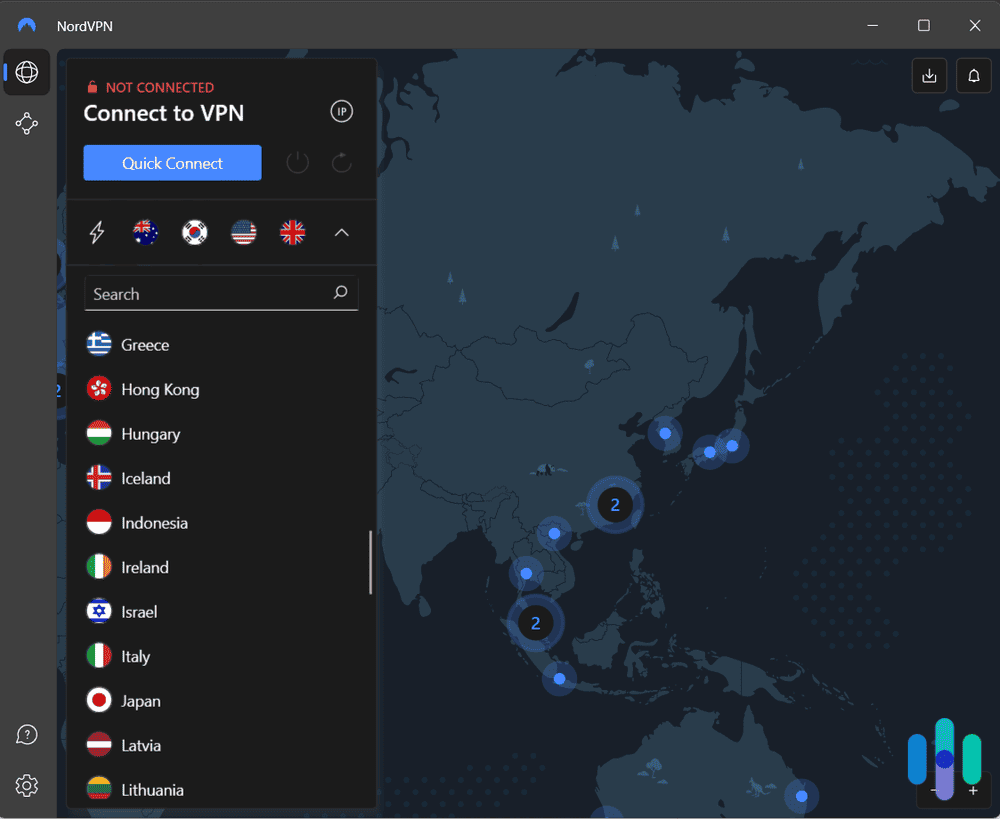
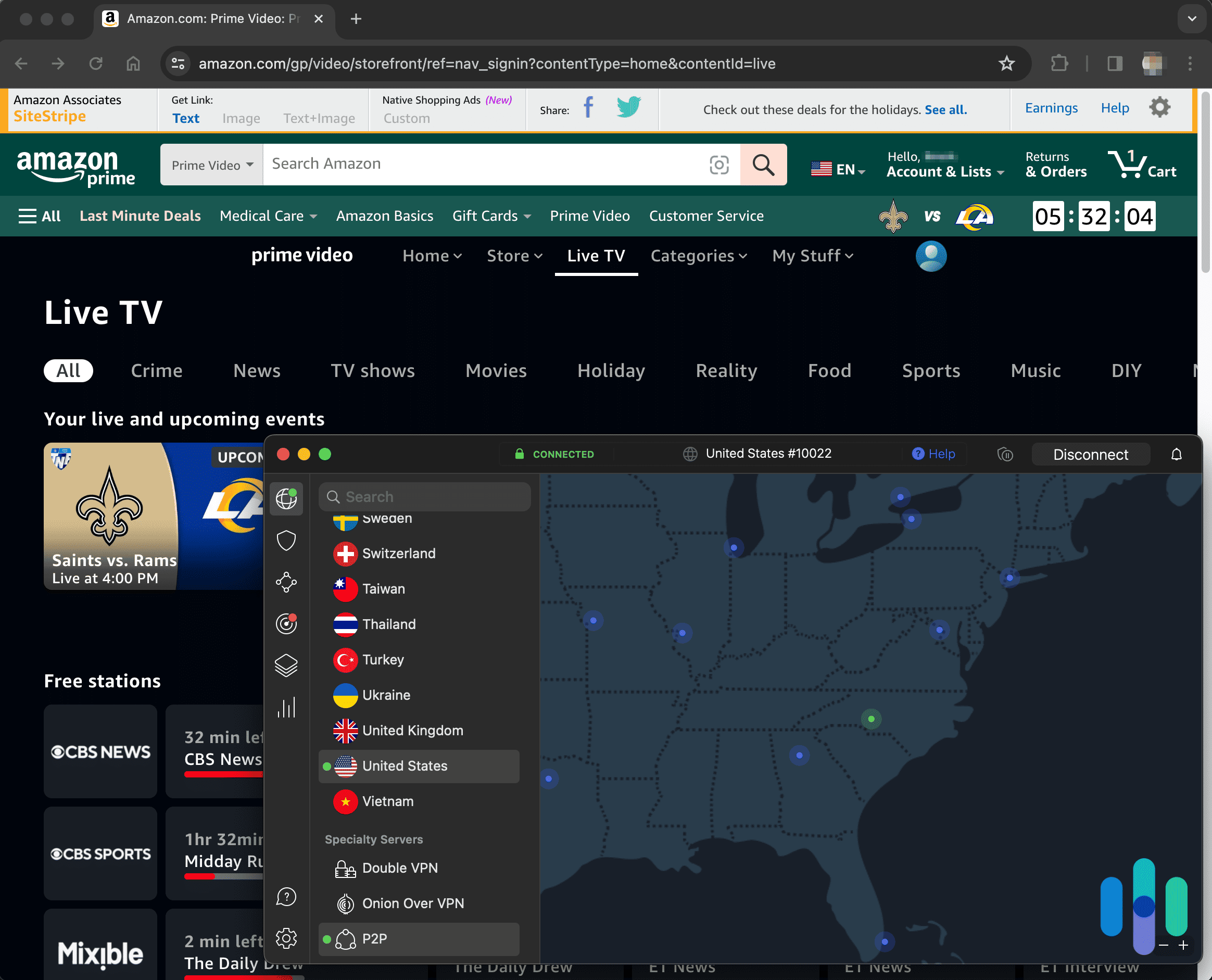
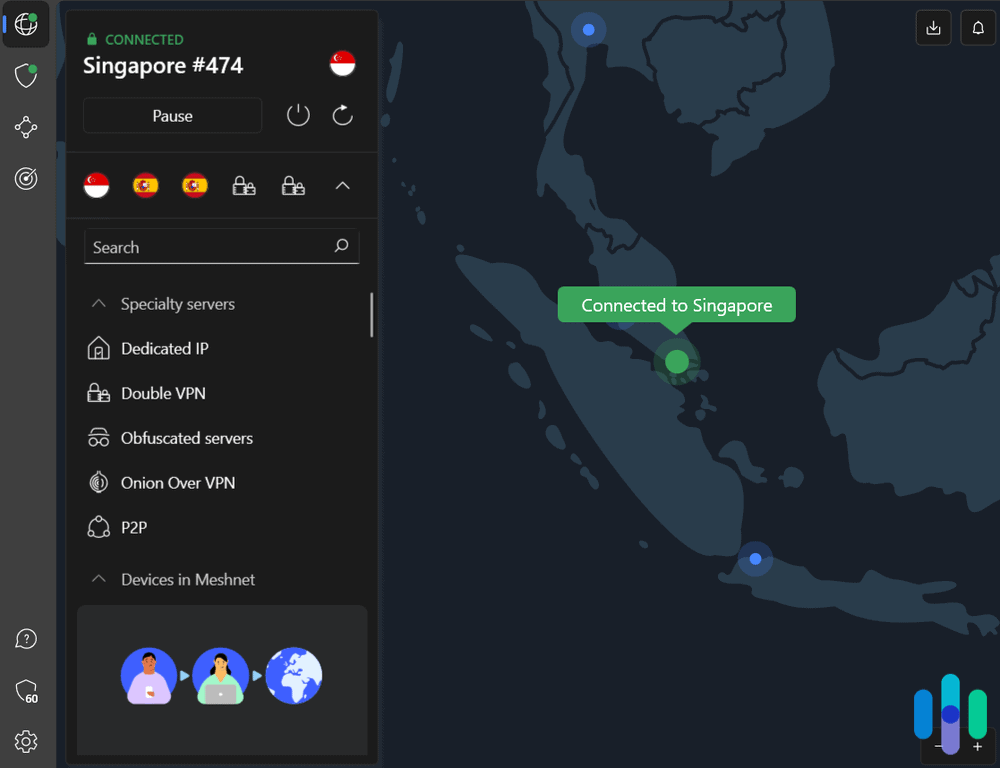
NordVPN connected to Singapore What We Like
- Available multihop servers
- Torrenting-ready
- Fast speeds on Macs
- Strict privacy policy
What We Don’t Like
- No split tunneling on Apple devices
- Limited to 10 simultaneous connections
- No phone support
- iOS kill switch doesn’t shut off all apps
We’ve been burned before. We sign up for a VPN thinking it’ll let us access Prime Video and, if we’re lucky, Netflix, Hulu+, Disney+, and Max to boot. And it does. And we’re happy. So, so happy. For a month. And then Prime and all those other services begin to recognize the VPN’s IP addresses, and suddenly it’s all gone. Poof. NordVPN has camouflage mode, though, and based on our extensive testing, we’ve found that camouflage mode has the power to unblock everyone and everything.
>> Read About: Best VPNs for Disney+
Basically, NordVPN offers special servers known as obfuscated servers, which not only hide your IP address like other VPNs, but also conceal the fact that you’re using a VPN. As a result, apps and websites — like, for instance, Prime — can’t filter out NordVPN users as easily. Our only real problem now is how to find time to watch all the Prime content we have access to.
Beyond all that, NordVPN offers the best security on the market, with AES-256 encryption, a choice of protocols between NordLynx, OpenVPN and WireGuard, a kill switch, and multihop technology that routes your connection through two or more servers any time you need a little extra protection. We’ve had our identity stolen once, and we never want to go through that again. NordVPN’s many layers of security give us peace of mind.
>> Read More: How to Check If Someone Is Using My Identity
No VPN is perfect, of course, and as much as we like NordVPN, it has its flaws. Any time you add more protection to a device, you’re going to slow things down a little. Given just how safe NordVPN is, it’s no surprise that you have to sacrifice some speed. That’s especially evident when it comes to latency numbers on Windows devices. Our tests found that latency increased by 3,100 percent. Luckily, all of Nord’s other numbers were under 50 percent, and some were quite impressive. Latency on our Mac, for example, increased by just 10 percent.
-
5. Proton VPN - Most User-Friendly Prime Video VPN
 View Plans Links to Proton VPN
Product Specs
Server locations 129 countries Average Speed Loss 8% download & 4% upload Apps Windows, MacOS, Linux, Android, iOS, Chrome, Firefox, Android TV, tvOS, Firestick Best Monthly Rate $2.99/mo with a 2-year plan Money-Back Guarantee 30 days
Privacy and Security

Proton VPN provides good security by blocking unsafe websites. Proton VPN offers high-end privacy — it follows a strict, independently-audited no-logs policy, and it also has open-source apps. That means anyone can inspect the app code for security issues. Plus, its apps have also passed several security audits.
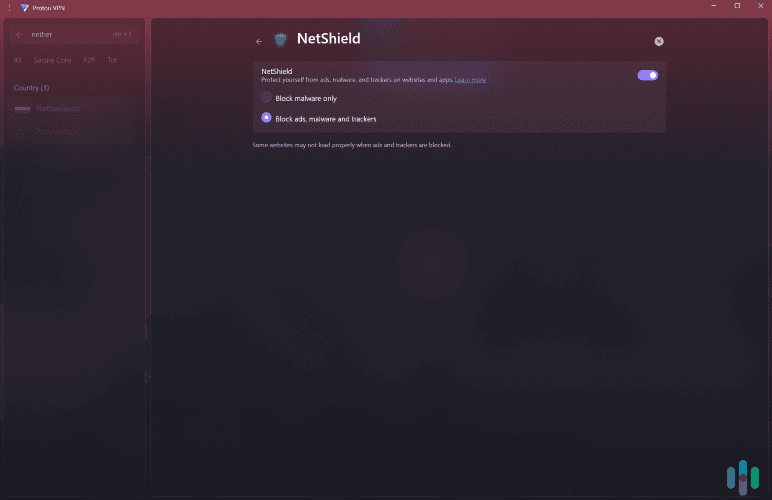
The VPN also provides excellent security by using Full-Disk Encryption (FDE) across all servers. This ensures that all data stays safe even if a server is somehow compromised. Proton VPN also uses “NetShield” to protect you — the tool blocks ads, trackers, and malicious websites.
>> Related Reading: The Best No-Log VPNs in 2026
Servers

Proton VPN has servers across the globe, and works with multiple Prime Video libraries. Proton VPN has over 18,000 servers in 129 countries, which is one of the largest server networks in 2026 — comparable to NordVPN, and slightly bigger than Surfshark.
The VPN’s huge server network allows it to maintain very fast streaming speeds. We didn’t wait more than five seconds for HD videos to load, and there was no buffering when we skipped through them.
>> Further Reading: The Fastest VPNs in 2026
Affordability
Proton VPN has two subscription tiers: “VPN Plus” and “Proton Unlimited.” “VPN Plus” is the best for streaming Amazon Prime Video since it comes with all core VPN features. Also, all plans are backed with a 30-day refund, so you can always try one out to see what features you need, then request a refund and switch if needed.
Proton “VPN Plus” Pricing 1-Month $9.99/month 1-Year $4.99/month 2-Years $4.49/month Proton VPN also has one of the best free VPN plans in 2026, allowing unlimited bandwidth — but we don’t recommend it for streaming Prime Video because it doesn’t support streaming. We tried using its free VPN plan, and Prime Video always blocked us.
What We Like
- Compatible with up to 22 Amazon Prime Video libraries
- Has beginner-friendly VPN apps for all devices
- Delivers very fast speeds for HD and 4K streaming
What We Don’t Like
- Has a free version, but it doesn’t support streaming
- Customer support live chat is only available after buying a subscription
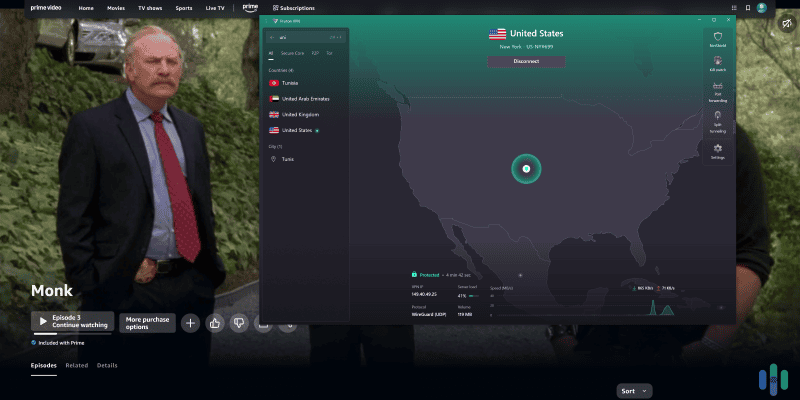
Proton VPN always accessed Amazon Prime Video without issues in our tests. It also works with up to 22 regional libraries, including the US, UK, Japan, Canadian, Australian, French, and German libraries.
The VPN also has very intuitive apps for Windows, macOS, Linux, iOS, Android, Chromebook, Android TV, Fire TV, and Apple TV. All apps feature a quick-connect tool and a search bar for quick server access. All settings also have brief, helpful explanations.
Feature Highlight: Most apps have “Profiles,” a tool that automates VPN connections. On Windows, we used it to set up a profile that auto-connects to the fastest US server, and opens Amazon Prime Video in our default browser.
-
6. Hotspot Shield - Best Free VPN
 View Plans Links to Hotspot Shield
Product Specs
Server locations 80+ countries Average Speed Loss 3% download & 80% upload Apps Windows, MacOS, Linux, Android, iOS, Android TV, Firestick Best Monthly Rate $2.99/mo with a 3-year plan (free plan available) Money-Back Guarantee 45 days full refund
Privacy and Security
You’re probably thinking the last VPN on the list won’t be of the same caliber as the first five. Not so. We wouldn’t put a VPN on this list that didn’t have all the best security features. Hotspot Shield has everything you need in a VPN, plus a couple of nice extras: multihop to provide extra encryption and camouflage mode to conceal the fact that you’re using a VPN. Hotspot may not come with as many bells and whistles as other VPNs on this list, like Nord or PIA, but one thing it has in abundance is security.
Servers
Hotspot Shield offers 3,200 servers in 80 countries. Those numbers aren’t as impressive as some, but they are healthy enough. Maybe you can’t access Prime content in Albania and Botswana, but we suspect that 80 countries’ worth of content will probably be enough. Plus, a lot of Hotspot’s servers are calibrated for P2P, so if you really have to have that Botswanan series everyone’s talking about, you could always download it as a torrent, as long as it’s copyright free.
Affordability
Hotspot Shield VPN is plenty good when it comes to security features, and it works well with Prime Video. You also get unlimited simultaneous connections. All that quality doesn’t come cheap though. Single-month subscriptions are $12.99, and the price doesn’t fall much even if you sign up for a longer subscription. A year costs $7.99 per month. We’re OK with a premium service charging a premium price, but you can get virtually the same features from Surfshark, NordVPN, or PIA for much less.
FYI: To be fair, Hotspot Shield also offers a free version of its VPN — a version so good we put it at the top of our list of best free VPNs.

Using Hotspot Shield on my Mac What We Like
- Split tunneling
- Multihop technology
- Free plan with unlimited bandwidth
- Torrenting support
What We Don’t Like
- Headquarters in Canada, a Five Eyes member nation
- Static IP addresses
- Unusual pricing structure
- Limit of 10 simultaneous connections
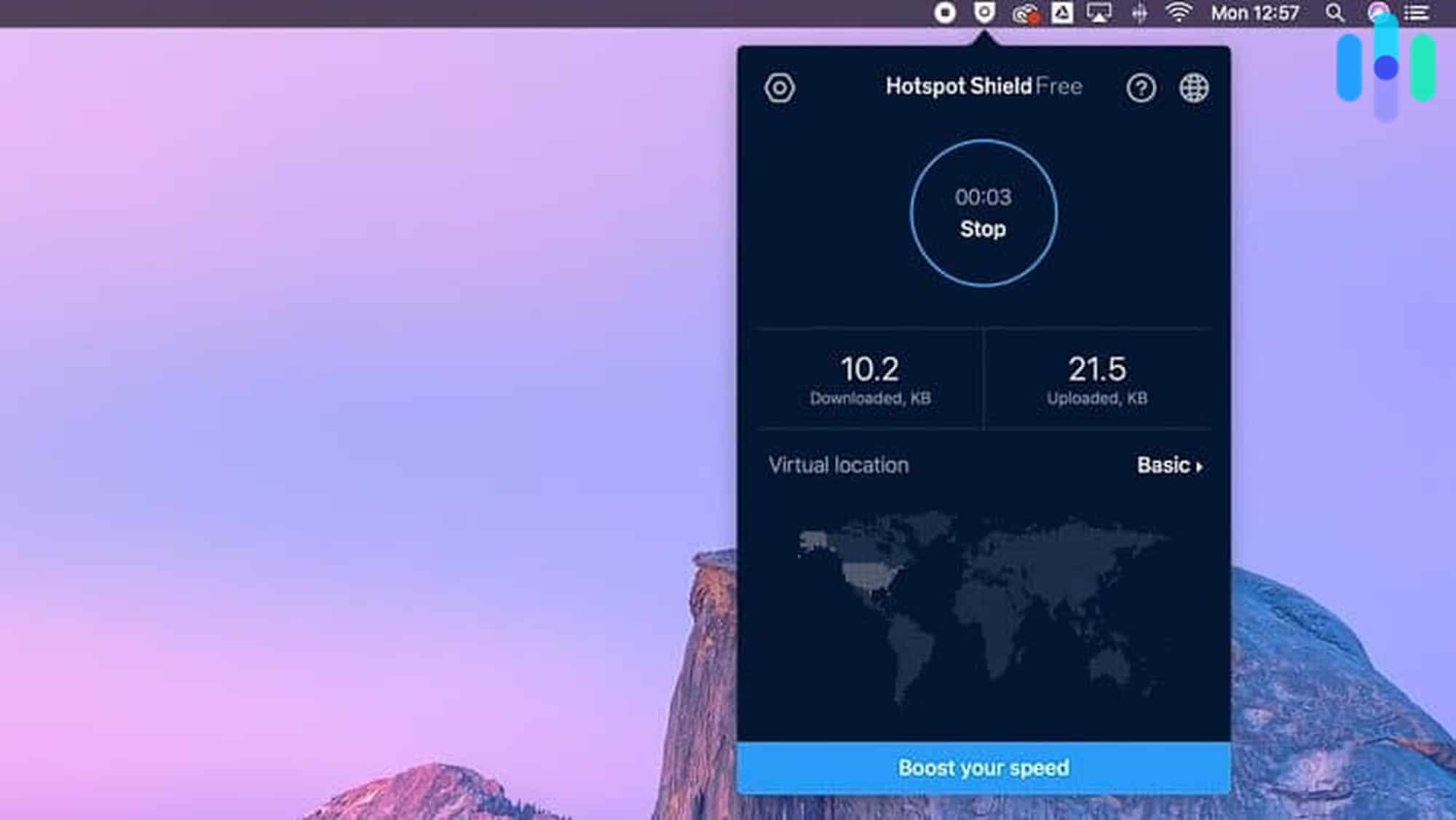
Speed isn’t our first consideration when we’re reviewing a VPN. The first consideration is always security. A slow VPN, however, isn’t much good for watching Prime content. Hotspot Shield’s speeds are strong across the board in both downloads and uploads on both Windows and Mac devices.
>> Read More: Our Favorite VPNs for Windows
Our Mac download speeds slowed by about 30 percent when we ran Hotspot Shield, and by about 18 percent on our Windows device. Not bad at all. Uploads were similar. For Windows, things slowed down about 26 percent. We had to run the Mac upload test twice, because we couldn’t believe the results. Our upload speed slowed by just 0.2 percent. That’s basically a rounding error.
What do all these numbers mean in a concrete sense? When we’re watching sports on Prime Video using Hotspot Shield, we never have to worry about buffering. We always have a smooth, glitch-free connection and never miss a play.
>> Consider: The Best VPNs for Macs
Testing VPN Speeds
We run speed tests on all the VPNs we review. All VPNs slow devices down at least a little, but we’re looking for the ones that slow things down as little as possible. You can run your own speed tests. All you have to do is follow our simple steps.
- Make sure the VPN is off on your device.
- Head to Ookla’s speed test website. It’ll give you precise numbers, and all you have to do is press the big Go in the middle of the screen.
- Make a note of your device’s speed when it isn’t running the VPN.
- Start your VPN.
- Once you have your VPN running, head back to Ookla and test your speeds again.
- You’ll have raw numbers to compare at this point, but figuring out the percentage difference will tell you more. To get the number, divide the speed with the VPN by the speed without the VPN.
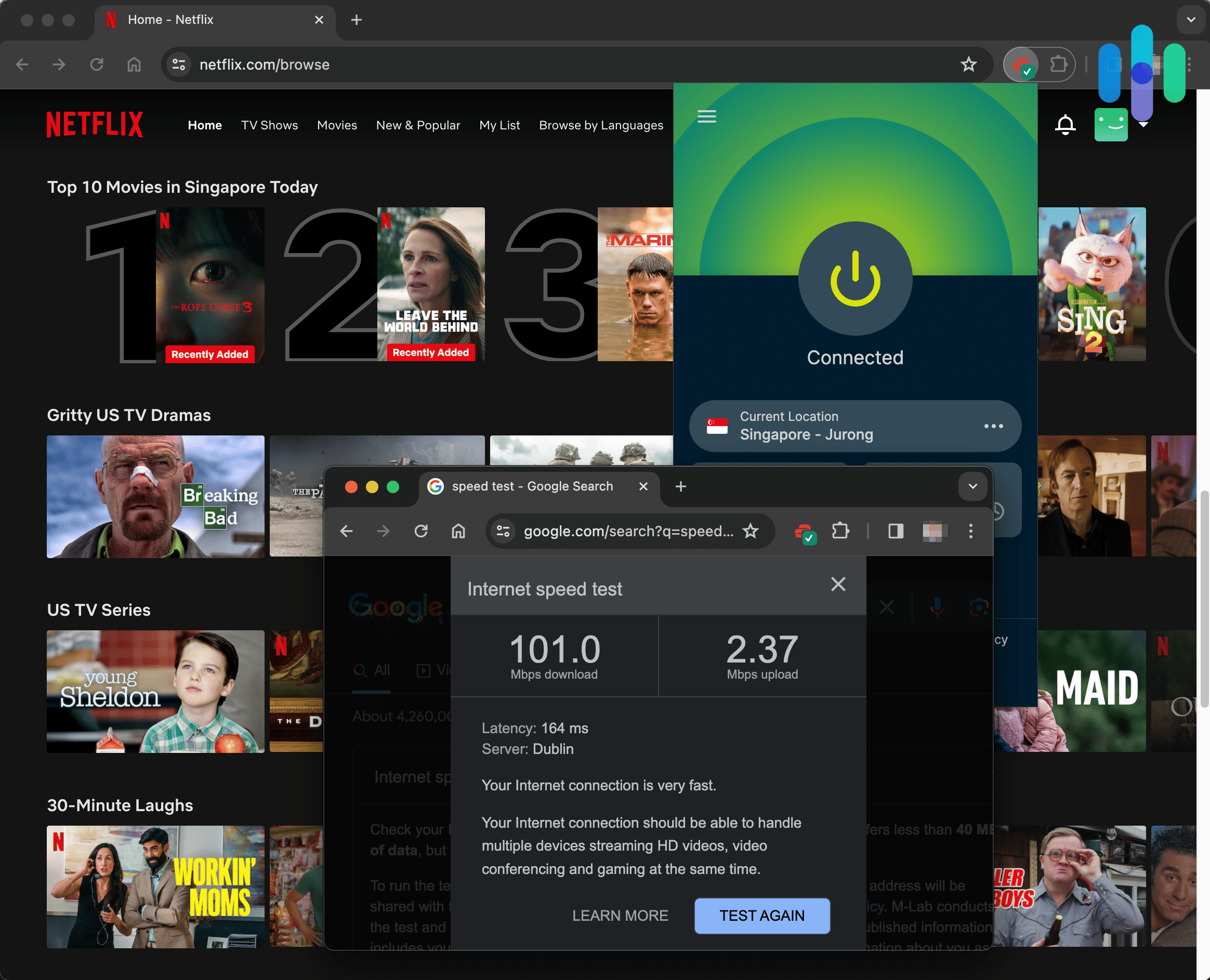
What speeds should you be looking for to stream on Prime Video? Here’s a detailed breakdown of the minimum speed requirements and our recommendations for a smooth streaming experience when using a VPN:
| Streaming Quality | Minimum Speed Required | Recommended VPN Speed |
|---|---|---|
| SD (480p) | 3 Mbps | 5+ Mbps |
| HD (720p) | 5 Mbps | 8+ Mbps |
| Full HD (1080p) | 10 Mbps | 15+ Mbps |
| 4K UHD (2160p) | 25 Mbps | 35+ Mbps |
A Word About Protocols
You may have noticed some talk of protocols. What are protocols, and how do they affect VPNs?
A VPN is literally an encrypted tunnel to the internet. Protocols are the instructions VPNs use for deploying their various encryption methods, which makes them every bit as important to a VPN’s security as the encryption method itself. If your encryption gets deployed incorrectly, your browsing activity could wind up on display to the world.
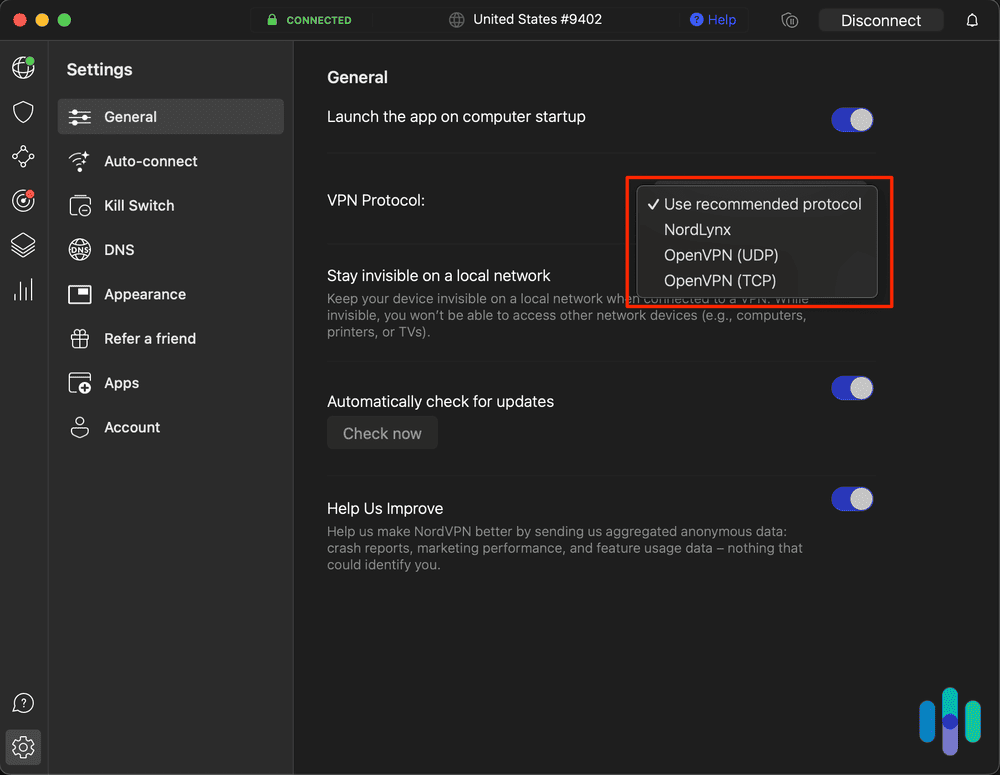
Most VPNs offer a choice of VPN protocols, with most supporting both OpenVPN and WireGuard. OpenVPN has been the industry standard since 2001 — it’s open source, battle-tested, and widely trusted. WireGuard is the newer alternative. It’s leaner, faster, and equally open source, though with a shorter track record. Some providers have also developed proprietary protocols built on top of these — notably ExpressVPN’s Lightway and NordVPN’s NordLynx.
For Prime Video streaming, we recommend WireGuard-based protocols for the best balance of speed and reliability. OpenVPN works too but may add slightly more latency. Lightway also performed well in our tests, with minimal buffering even during 4K playback.
Prime Video VPN Setup by Device
Getting a VPN working with Prime Video isn’t the same process on every device. Some make it straightforward with native app support. Others require a workaround through your router or network settings. Here’s how to set up a VPN for Prime Video on every major streaming device:
Fire TV and Fire TV Stick
Amazon’s newest Fire TV devices run the Linux-based Vega OS, which launched with limited native VPN app support. NordVPN and IPVanish have already released native Vega OS apps, but the selection remains slim compared to what was available on the old Android-based Fire TV OS. If your Fire TV runs Vega OS, you’ll need to set up a VPN on your router or use a dedicated VPN router like ExpressVPN’s Aircove.
If you’re on an older Fire TV device that still runs the previous Fire TV OS, installation is straightforward:
- From the Fire TV home screen, navigate to the Search icon
- Type the name of your VPN provider
- Select the app from the results and click Download
- Once installed, open the app and log in with your credentials
- Select a server in your desired country and click Connect
- Open Prime Video — you’ll now appear to be browsing from that region
Smart TVs
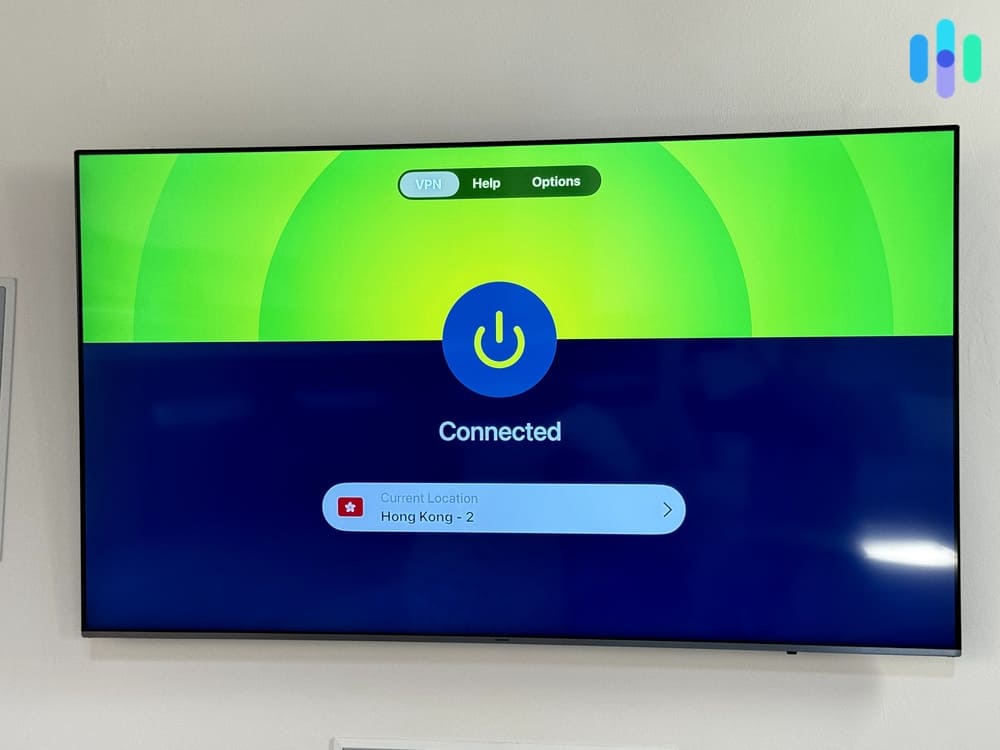
Smart TV setup varies significantly depending on the operating system your TV runs. Just like with a Fire TV, Android TV users can also download a VPN app directly. Samsung and LG owners need a workaround as their operating systems lack native VPN support.
Android TV (including Sony and Philips)
Almost all Android TVs natively support VPN apps through the Google Play Store, making installation nearly identical to the Fire TV process:
- Open the Google Play Store on your TV
- Search for your VPN provider by name
- Download and install the app
- Log in and connect to your preferred server
- Launch Prime Video
Apple TV
Just like Android TVs, newer Apple TVs (tvOS 17) also natively support VPN apps. The only difference is you’ll need to download the VPN app from the App Store instead of the Google Play Store. Otherwise, the setup follows the same process.
However, for older Apple TVs running older software, a VPN router, virtual router, or Smart DNS setup would work best.
Samsung (Tizen) and LG (webOS)
Samsung and LG TVs run on proprietary operating systems that don’t natively support VPN apps. That makes connecting to a VPN more complicated, but still manageable. For these, running a router-level VPN or using Smart DNS are the only options for setting up a VPN to use for Prime Video.
Using Smart DNS for a Samsung or LG Smart TV is a lot easier than setting up a router on your VPN. You don’t risk breaking your router and it works just as well since you likely don’t need the encryption of a VPN for your Smart TV connection. Here’s how to change the DNS settings on a Samsung TV to your VPN’s Smart DNS address:
- Go to Settings, then General, then Network, and then Network Status
- Select IP Settings
- Change DNS setting to Enter Manually
- Input the Smart DNS address provided by your VPN provider
LG webOS follows the same process, except instead of navigating to Network Status in the first step, follow the path: Settings → Network → Wi-Fi Connection → Advanced Wi-Fi Settings.
Roku and Gaming Consoles (Xbox and PlayStation)
Roku and gaming consoles don’t support VPN apps. That makes it more difficult to set up a VPN on them than on most other major streaming devices. You have three realistic options.
First is to use ExpressVPN’s Aircove router, which comes with ExpressVPN installed. With a subscription, you’d be able to simply connect your Roku to it and enjoy VPN access.
The second option is to install a VPN on your existing router, which is a more cumbersome process. Most VPN providers publish step-by-step router installation guides for common firmware types like DD-WRT, Tomato, and AsusWRT. However, some routers don’t support VPN firmware.
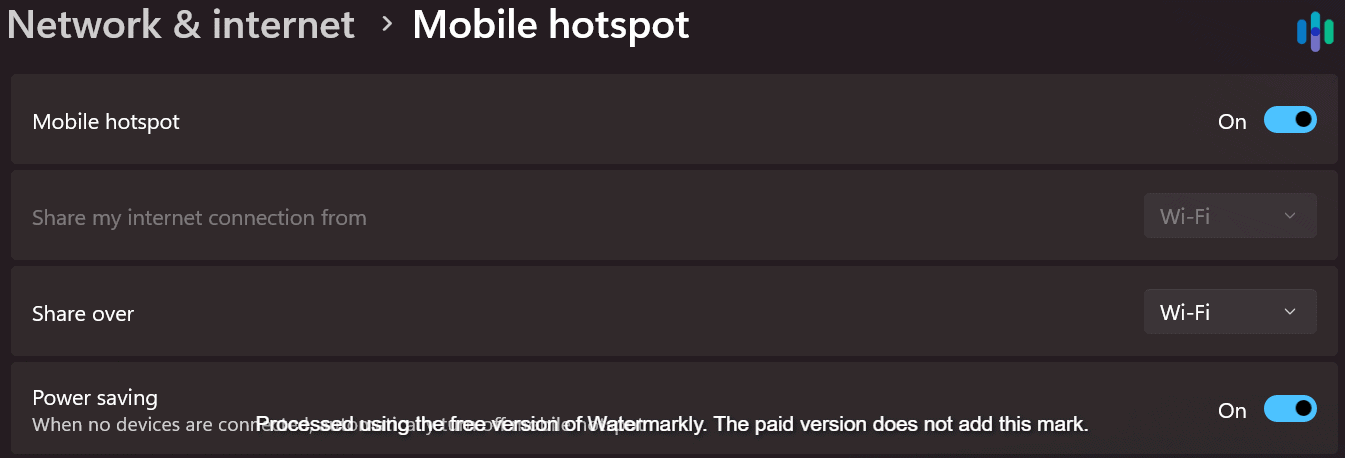
A third option is to use a Windows device as a virtual router. Here’s how:
- Connect your PC to the internet and activate your VPN
- Go to Settings, then Network and Internet, and then Mobile Hotspot
- Enable hotspot sharing and note the network name and password
- On your Roku, PlayStation, or Xbox, connect to that hotspot via Wi-Fi
- Your console now routes through the VPN connection on your PC
Mobile Devices (iOS and Android)
Setting up a VPN on your mobile device is just as easy as installing the Prime Video app on your phone. That’s because every major VPN provider offers dedicated iOS and Android apps. To set up a VPN on your iOS or Android device, follow these four steps:
- Download your VPN provider’s app from the App Store or Google Play Store
- Log in with your account credentials
- Connect to a server in your home country or desired region
- Open Prime Video and stream normally
Smart DNS vs VPN for Prime Video
When it comes to unblocking geo-restricted content on Prime Video, both VPNs and Smart DNS can get the job done — but they work differently and suit different needs. Understanding the trade-off helps you choose the right tool rather than defaulting to whichever sounds familiar.
How They Differ in Practice
A VPN reroutes your entire connection through a server in another country, masking your IP address and encrypting your traffic in the process. Smart DNS takes a lighter approach — it only intercepts the location-revealing parts of your connection, leaving everything else untouched. No encryption, no IP masking, just a targeted redirect that makes Prime Video think you’re in an eligible region.
In practice, these two approaches result in three real-world differences:
- Speed: Smart DNS introduces minimal overhead, making it the better option on slower connections or when streaming in 4K. VPNs typically reduce speeds by five to 15 percent depending on server distance and load.
- Security: VPNs encrypt all your traffic, protecting it from your ISP and anyone else monitoring the network. Smart DNS lacks any data encryption. If privacy matters to you beyond just accessing content, Smart DNS isn’t sufficient on its own.
- Device compatibility: Smart DNS works on any device that allows manual DNS entry, including Samsung and LG smart TVs, and gaming consoles. This makes it particularly useful in setups where installing an app isn’t an option.
Here’s a quick comparison table to illustrate the main differences between Smart DNS and VPNs:
| Feature | VPN | Smart DNS |
|---|---|---|
| Speed Impact | 5-15% slower | Zero to minimal |
| Security/Privacy | Full encryption | None |
| Prime Video Access | Reliable | Moderate |
| Device Support | App required | Works on any device that allows DNS change |
| Setup Complexity | Easy (app install), but depends on the streaming device | Moderate (DNS config) |
| Best For | Privacy + streaming | Speed-critical only |
>> Learn About: How to Find Your Computer’s IP Address
Which VPN Providers Include Smart DNS
Although Proton VPN lacks Smart DNS, their NetShield feature blocks ads on Prime Video and other sites.
Not every VPN provider offers Smart DNS as part of their package. Among the six services tested for this guide, Private Internet Access, ExpressVPN, and NordVPN offer Smart DNS. Surfshark, Hotspot Shield, and Proton VPN currently do not offer Smart DNS, with Surfshark discontinuing their Smart DNS service in the beginning of February 2026.
If you opt for a VPN provider that supports Smart DNS, you can freely switch between both tools as needed.
Which Should You Use for Prime Video?
The right choice depends on what you’re trying to solve:
- Choose Smart DNS if you’re watching on a device that doesn’t support VPN apps, your connection speeds are already modest, or you simply want the lowest-friction way to access your home region’s library.
- Choose a VPN if privacy matters alongside access, if you’re using public Wi-Fi abroad, or if you want a single solution that works across every streaming service simultaneously.
For most Prime Video users traveling abroad and wanting to maintain access to their home library, a VPN is the more complete solution. Smart DNS handles the streaming side cleanly, but it leaves the rest of your connection exposed. On open hotel or airport Wi-Fi networks, that’s a serious security risk.
If your provider offers both, the practical approach is to default to Smart DNS on your living room devices and keep the full VPN active on mobile devices and your laptop. That way, you get the best performance for streaming on your home network, but your on-the-go devices remain protected.
Getting the Most Out of Your VPN
A VPN protects you from hackers, and it ensures that no one — not even the government — can track your online activities. A good VPN costs money though. Yes, there are free ones available, but they always come with serious limitations. Most are pretty affordable, with two-year subscriptions sometimes as low as a couple of dollars a month. Money is money, though, so what can you do to maximize what you get out of your VPN?
- Simultaneous connections: Look for VPNs that offer more simultaneous connections, which tells you how many devices you can use your VPN on at one time. If you have a big family, the more devices you can use at once, the better. The minimum number you’re looking for is five. Seven isn’t bad, but plenty of companies offer 10 or more and a handful allow unlimited simultaneous connections. The bottom line is that these services give you more for your money.
- Router VPNs: Another way to protect multiple devices is to install a VPN on your router. Since all your devices ultimately log on to the internet through your router, they’ll all be protected if your router has a VPN. Of course, the trick won’t work if you’re out and about and logging on to public Wi-Fi, since you won’t be using your own router. Some VPNs work with router platforms, including all the ones on our list of the best VPNs for routers, but not all VPNs work with routers.
None of us lives our digital life on just one device, so make sure your VPN will cover you no matter which one you’re using.
>> See Also: Best VPNs With Free Trials
Our Methodology: What Qualifies as a Top VPN for Prime Video?
How We Test Our VPNs for Prime Video
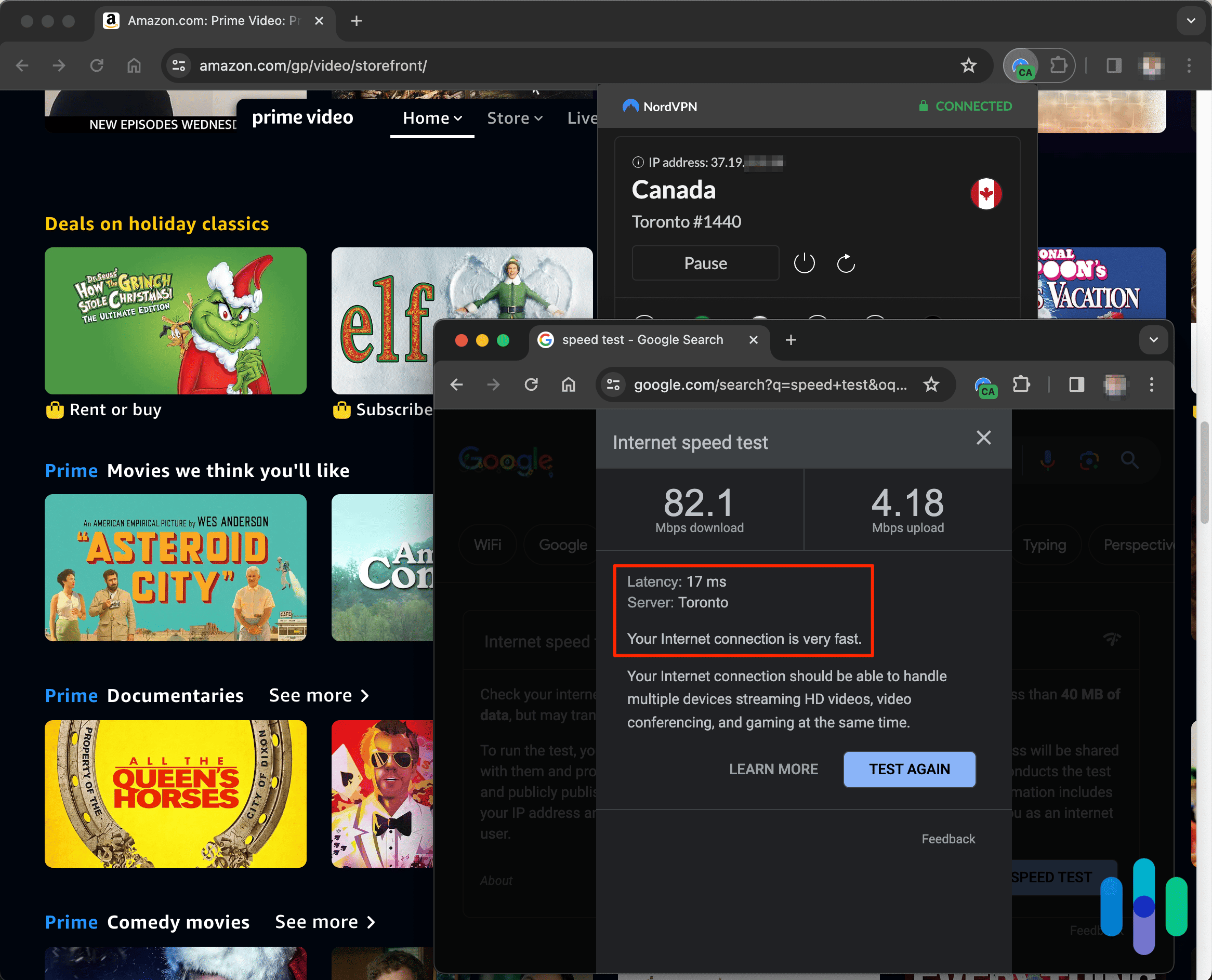
We researched over 50 quality VPNs, then selected the best for accessing content on Prime Video. Our hands-on tests lasted a month minimum per VPN. We compared unblocking ability, measured speed loss and streaming quality, tested for IP leaks, and reviewed privacy policies. Then we rated our top picks according to a set of criteria chosen specifically for VPNs that claim to unblock Prime Video.
Ranking our Top VPNs for Prime Video
When rating VPNs that unblock Prime Video, security is our first requirement. Brands that make our list are the most secure and guarantee absolute anonymity. After that we give the most weight to the following four criteria:
- Prime compatibility (40%): Streaming services like Prime Video have gotten very good at blocking VPNs, so plenty of VPNs either won’t unblock Prime at all or only occasionally, which is frustrating. The VPNs in our roundup are the best at accessing Prime Video consistently.
- Server network (30%): Prime offers different programming in different regions, so we also considered server locations and numbers. Because to stream content smoothly in other regions, you need both. Our top VPNs have good server distribution and plenty of servers in the locations they cover.
- Speed (20%): All VPNs cut speed. But with too much speed loss, even if you can access restricted content, streaming quality may suffer or you won’t be able to watch at all. We run speed tests from different locations on every VPN we review. We give preference to those services that don’t impact upload and download speeds significantly.
- Price: We also consider VPN cost. All of the VPNs we recommend have affordable monthly subscriptions with either free trials or money-back guarantees. Some offer savings when you sign up for a year or two.
The Bottom Line
All work and no play makes Jack a dull boy, right? It’s important to have a VPN installed on all your devices to protect you when you’re working and to make sure the data you work with is never vulnerable to hackers. It’s also nice if you can find a VPN that lets you expand your entertainment horizons so you don’t become a dull boy or girl.
All the VPNs on this list can both secure your connection and let you access Prime Video content you never knew existed. Is there a danger to having access to so many great movies and shows? Absolutely. That’s a subject for a different page though. At least you’ll be safe while you’re watching all of it.
FAQs
-
What Prime Video regions can I access with a VPN?
You can access any Prime Video region as long as the VPN provider you choose has a server there. This really comes in handy when travelling abroad as some of the usual content you watch might only be available in your home country. To get access back, all you need to do is connect through a VPN server in your region and you’ll be back to streaming as usual, no matter where you are.
Beyond accessing content abroad, you can also use a VPN to access new content normally unavailable in your region. While Prime Video does not have as much variation in available content between regions as Netflix, there are still some shows that are only available to certain countries. For instance, you can only stream Outlander from a U.K. address. That’s one of our favorite shows, so we regularly use a VPN to access it.
-
Can I watch Thursday Night Football from outside the U.S.?
Although Thursday Night Football is typically only available to stream from within the U.S., you can access it from anywhere with the help of a VPN. Simply connect to a U.S. server and you’ll be able to stream Thursday Night Football directly from your regular Prime Video account.
For games that are only streamed on a state-wide level, you’ll need a VPN with servers in that specific state. That’s why we typically recommend Private Internet Access for streaming local sports games. They have servers in all 50 states, so you can always find a server that gives you access to the games you want to watch.
-
Does Prime Video block VPNs?
While Prime Video tries to block VPNs, they don’t seem to put much effort towards it. In our tests, Netflix and Disney Plus have far more stringent VPN blockers than Prime Video. Out of the 63 times we connected to Netflix through the six VPNs mentioned in this guide, Netflix blocked our connection 26 times. That’s a success rate of about 59 percent. With Prime Video, we successfully connected 58 out of 71 times for a success rate of about 82 percent.
That said, some VPNs worked better than others. Providers that regularly refresh the IP addresses of their servers, like Surfshark, tend to offer the highest success rate. That’s because VPN blockers primarily work by checking your IP address against a list of known VPN IP addresses. By refreshing the IP addresses of their servers regularly, they avoid them becoming a part of these known VPN IP addresses.
-
Can I use a free VPN for Prime Video?
You can use a free VPN for Prime Video, but we don’t recommend it. Most free VPNs have small server pools that Prime Video’s VPN blocker catches quickly — you can log in, but the moment you try to stream, you’ll hit an error. And even if you get through, bandwidth caps on most free plans will cut you off after 30 to 60 minutes.
If cost is the deciding factor, Hotspot Shield is your best free option. It offsets the bandwidth limit by offering extra data in exchange for watching ads, though its limited server selection still makes finding a working Prime Video server hit or miss.
PrivadoVPN is often recommended as a free pick, but its 10 GB monthly data cap is effectively one HD movie. After that, speeds drop to 1 Mbps — barely enough for 480p playback.
-
How do I change my Prime Video country/region?
Connecting to a VPN server in another country gets you most of the way there, but there’s a step most people miss: you also need to update your Amazon account settings to match.
To do that, go to the “Manage Your Content and Devices” page, linked in the footer of Amazon’s website. Under the “Preferences” tab, update your “Country Settings” to the region whose content you want to access.
Keep in mind that switching regions may cause some previously available titles to disappear — content that exists in one library doesn’t always exist in another. You can always switch your Country Settings back to restore access to those titles.
-
Why did Amazon Prime Video block me from streaming content?
The most likely reason Prime Video blocked you from streaming a piece of content is because you’re connected to a VPN and they detected it. Although they’re not as strict as Netflix or Disney Plus, Prime Video still runs a VPN blocker that detects known VPN IP addresses. If this happens to you, simply connect to a different VPN server and try streaming that title again. Eventually, you’ll find a server that works if you’re using a high-quality VPN.
-
Will my Amazon Prime Video account get banned if I use a VPN?
Technically, using a VPN violates Amazon Prime’s terms of service, which can result in your account getting banned. However, that would be exceptionally rare. It practically never happens. We use a VPN all the time and have never had our accounts banned. We’ve also yet to find a case where a user was banned for VPN use.
-
Netflix. (2026). Why isn’t a TV show or movie available in your country?
https://help.netflix.com/en/node/125345