
The Best VPNs for YouTube TV in 2026
With our #1 pick NordVPN, you can unlock access to geo-blocked videos, watch local channels from any city, and avoid ISP throttling for high-definition streams.
 &
&
 Last Updated on Mar 05, 2026

- 1,970+ U.S. servers across 16 cities keep IPs rotating fast enough to stay ahead of YouTube TV’s blocklists
- SmartPlay unblocks YouTube TV without touching protocol settings — the easiest path for most users
- Industry-low 6% speed loss on NordLynx keeps you well above HD thresholds even on slower connections
- The only VPN here with a built-in Android GPS override that tackles YouTube TV’s mobile detection without third-party tools
- 25 U.S. city servers — the widest domestic coverage on this list — gives you the most market options and fresh IPs when one gets blocked
- Unlimited simultaneous connections mean one subscription covers every device in your home
- Native apps for Android TV, Fire TV, and Apple TV eliminate router config entirely
- The Profiles feature saves a one-tap city connection on smart TVs so you’re never re-selecting servers
- Swiss jurisdiction, open-source apps, and an independently audited no-logs policy make it the strongest privacy story on this list
Most VPN streaming guides treat YouTube TV like Netflix — change your IP address and you’re in. That’s wrong, and it’s why so many people find that top-rated VPNs that work perfectly for Netflix fail them on YouTube TV. We understand that YouTube TV uses a significantly more sophisticated, multi-layer location system than any other major streaming platform. Knowing how it works is the difference between watching your home team’s game from across the country and staring at an error screen.
To get around YouTube TV’s geo-restriction, you need a virtual private network (VPN) that lets you change your IP address. The problem is that not all VPNs are as good as they claim to be at unblocking websites and services like YouTube TV. To find one that does the trick, we tested over 50 VPNs. Here are five we recommend using if you want to access over 100 local and premium channels from any device.
>> Also: How to Get a U.S. IP Address
YouTube TV’s Multi-Layer Location Detection System
Unlike Netflix, Disney+, or most other streaming services, YouTube TV cross-references up to four signals simultaneously to find your location:
- IP Address: Your VPN can change this to make YouTube TV think you’re in another city. This is the only signal typically used when watching YouTube TV on desktop browsers and some streaming devices.
- GPS (Mobile Only): YouTube TV’s mobile app actively reads your device’s GPS coordinates. While a VPN can change your IP, it has no effect on your GPS signal. GPS spoofing apps can address this, but they violate YouTube TV’s Terms of Service.
- Wi-Fi Triangulation: YouTube TV cross-references your device’s Wi-Fi network against databases of known network locations. This is less reliable than GPS, but it adds another data point that can override your VPN’s IP when signals conflict.
- Device and Account Fingerprinting: Your Google account history, the device you’re using, and your browsing patterns all give YouTube TV data about your real location. If you’ve always watched from Chicago and suddenly your IP says you’re in Miami, that’s a red flag.
>> Check Out: Best VPNs for Streaming on Netflix in 2026
Device-Specific Detection: How YouTube TV Checks Location by Device
Understanding which detection methods apply to which device can help you choose where to stream. Use this comparison tool to choose the best option.
| Desktop Browsers | Streaming Device | Roku/Smart TV | Android Mobile Devices | Iphone/iPad | |
|---|---|---|---|---|---|
| IP Address | Yes | Yes | Yes | Yes | Yes |
| GPS | No | No | No | Yes | Yes |
| Wi-Fi Triangulation | Yes | Yes | Yes | Yes | Yes |
| Device and Account Fingerprinting | Yes | Yes | Yes | Yes | Yes |
| Will a VPN work? | Yes | Yes | Router Only | No | No |
| Will Smart DNS work? | Yes | Yes | Yes | No | No |
Comparison Table — Best VPNs for YouTube TV
| System |
NordVPN
|
Surfshark
|
Proton VPN
|
ExpressVPN

|
Hotspot Shield

|
|---|---|---|---|---|---|
| Ranking | 1st | 2nd | 3rd | 4th | 5th |
| Ratings | 9.7/10 | 9.5/10 | 9.3/10 | 9.1/10 | 8.9/10 |
| Monthly Price | $3.39 | $1.99 | $2.99 | $2.99 | Free/$2.99 |
| US Success | 95% | 95% | 92% | 90% | 72% |
| Abroad Success | 90% | 88% | 85% | 82% | 60% |
| Avg. Speed Los | 6% | 8% | 8% | 37% | 18% |
| Obfuscated Servers | Yes | Yes | Yes | Partial | No |
| Split Tunneling | Yes | Yes | Yes | Yes | Yes |
| Simultaneous Devices | 10 | Unlimited | 10 | 14 | Unlimited |
| Money-Back Guarantee | 30 Days | 30 Days | 30 Days | 30 Days | 45 Days |
| Read Review | NordVPN Review | Surfshark Review | Proton VPN Review | ExpressVPN Review | Hotspot Shield Review |
The Best VPNs for Streaming YouTubeTV
- NordVPN - Best for US and Overseas Streamers
- Surfshark - Best for Smart TVs
- Proton VPN - Best YouTube TV for Windows
- ExpressVPN - Best for Privacy
- Hotspot Shield - Best Free VPN for YouTube TV
Detailed List of the Best VPNs for YouTube TV
-
1. NordVPN - Best for US and Overseas Streamers
 Get NordVPN Links to NordVPN
Product Specs
Server locations 130 countries Average Speed Loss 6% download & 4% upload Apps Windows, MacOS, Linux, Android, iOS, Chrome, Firefox, Edge, Android TV, tvOS Best Monthly Rate $3.39/mo with a 2-year plan Money-Back Guarantee 30 days full refund
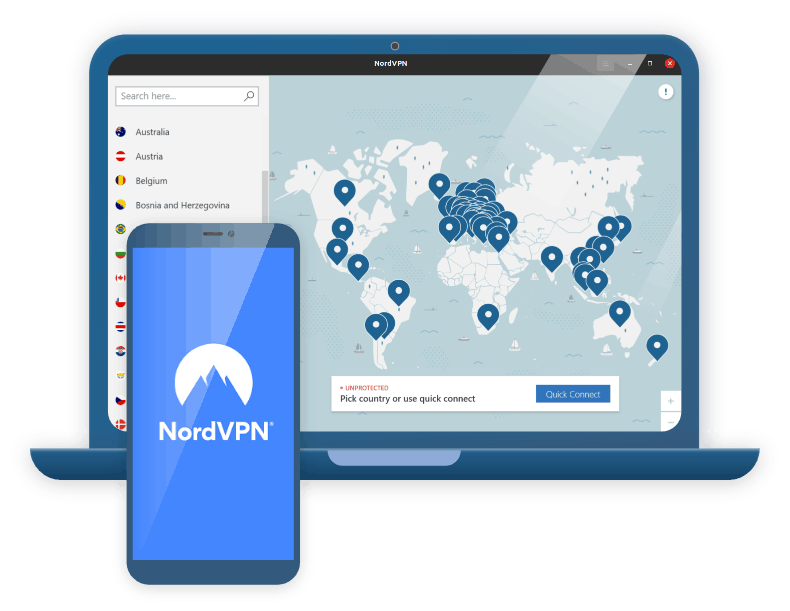
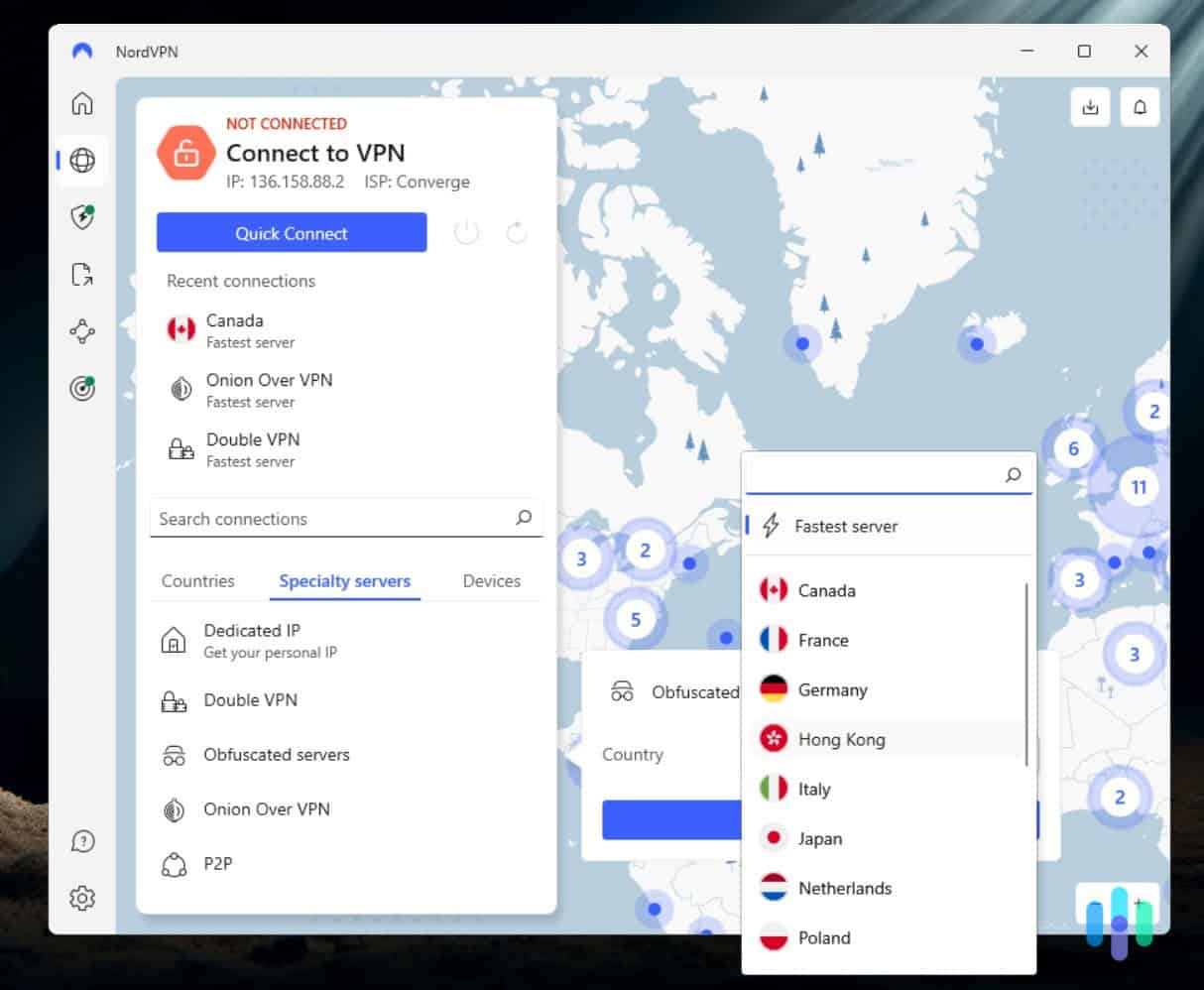
NordVPN is reliable, fast, and produces easy-to-use apps across every major platform. What makes it our top pick for YouTube TV specifically is a combination of two things that matter more here than anywhere else. We’re talking about their obfuscated servers and SmartPlay feature, which is designed for stealth streaming.

Testing NordVPN with YouTube TV Unblocking Content
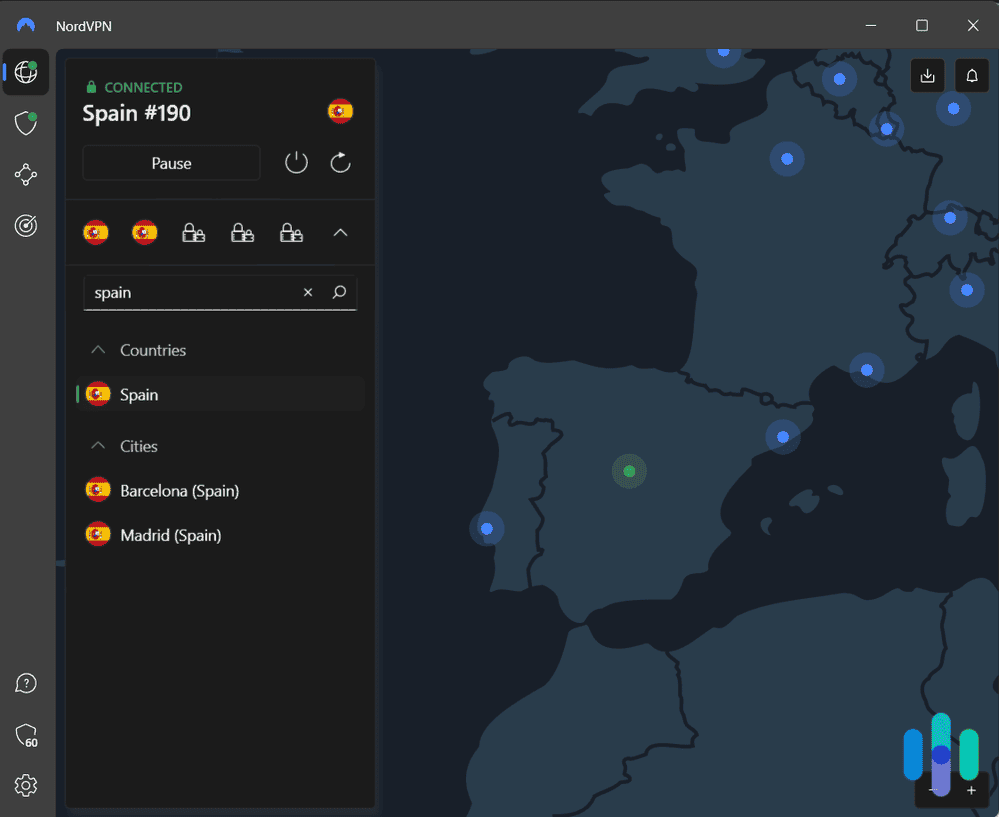
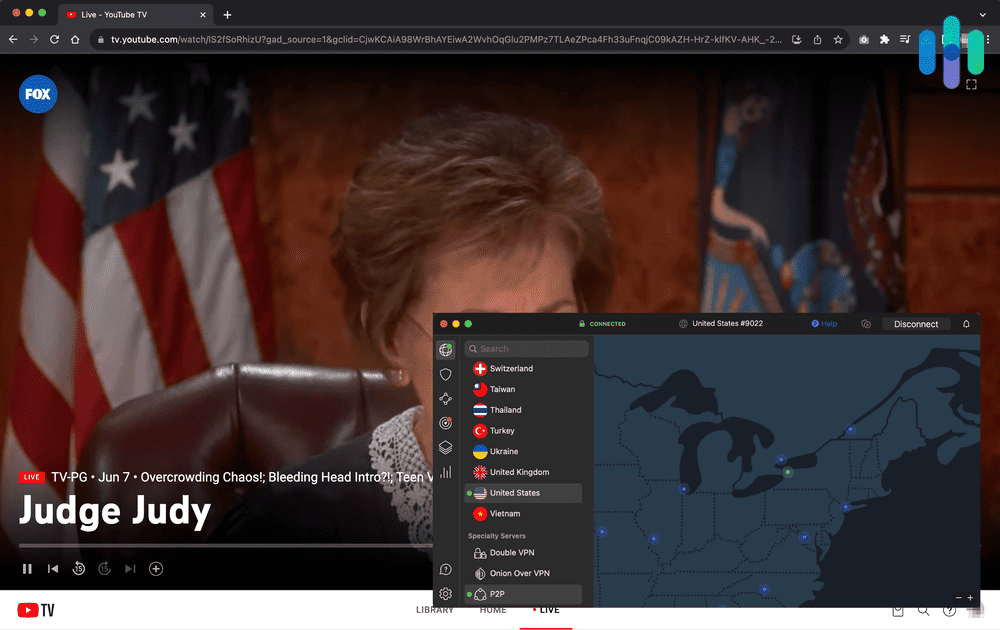
NordVPN had no trouble unblocking YouTube TV in any of our domestic tests. We switched from a Buffalo server to a San Francisco server and had access to California local affiliates. With servers across 16 U.S. cities, finding a server in your preferred location is straightforward. For international tests, our London-based tester was able to access YouTube TV via a U.S. NordVPN server without issues. They did run into the GPS issue on their mobile, though.
The 1,970+ U.S. servers also mean NordVPN’s IPs are refreshed frequently. This is vital since YouTube TV maintains blocklists of known VPN IP ranges. The more servers a VPN operates, the harder it is for YouTube TV to keep up. For comparison, CyberGhost only has servers in 11 U.S. cities.
>> Compare Here: NordVPN vs. CyberGhost
Streaming Performance and Stealth
NordVPN’s obfuscated servers disguise VPN traffic as standard HTTPS traffic. In our tests, enabling obfuscation (which requires switching VPN protocols from NordLynx to OpenVPN) reliably bypassed YouTube TV’s IP detection across all device types tested. The trade-off is a modest speed reduction compared to NordLynx. We found OpenVPN connections ran about 15 percent slower than NordLynx. It didn’t cause any buffering, though. For the minimum of 3 Mbps YouTube TV requires for SD or the 7 Mbps it requires for HD, even a significantly throttled connection is fine.
SmartPlay, NordVPN’s hybrid DNS/IP masking feature, is designed specifically for streaming and worked consistently in our tests without requiring manual protocol switching. For most people, enabling SmartPlay is the simplest path to unblocking YouTube TV.
Security and Privacy
NordVPN operates under a verified no-logs policy and is headquartered in Panama, outside the Five Eyes, Nine Eyes, and Fourteen Eyes surveillance alliances. Its Threat Protection feature (a native ad and malware blocker) added a useful layer of security during our streaming sessions. Auto-connect also activates the VPN on any new network, which we highly recommend when streaming on public Wi-Fi.
NordVPN’s browser extensions also come with a GPS spoofing feature that overrides the location reported to websites via the browser’s Geolocation API. Fortunately, YouTube TV on desktop only looks at IP addresses, so this won’t change what content you receive on a computer. It’s still good to know it’s available, considering no other VPN on this list offers this feature at the browser level.
FYI: Tired of seeing the same YouTube recommendations over and over again? Here’s how you can clear your YouTube history.
What We Like
- More than 1,970 U.S. servers across 16 cities
- Obfuscated servers + Smart Play for reliable stealth streaming
- Industry-low 6% speed loss (using NordLynx)
- Browser extensions spoof GPS at the browser levelVerified no-logs policy, Panama jurisdiction
What We Don’t Like
- Obfuscation requires switching to OpenVPN, which isn’t automatic
- No phone support (chat and email only)
- Two-year commitment required for best pricing
-
2. Surfshark - Best for Smart TVs
 Get Surfshark VPN Links to Surfshark.com
Product Specs
Server locations 100 countries Average Speed Loss 8% download & 50% upload Apps Windows, MacOS, Linux, Android, iOS, Chrome, Firefox, Edge, tvOS, Android TV, Fire TV Best Monthly Rate $1.99/mo with a 2-year plan Money-Back Guarantee 30 days full refund
What sets Surfshark apart from every other VPN on this list is its built-in GPS override feature on Android. Rather than relying on a third-party spoofing app or developer mode workarounds, Surfshark lets you set a fake GPS location from within the VPN Android app, aligning your device’s reported coordinates with your chosen VPN server’s city. We found this to be the best solution to bypass YouTube TV’s Android GPS detection problem.
Surfshark’s strengths don’t stop at Android. Its native apps for Android TV and Fire TV are among the best on this list for smart TV streaming. We also found that camouflage mode worked consistently on our desktop devices. Plus, Surfshark is one of the most affordable options available and offers unlimited simultaneous connections, which one-ups NordVPN.
>>Compare: Surfshark vs. NordVPN
Unblocking Content
In our Android tests, enabling Surfshark’s built-in GPS override caused YouTube TV’s mobile app to serve the correct local affiliates and RSNs for that area, even when our physical location was thousands of miles away. No other VPN on this list achieves this without external spoofing tools.
Surfshark’s server coverage also gives Android users the most location options of any VPN here, with servers in 25 U.S. cities. That’s relevant not just for picking a city, but for finding a fresh IP if one gets blocked. We tested Surfshark on an Android TV as well and found setup and content access equally smooth on the big screen. That’s one of the reasons Surfshark made our list of the best VPNs for Android.

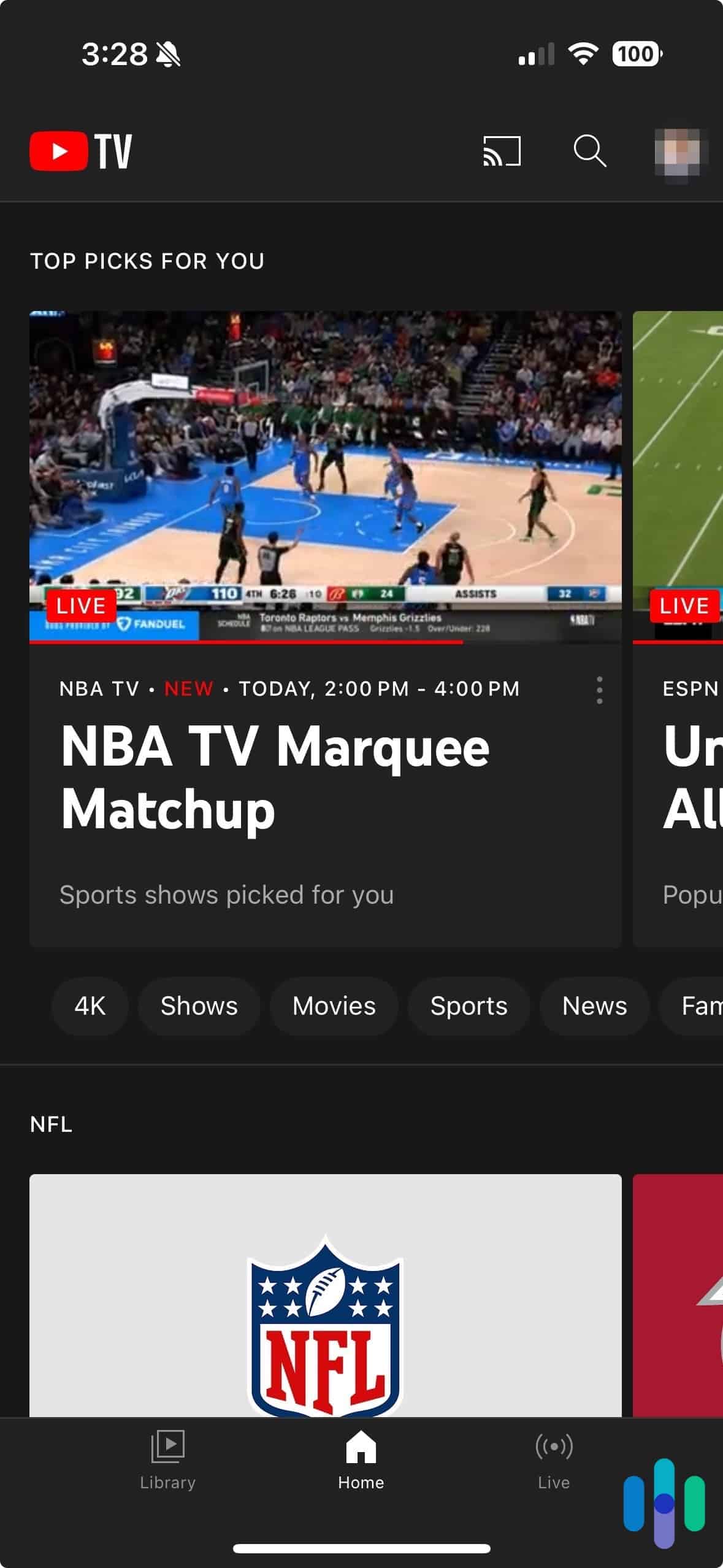
Watching YouTube TV on mobile with Surfshark VPN enabled Streaming Performance and Stealth
Surfshark’s camouflage mode works the same way as NordVPN’s obfuscation. We found turning it on was simpler than enabling obfuscation on NordVPN, though. All we did was switch to OpenVPN UDP and reconnect. In our tests, camouflage mode was consistently effective on desktop and streaming devices.
A newer Surfshark feature worth noting for YouTube TV users is IP Rotator, which assigns a new IP address (in the same location) at regular intervals. This reduces the risk of YouTube TV’s servers flagging a static IP as belonging to a VPN service.
Security and Privacy
The Netherlands-based VPN Surfshark sits within the Nine Eyes surveillance alliance. The good news is that Surfshark enforces a strict, independently audited no-logs policy, meaning there is nothing of substance to share with any government authority even if compelled. In all our leak tests, Surfshark showed no DNS or IP leaks. If you want a VPN that’s outside the Nine Eyes and Fourteen Eyes, check out how Surfshark stacks up against ExpressVPN.
Although privacy might be a concern, security shouldn’t be with Surfshark. When we tested Surfshark’s antivirus offerings, we really liked it. You can bundle Surfshark’s VPN with its antivirus software to optimize your digital security.
Pro Tip: We carry a VPN in our web safety toolkit at all times. This isn’t all we recommend doing to safeguard your digital privacy. Here are a few more tips our experts recommend for staying anonymous on the web.
What We Like
- Built-in GPS override on Android, the only VPN here that solves YouTube TV’s mobile GPS problem natively
- Servers in 25 U.S. cities, widest domestic coverage on this list
- Native Android TV and Fire TV apps for strong smart TV performance
- Camouflage mode works reliably on desktop and streaming devices
What We Don’t Like
- GPS override is Android-only — no equivalent for iPhone
- No Aircove-style hardware router solution for unsupported devices
- Netherlands-based (Nine Eyes member)
- Upload speeds take a heavier hit under OpenVPN
-
3. Proton VPN - Best YouTube TV for Windows
 View Plans Links to Proton VPN
Product Specs
Server locations 129 countries Average Speed Loss 8% download & 4% upload Apps Windows, MacOS, Linux, Android, iOS, Chrome, Firefox, Android TV, tvOS, Firestick Best Monthly Rate $2.99/mo with a 2-year plan Money-Back Guarantee 30 days
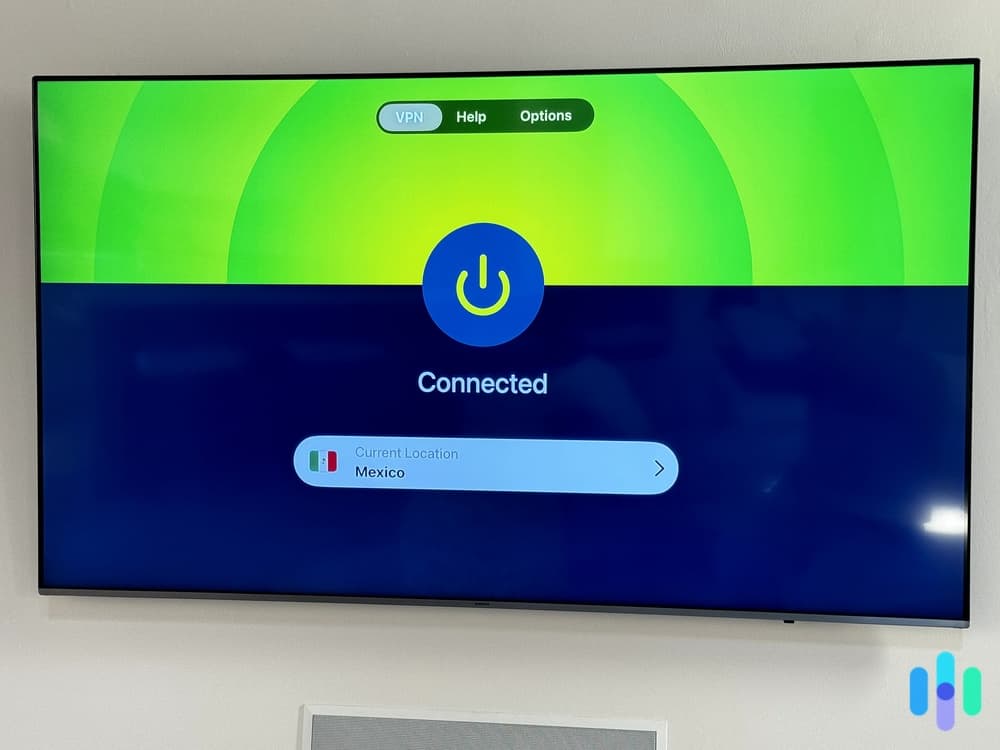
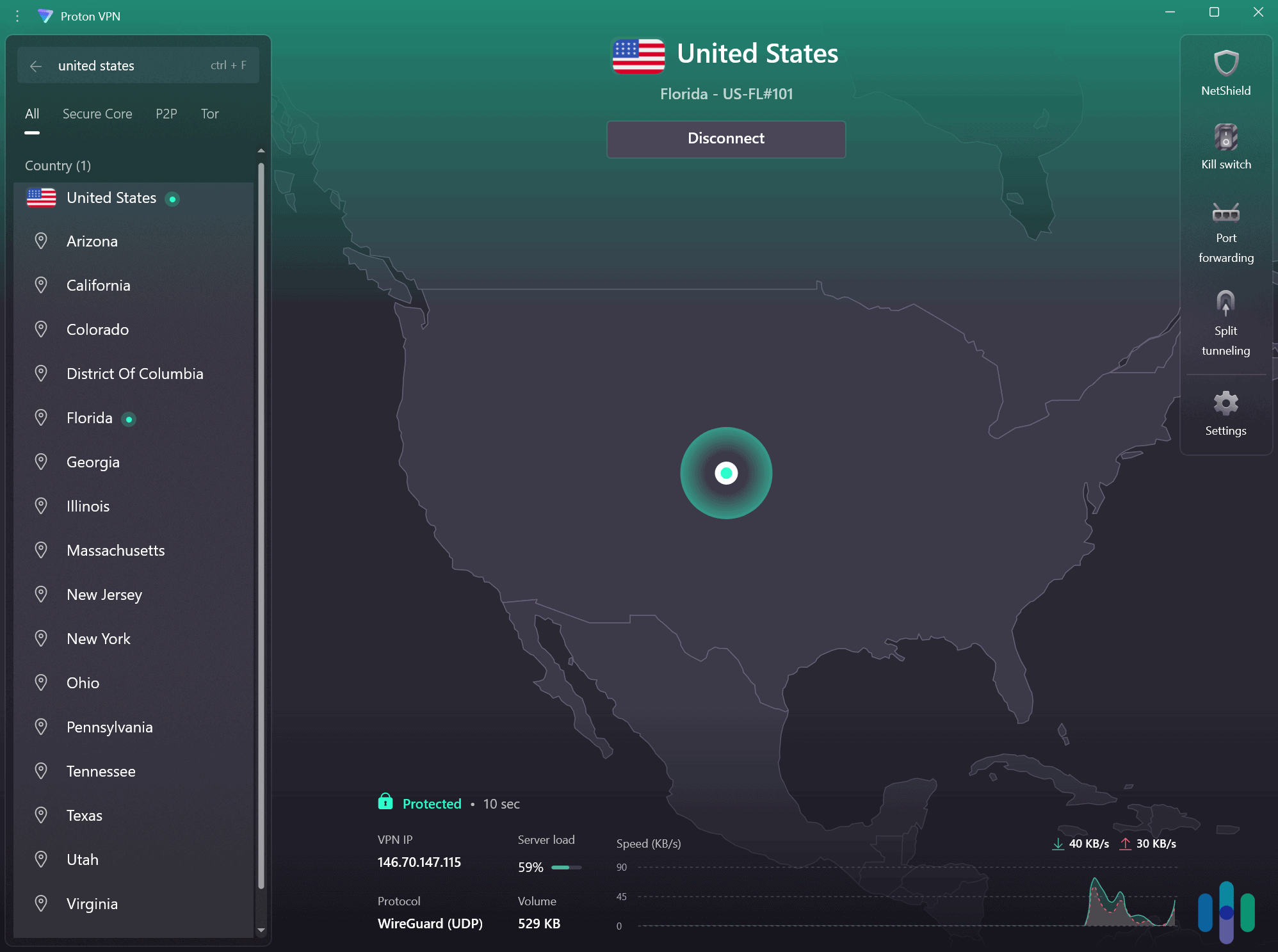
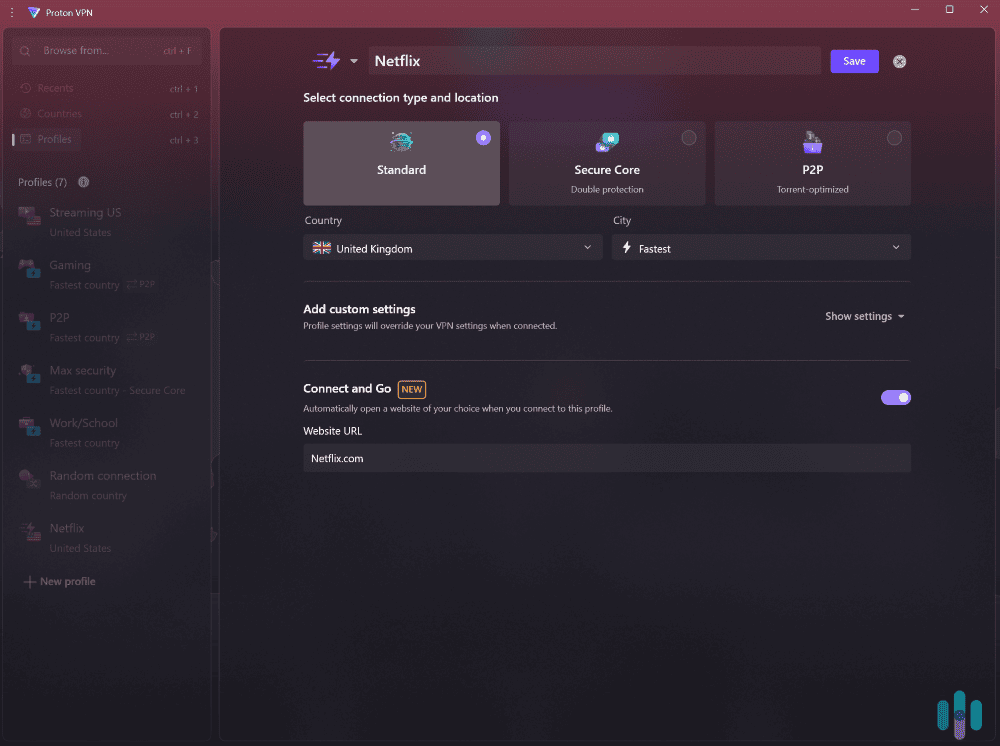
Proton VPN has the most complete native app coverage of any VPN on this list. It offers dedicated apps for Android TV, Fire TV, and Apple TV. That matters because we find that native apps are always the easiest solution. You don’t have to worry about router configuration, Smart DNS workarounds, or a separate device to manage. You install the app, log in, pick a server, and YouTube TV works. Proton’s Profiles feature makes it even smoother. We saved a “YouTube TV – Chicago” configuration that reconnects in a single tap every time.

We used Proton VPN’s Windows app to automate VPN connections for streaming YouTube TV. Unblocking Content
We tested Proton VPN across Android TV, Fire TV, and Apple TV, and it unblocked YouTube TV without issue on each. Setup on all three was straightforward. We installed the app from the respective app store, logged in, and connected to a U.S. server. There was no need for Smart DNS or router configuration at any point. This is the key advantage over Surfshark and NordVPN for Apple TV users specifically, as neither offers a native Apple TV app.
In total, we tested ten different U.S. server locations with Proton VPN. Every single one gave us access to YouTube TV without triggering a location error. That 100 percent success rate in our domestic tests is matched only by NordVPN and Surfshark among the VPNs on this list. Proton VPN also works with 90 other streaming platforms, making it a strong all-around streaming VPN for smart TVs.
>> Find Out More: Proton VPN vs. NordVPN
Streaming Performance and Stealth
Proton VPN uses WireGuard as its default protocol, which is among the fastest VPN protocols available. In our tests, YouTube TV videos loaded in under three seconds and didn’t buffer when skipping through content. Proton’s VPN Accelerator feature also showed up to 50 percent speed improvement in our testing when enabled compared to when it was disabled.
Proton VPN even has a feature called Stealth, which obfuscates VPN traffic over TLS. Stealth is similar to NordVPN and Surfshark’s obfuscation modes, and similarly effective at bypassing YouTube TV’s IP-based detection.
Security and Privacy
Proton VPN uses Full-Disk Encryption across all servers. This ensures your data remains protected even in the unlikely event of a compromise. The no-logs policy has been independently audited and is among the most transparent in the industry. Plus, all apps are open source, meaning anyone can inspect the code. Proton VPN is also based in Switzerland, which is outside all major surveillance alliances and subject to strong data protection laws.
What We Like
- Native apps for Android TV, Fire TV, and Apple TV
- 100% unblocking success rate in domestic testing across all platforms tested
- Profiles feature for one-tap YouTube TV connections on smart TVs
- WireGuard + VPN Accelerator delivers fastest speeds
What We Don’t Like
- Free plan doesn’t support streaming
- 30-day refund is prorated, not full
- Fewer U.S. cities than Surfshark
-
4. ExpressVPN - Best for Privacy
 Get ExpressVPN Links to ExpressVPN
Product Specs
Server locations 105 countries Average Speed Loss 7% download & 24% upload Apps Windows, MacOS, Linux, Android, iOS, Chrome, Firefox, Edge, Android TV, tvOS Best Monthly Rate $2.44/mo with a 2-year plan Money-Back Guarantee 30 days full refund
For anyone watching YouTube TV on a PlayStation, Xbox, or Samsung Smart TV, every other VPN on this list requires you to either flash your router’s firmware or fumble through manual OpenVPN configuration. ExpressVPN’s answer is Aircove, a dedicated VPN router that ships preconfigured to run ExpressVPN out of the box. You plug it in, connect your devices to its Wi-Fi network, and everything on that network routes through ExpressVPN automatically. For households like ours with multiple unsupported devices, it’s by far the simplest solution available.
Unblocking Content

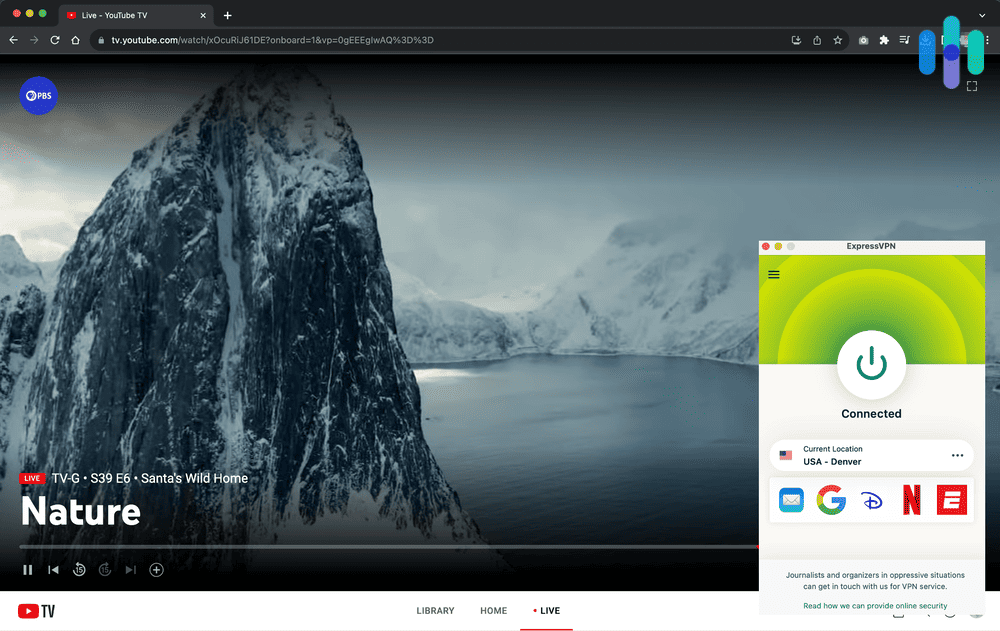
Testing ExpressVPN with YouTube TV In our Aircove tests, we connected a Roku and a Samsung smart TV to ExpressVPN’s Aircove router, selected a New York server, and opened YouTube TV. Both devices served New York local affiliates without a location error. The same setup works for gaming consoles that run YouTube TV. We connected the console to the Aircove network and were done. No per-device configuration required.
ExpressVPN also performed well on other devices. It unblocked YouTube TV reliably in both our domestic and international tests, including access to channels like AMC and ESPN via YouTube TV from overseas. It also successfully unblocked Netflix, Prime Video, Max, Disney+, and Hulu. When we put ExpressVPN head-to-head with Proton VPN, we found both worked with all common streaming services.
>> Read About: Best VPNs for ESPN+
Streaming Performance and Stealth
On our 900 Mbps connection, ExpressVPN dropped us to around 80 Mbps. That’s still well above YouTube TV’s requirements, but a steeper fall than other VPNs we’ve tested. Switching from OpenVPN to Lightway (ExpressVPN’s proprietary protocol) improved speeds significantly. The only issue is that Lightway doesn’t offer the same obfuscation benefits as OpenVPN. We recommend starting with Lightway and switching to OpenVPN if YouTube TV pushes back.
Security and Privacy
ExpressVPN’s privacy credentials are some of the strongest on this list. Its diskless TrustedServer infrastructure means no data is ever written to physical disks. This is relevant if you care about internet privacy and want confidence that your viewing history can’t be recovered from a seized server.
Using a VPN to access geo-blocked content isn’t illegal, even if platforms like YouTube TV prohibit it in their Terms of Service. The risk is content restriction, not legal consequences. For users who want both the hardware convenience of Aircove and the strongest privacy story on the market, ExpressVPN delivers both.
>> Learn More: Best VPNs That Work in China
What We Like
- Aircove VPN router covers Roku, gaming consoles, Samsung/LG TVs
- Reliable YouTube TV unblocking on Aircove and conventional devices in all tests
- Rotating IP addresses reduce detection risk
- Works with all major streaming platforms
What We Don’t Like
- Aircove is a separate hardware purchase
- 37% speed loss is highest on this list
- No dedicated ad blocker
- Limited simultaneous connections
-
5. Hotspot Shield - Best Free VPN for YouTube TV
 View Plans Links to Hotspot Shield
Product Specs
Server locations 80+ countries Average Speed Loss 3% download & 80% upload Apps Windows, MacOS, Linux, Android, iOS, Android TV, Firestick Best Monthly Rate $2.99/mo with a 3-year plan (free plan available) Money-Back Guarantee 45 days full refund
If you want to try a VPN for YouTube TV before committing to a paid plan, Hotspot Shield is the best starting point. It’s one of our favorite free VPNs. No credit card is required, and there is no data cap or time limit. The trade-off is a hard 2 Mbps speed cap on the free plan, which sits just below YouTube TV’s 3 Mbps SD minimum and well below the 7 Mbps HD threshold. In our testing, the free plan successfully accessed YouTube TV 72 percent of the time in the US and 60 percent of the time from overseas.

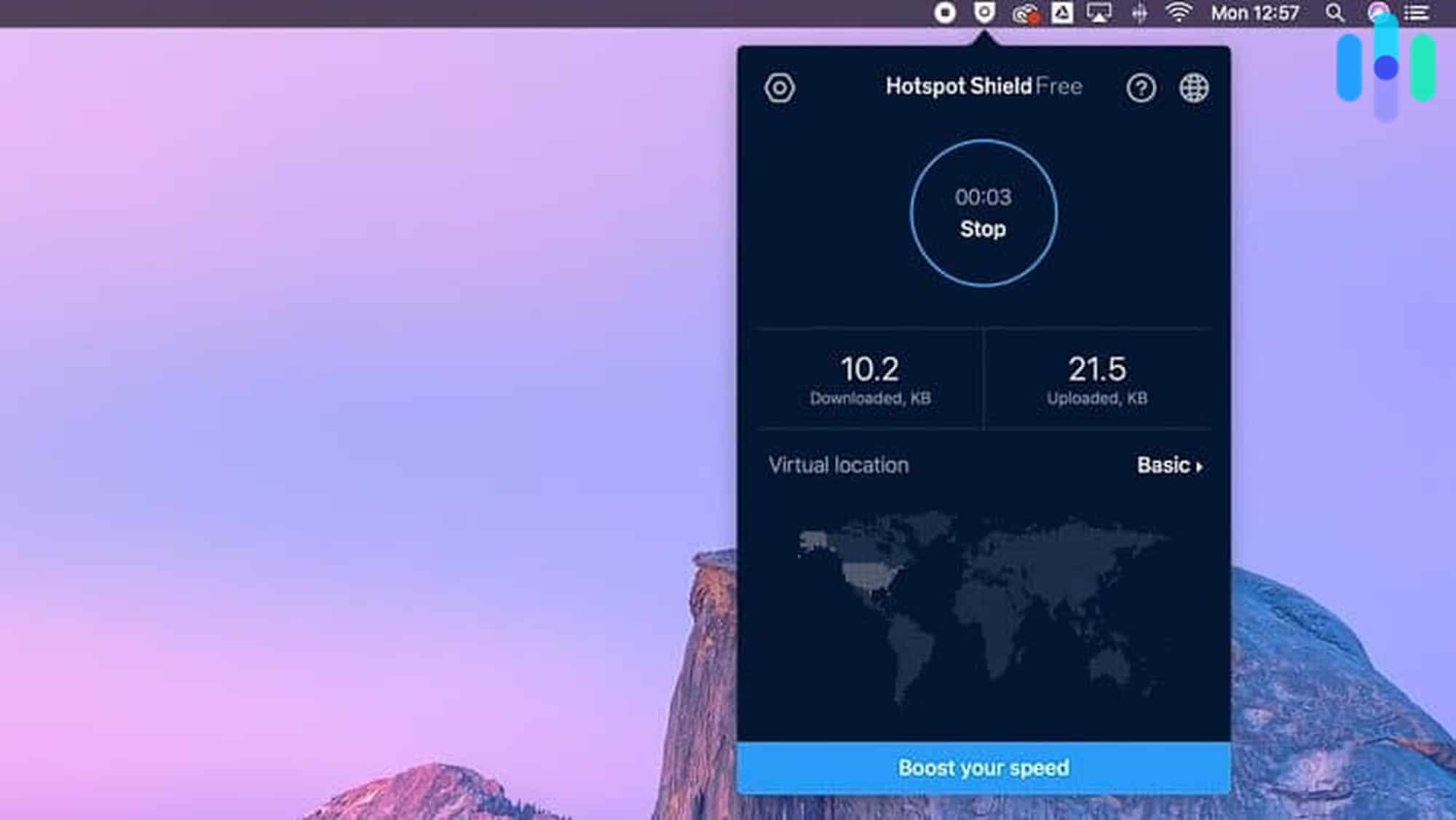
Testing Hotspot Shield on our Mac Unblocking Content
On the free plan, Hotspot Shield provides access to a single U.S. server location. This was enough for us to confirm YouTube TV access, but the 2 Mbps speed limit prevented reliable HD playback. In testing, YouTube TV loaded in SD or failed to buffer during peak hours. If you’re testing a VPN with YouTube TV or other streaming services like Amazon Prime Video or Disney+ before paying, the free plan is a good way to do so.
On Premium, we tested ten U.S. server locations and found consistent YouTube TV access in 72 percent of sessions domestically. That’s lower than NordVPN, Surfshark, and Proton VPN, but sufficient for most casual viewing scenarios. Premium’s Hydra protocol, Hotspot Shield’s proprietary tunneling protocol, showed better performance in our streaming tests than OpenVPN. It lacks the obfuscation capabilities of NordVPN’s camouflage mode, though, which explains the lower overall success rate.
Streaming Performance and Stealth
Hotspot Shield doesn’t offer obfuscated servers, despite having streaming and gaming-optimized servers. Its Hydra protocol is fast but identifiable as VPN traffic by YouTube TV’s detection systems. This is the biggest limitation compared to the other picks on this list. When YouTube TV’s blocklists are updated to flag Hotspot Shield IPs, you’ll see location errors more frequently and have fewer workaround options. We found that switching servers resolved most blocked sessions on Premium, but the stealth performance of NordVPN and Surfshark is noticeably smoother.
On desktop, the Hotspot Shield Chrome extension performed more reliably than the desktop app in our tests and was the better choice for watching YouTube TV.
>> Check Out: How to Change Location on YouTube TV
Security and Privacy
Hotspot Shield is headquartered in the United States, placing it within Five Eyes surveillance agreements. Its no-logs policy has been independently audited by Veridium, though privacy-focused users should consider NordVPN (Panama) or ExpressVPN (British Virgin Islands) if privacy matters most. The free plan doesn’t include ads within the VPN app on the free tier, though Hotspot Shield monetizes free users through its browser extension’s data practices. We suggest reading the privacy policy carefully if you’re using the free plan long-term.
We still think Hotspot Shield is the most practical free starting point. As long as you understand that the free plan’s speed cap makes reliable streaming impossible. The Premium plan removes the key limitations and is competitive in price with Proton VPN and Surfshark, though the lack of obfuscation capability and YouTube TV success rate isn’t ideal.
FYI: We don’t want it to sound like Hotspot Shield doesn’t take privacy seriously. After all, the company merged premier identity theft protection provider Aura in 2020, it has also rolled in a 1Password plan and an Identity Guard identity theft protection plan, both for free.
What We Like
- Only free VPN on this list
- Free plan confirms YouTube TV compatibility at zero cost
- 35+ U.S. server cities on Premium
- Catapult Hydra protocol delivers fast premium speeds
What We Don’t Like
- Free plan 2 Mbps cap makes reliable YouTube TV streaming impossible
- No obfuscated servers — lower YouTube TV success rate than top picks
- Only 5 simultaneous connections on Premium
Do VPN Obfuscation Servers Bypass YouTube TV’s Detection?
VPN obfuscation mode only gets around one of YouTube TV’s detection methods. Here’s a breakdown of how effective VPNs are.
| YouTube TV Detection Layer | Does Obfuscation Help? | Notes |
|---|---|---|
| IP address detection | Yes | Disguises VPN traffic as regular HTTPS, making it harder for YouTube TV to identify and block known VPN IP ranges. |
| GPS detection | No (except Surfshark on Android) | Camouflage mode operates at the network traffic level and has no effect on GPS. Surfshark’s Android app is the exception since it includes a separate built-in GPS override. |
| Wi-Fi triangulation | No | Your physical network location is still visible. |
| Device fingerprinting | No | Account and device signals are unaffected. |
On desktops, obfuscation mode is fine. If you’re watching YouTube TV on a mobile device, VPNs handle one of several detection layers, but not the most decisive one.
What Happens if YouTube TV Detects Your VPN?
If YouTube TV detects a VPN, you’ll only see content for your detected location rather than the location of your VPN server. You’ll see different local channels instead of a complete block. In some cases, particularly when detection is unclear, you may see a location error asking you to verify your address.
In our experience, account suspension for VPN use is rare. YouTube TV’s terms prohibit circumventing geographic restrictions, but enforcement typically results in content restrictions rather than account bans. While using a VPN with YouTube TV is a violation of their Terms of Service, it is legal under U.S. law, and the risk is losing access to certain content, not your account.
Which YouTube TV Local Channels Can You Access by VPN Location?
One of YouTube TV’s most valuable features is its local channel access. Connecting to a VPN server in a specific city gives you that city’s local ABC, NBC, CBS, and FOX affiliates, as well as any Regional Sports Networks (RSNs) available in that market. RSNs are the biggest draw since they carry live local team coverage for MLB, NBA, NHL, and other leagues that national channels don’t broadcast.
Below, you’ll find the channels available when you connect your VPN to each major market. Keep in mind that RSN availability on YouTube TV changes from time to time due to rights disputes. We recommend using this as a guide only and confirming availability on YouTube TV’s channel lineup page for your target market.
| Market | VPN Server City | ABC Affiliate | NBC Affiliate | CBS Affiliate | FOX Affiliate | Regional Sports Networks (RSNs) |
|---|---|---|---|---|---|---|
| New York | New York | WABC-7 | WNBC-4 | WCBS-2 | WNYW-5 | YES Network (Yankees), SNY (Mets/Nets) |
| Los Angeles | Los Angeles | KABC-7 | KNBC-4 | KCBS-2 | KTTV-11 | SportsNet LA (Dodgers), NBCS LA (Lakers/Kings/Ducks) |
| Chicago | Chicago | WLS-7 | WMAQ-5 | WBBM-2 | WFLD-32 | NBC Sports Chicago (Bulls/Blackhawks/Cubs/White Sox) |
| Philadelphia | Philadelphia | WPVI-6 | WCAU-10 | KYW-3 | WTXF-29 | NBC Sports Philadelphia (Eagles/Phillies/Flyers/76ers) |
| Dallas | Dallas | WFAA-8 | KXAS-5 | KTVT-11 | KDFW-4 | Bally Sports Southwest (Mavericks/Stars/Rangers) |
| San Francisco | San Francisco | KGO-7 | KNTV-11 | KPIX-5 | KTVU-2 | NBC Sports Bay Area (Giants/Warriors/Sharks/A’s) |
| Boston | Boston | WCVB-5 | WBTS-10 | WBZ-4 | WFXT-25 | NESN (Red Sox/Bruins) |
| Washington DC | Washington DC | WJLA-7 | WRC-4 | WUSA-9 | WTTG-5 | NBCS Washington (Capitals/Nationals/Wizards) |
| Miami | Miami | WPLG-10 | WTVJ-6 | WFOR-4 | WSVN-7 | Bally Sports Sun (Heat/Marlins/Panthers) |
| Seattle | Seattle | KOMO-4 | KING-5 | KIRO-7 | KCPQ-13 | Root Sports (Mariners/Kraken/Sounders) |
| Denver | Denver | KMGH-7 | KUSA-9 | KCNC-4 | KDVR-31 | Altitude Sports (Nuggets/Avalanche) |
| Atlanta | Atlanta | WSB-2 | WXIA-11 | WANF-46 | WAGA-5 | Bally Sports South/Southeast (Braves/Hawks) |
How to Choose Your VPN Server Based on Content
Not sure where to start? Here’s what we do when we want to access different types of content on YouTube TV.
- NFL games: If you want to watch your home team’s game while traveling, connect to a VPN server in your team’s city.
- MLB, NBA, NHL: Connect to a VPN server in your team’s home market. Note that if your home area is set to a different market, you may run into blackout rules even with a VPN. This is because they are linked to your account location, not just IP.
- Local news: Connect to any server in the target market. All four major affiliates carry local news. We find it’s one of the most reliable types of content to access with a VPN because it triggers fewer rights-restriction systems than sports.
- National channels: You don’t need a specific server city. Any U.S. VPN server will give you ESPN, CNN, MSNBC, and other national channels.
How to Set Up a VPN for YouTube TV on Any Device
Choosing the best VPN setup method depends on where you like to watch YouTube TV. Here’s an overview of our recommendations. Keep scrolling to find out how to set up your VPN to watch YouTube TV.
| Device | Native VPN App? | Difficulty | Best Method | Est. Setup Time | Recommended VPN |
|---|---|---|---|---|---|
| Desktop / Laptop | Yes | Easy | Native app | 5 min | Any on this list |
| Fire TV Stick | Yes | Easy | Native app | 10 min | NordVPN, Surfshark |
| Android Mobile | Yes | Medium | VPN app with built-in GPS override | 10–15 min | Surfshark |
| iPhone / iPad | Yes (IP only) | Hard | VPN app (GPS still shows real location) | 15 min | Avoid for location-specific use |
| Roku | No | Easy (with Aircove) | ExpressVPN Aircove router | 15 min | ExpressVPN (Aircove) |
| Smart TV (Samsung/LG) | No | Easy (with Aircove) | ExpressVPN Aircove router | 15 min | ExpressVPN (Aircove) |
| Smart TV (Android TV / Fire TV / Apple TV) | Yes | Easy | Native app | 10 min | Proton VPN |
| Gaming Console (PS5, Xbox) | No | Easy (with Aircove) | ExpressVPN Aircove router | 15 min | ExpressVPN (Aircove) |
How to Set Up a VPN on a Desktop / Laptop
Setting up a VPN on a desktop or laptop is the easiest method. Here’s what you need to do:
- Download the VPN app and log in
- Select a U.S. server in your target city
- Open YouTube TV in your browser
Pro Tip: Turn on obfuscation mode if you encounter any location errors. You may need to change the VPN protocol to access these servers.
How to Set Up a VPN on a Fire TV Stick
Setting up a VPN on a Fire TV is the most straightforward method for streaming devices because NordVPN, Surfshark, Proton VPN, and ExpressVPN all have native apps.
- From the Fire TV home screen, go to the Search icon and search for your VPN
- Select the app from search results and click Download
- Open the app once installed and log in with your VPN account credentials
- Select a U.S. server in your target city
- Return to the Fire TV home screen and open YouTube TV
FYI: Newer Fire TV devices run on the Linux-based Vega OS, which currently has limited native VPN app support. As of February 2026, NordVPN is the only VPN on this list directly supported by Vega OS.
How to Set Up a VPN on an Android Mobile
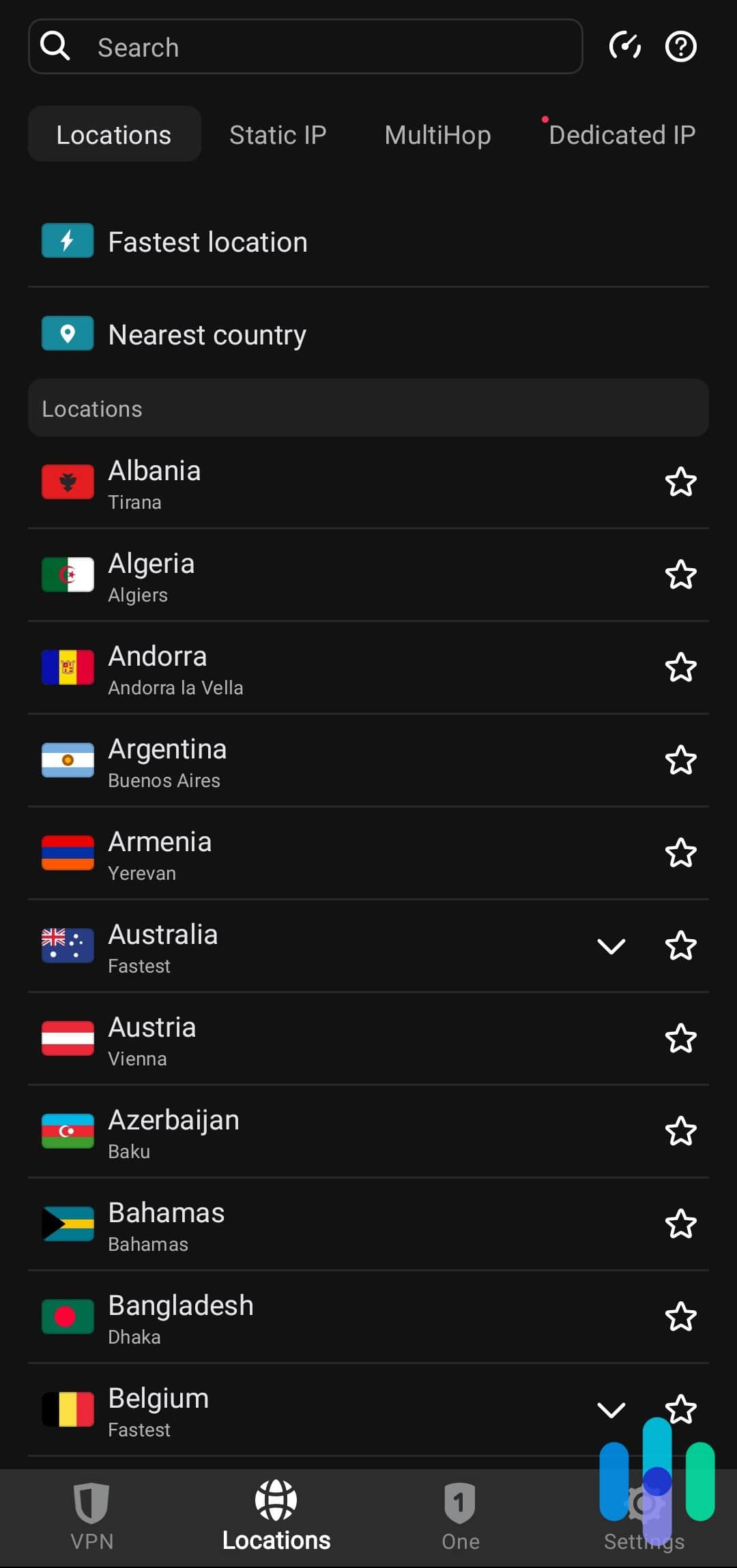
Android is the only mobile platform where a VPN can fully address YouTube TV’s location detection. Surfshark is also the only VPN on this list with a built-in GPS override feature to support this. Here’s how to set it up:
- Download Surfshark from the Google Play Store and log in
- In the app, go to Settings and enable the GPS override (sometimes listed under Advanced or Location features)
- Select your target U.S. city as both the VPN server and the GPS override location
- Connect to the VPN. Surfshark will now report that GPS location to the YouTube TV app
- Open YouTube TV
FYI: If you’re not using Surfshark, watch YouTube TV via Chrome on Android rather than the app. The browser version doesn’t request GPS access, so IP-based location takes over.
How to Set Up a VPN on a iPhone / iPad
Setting up a VPN on an iPhone or iPad is easy. Accessing YouTube TV is a little trickier. Here’s what you need to do:
- Install the VPN app
- Connect to a U.S. server
- Access YouTube TV through the Safari browser
How to Set Up a VPN on a Roku Device
Roku doesn’t support native VPN apps, but you can still use a VPN on a Roku device. The best solution is ExpressVPN’s Aircove router. You connect your Roku device to the Aircove Wi-Fi network, and all traffic automatically routes through ExpressVPN.
If you already have a VPN subscription with another provider or prefer not to purchase dedicated hardware, manual router configuration is an option:
- Log in to your router’s admin panel
- Go to the VPN or Advanced section
- Enter your VPN provider’s server address, your account credentials, and select the OpenVPN protocol
- Select the U.S. server city matching your desired YouTube TV market
- Save and restart your router
- Your Roku device will now connect to the internet through the VPN automatically
FYI: Not all routers support VPN configuration. Asus, Netgear Nighthawk, and Linksys routers are most widely compatible.
How to Set Up Smart DNS
Smart DNS routes only location detection traffic through a proxy, without encrypting your full connection. Setup requires no router reconfiguration. Keep in mind that there are no privacy or security benefits. ExpressVPN and NordVPN both offer Smart DNS as part of their subscriptions.
>> Check Out: The Internet and Data Privacy
How to Set Up a VPN on a Smart TVs
If your smart TV runs Android TV or Fire TV, you can install a native app directly from the TV’s app store. Some VPNs also have a native Apple TV app, which follows the same setup process.
Most Samsung and LG smart TVs run operating systems that don’t support native VPN apps. The Aircove router solution used for Roku devices also works here. You can also try manual router configuration or Smart DNS setup. We also know of some LG TVs supporting manual VPN configuration directly in their network settings, so check your TV’s network menu before trying the router method.
How to Set Up a VPN on a Gaming Consoles

PlayStation and Xbox both support the YouTube TV app, but neither supports native VPN apps. The Aircove router is the most practical solution. For a software-only option, follow the manual router VPN configuration process.
ISP Throttling and YouTube TV Speed Requirements
Some people searching for YouTube TV VPNs aren’t trying to access different regional content. They’re just trying to fix buffering. ISP throttling is one of the main causes, and a VPN is an effective solution.
>> Check Out: The Fastest VPNs of 2026
What Is ISP Throttling?
Internet Service Providers (ISPs) sometimes deliberately slow down traffic to specific services, like high-bandwidth streaming platforms, during peak hours. Because your ISP can see that your traffic is going to YouTube TV, it can selectively throttle that connection. A VPN encrypts your traffic, making it impossible for your ISP to identify what service you’re using. As a result, it can’t selectively throttle YouTube TV traffic. Here’s how you can check if your ISP is throttling YouTube TV:
- Run a speed test with your VPN off. Note your download speed
- Turn on your VPN and connect to any server
- Run the speed test again
- If your speed is faster with the VPN on, your ISP is throttling your regular connection
FYI: Throttling is most common during 6 p.m. to 11 p.m. local time. It’s most prevalent on cable ISP connections like Comcast, Cox, and Charter Communications (Spectrum).
YouTube TV Speed Requirements
Any of the VPNs on this list keep you above the minimum thresholds on a typical broadband connection. The exceptions are Hotspot Shield’s free plan and ExpressVPN’s 37 percent speed reduction on a 20 Mbps connection. In this case, you’d be reduced to approximately 12.6 Mbps, which is below the 4K threshold but still sufficient for HD.
| Content Quality | Minimum Required Speed |
|---|---|
| Standard Definition (SD) | 3 Mbps |
| High Definition (HD) | 7 Mbps |
| 4K | 13 Mbps |
| 4K (live sports / events) | 25 Mbps |
VPN Protocol Comparison for YouTube TV Streaming
The only piece of technical knowledge you need to understand is VPN protocols. You’ll need to know which ones let you access obfuscation servers. Here’s a quick reference guide.
| Protocol | Speed | Stability | Obfuscation | Best For |
|---|---|---|---|---|
| WireGuard | Fastest | High | No | Default streaming; no obfuscation needed |
| NordLynx | Fastest | High | No | NordVPN’s WireGuard implementation |
| Lightway | Very Fast | High | Partial | ExpressVPN’s proprietary protocol |
| OpenVPN UDP | Moderate | Very High | Yes when enabled | When YouTube TV blocks your VPN |
| OpenVPN TCP | Slowest | Highest | Yes when enabled | Restrictive networks; slowest option |
Our Methodology: How We Review the Top VPNs for YouTube TV
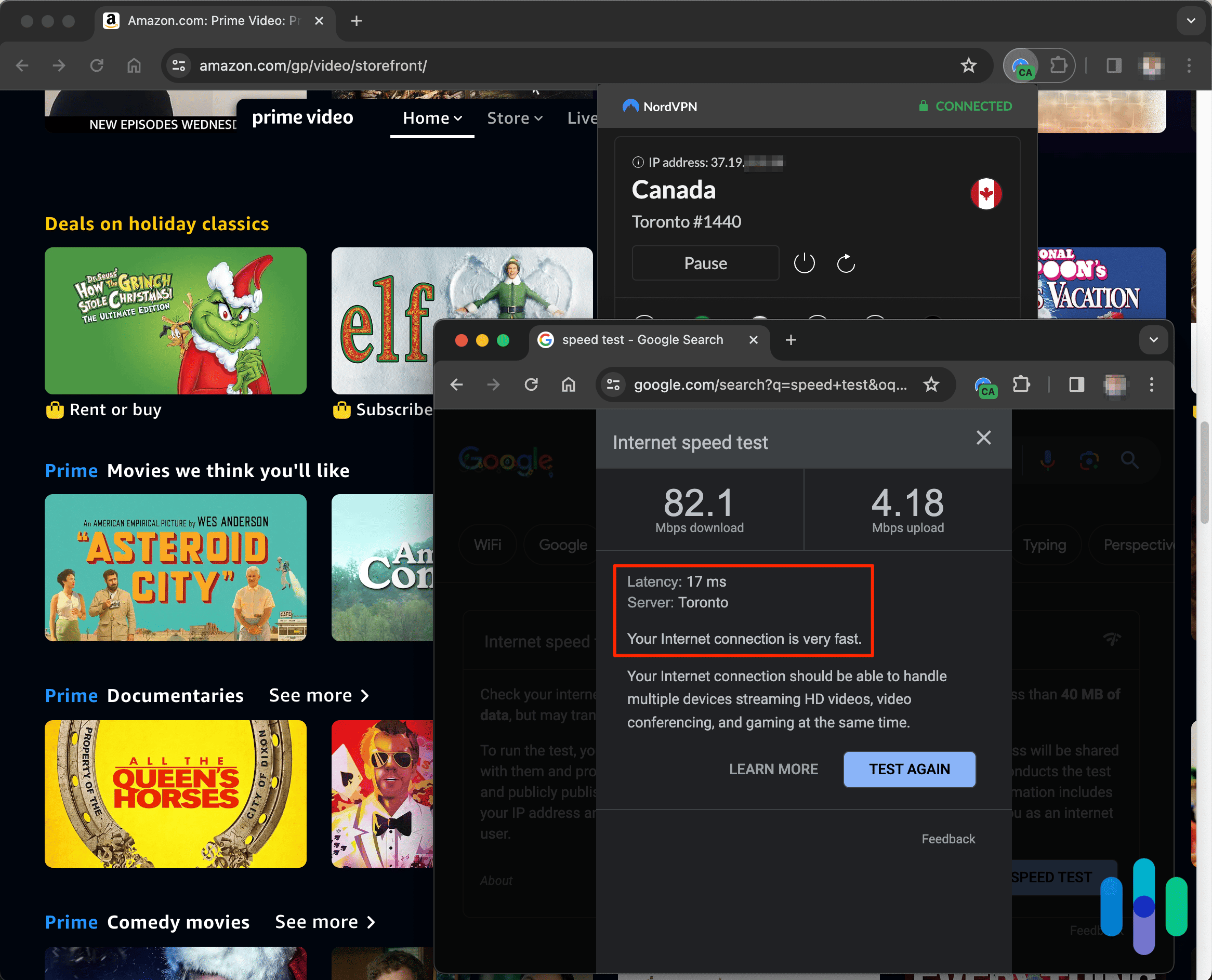
We spent thousands of hours researching over 50 VPNs, then selected the stealthiest for hands-on testing. Each VPN was used as our primary VPN for a minimum of one month, across multiple devices, with YouTube TV as the primary test case.
We ran each VPN through 20 test sessions across four different servers and logged success/failure, speed performance, and detection events. Tests were conducted both domestically (accessing different U.S. markets) and internationally (from the United Kingdom and Philippines).
How We Rank the Top VPNs for YouTube TV
- Streaming Performance and Stealth (40%): Reliability in unblocking YouTube TV was the primary criterion. We also measured streaming speed under real conditions and penalized VPNs that caused buffering on HD or 4K content.
- Security and Privacy (40%): A VPN’s main job is to keep our online activity absolutely private, so we looked closely at no-logs policies, jurisdiction outside surveillance alliances, audit history, server infrastructure, and leak test results.
- Pricing (20%): VPN pricing is a major consideration for all of us. We prioritized VPNs under $10 a month that offer meaningful money-back guarantees and VPNs with free trials.
>> Read More: Speed Test Results From the Top VPNs
Recap
YouTube TV is one of the best live TV streaming services available, but its multi-layer location detection makes it one of the hardest to unlock with a VPN. Of the VPNs we tested, we found NordVPN to be the most reliable domestically and internationally. Surfshark is the only one that solves YouTube TV’s GPS detection on Android, Proton VPN is best for smart TV coverage, and ExpressVPN’s Aircove router is the easiest solution for devices that don’t support native VPN apps.
Whatever your setup, the right VPN makes YouTube TV accessible from anywhere, while keeping your connection private.
FAQs
-
Which VPN works best with YouTube TV?
NordVPN is our top overall pick. For smart TV users specifically, Proton VPN is the better choice due to its native Android TV and Fire TV apps and U.S. city coverage.
-
Is it illegal to use a VPN with YouTube TV?
Using a VPN is legal under U.S. law, but it violates YouTube TV’s Terms of Service. The risk is content restrictions or location errors, not account bans or legal consequences.
-
What happens if YouTube TV detects my VPN?
YouTube TV will serve content for your detected location (your physical location or GPS coordinates) rather than your VPN server’s location. In some cases you’ll see a location error.
-
Can I watch local channels on YouTube TV when I travel?
Yes, with a VPN. Connect to a server in your home market city, and YouTube TV will serve you that market’s local affiliates on desktop and streaming devices. On mobile, watch YouTube TV in your browser for the most reliable results.
-
Can I use a free VPN for YouTube TV?
Technically yes, but there are limitations. Hotspot Shield’s free plan offers unlimited bandwidth but caps download speeds at 2 Mbps. YouTube TV requires at least 3 Mbps for SD and 7 Mbps for HD. You’re also limited to one server location.
-
DynaRisk. Netflix, Spotify & EA: discover the most ‘cyber-attacked’ brands.
dynarisk.com/resources/blog/discover-the-most-cyber-attacked-brands -
ExpressVPN. (2022). ExpressVPN’s protections examined in 2 new independent audits, by KPMG and Cure53.
expressvpn.com/blog/kpmg-privacy-policy-cure53-trustedserver-audit/ -
Spread Privacy. (2020). DuckDuckGo Tracker Radar Exposes Hidden Tracking.
spreadprivacy.com/duckduckgo-tracker-radar/