



Unlike most streaming devices (Fire TV, Android TV, etc.), Roku has no native VPN app support. That means you can’t just download a VPN app from an app store. To use a streaming VPN with Roku, you’ll need one of the three workarounds: a VPN router, a VPN-connected Windows computer as a hotspot, or a VPN’s SmartDNS feature.
It may not be as straightforward as using one on your PC, but connecting your Roku to a VPN is doable — and well worth the effort. A good VPN lets you unlock geo-restricted content, change your Netflix region, change your YouTube TV location, and protect the login credentials tied to your streaming accounts. In this guide, we’ll cover the three setup methods with step-by-step instructions and which of the top VPNs of 2026 to best use with Roku.
» Further reading: How to find the IP address on a Roku?
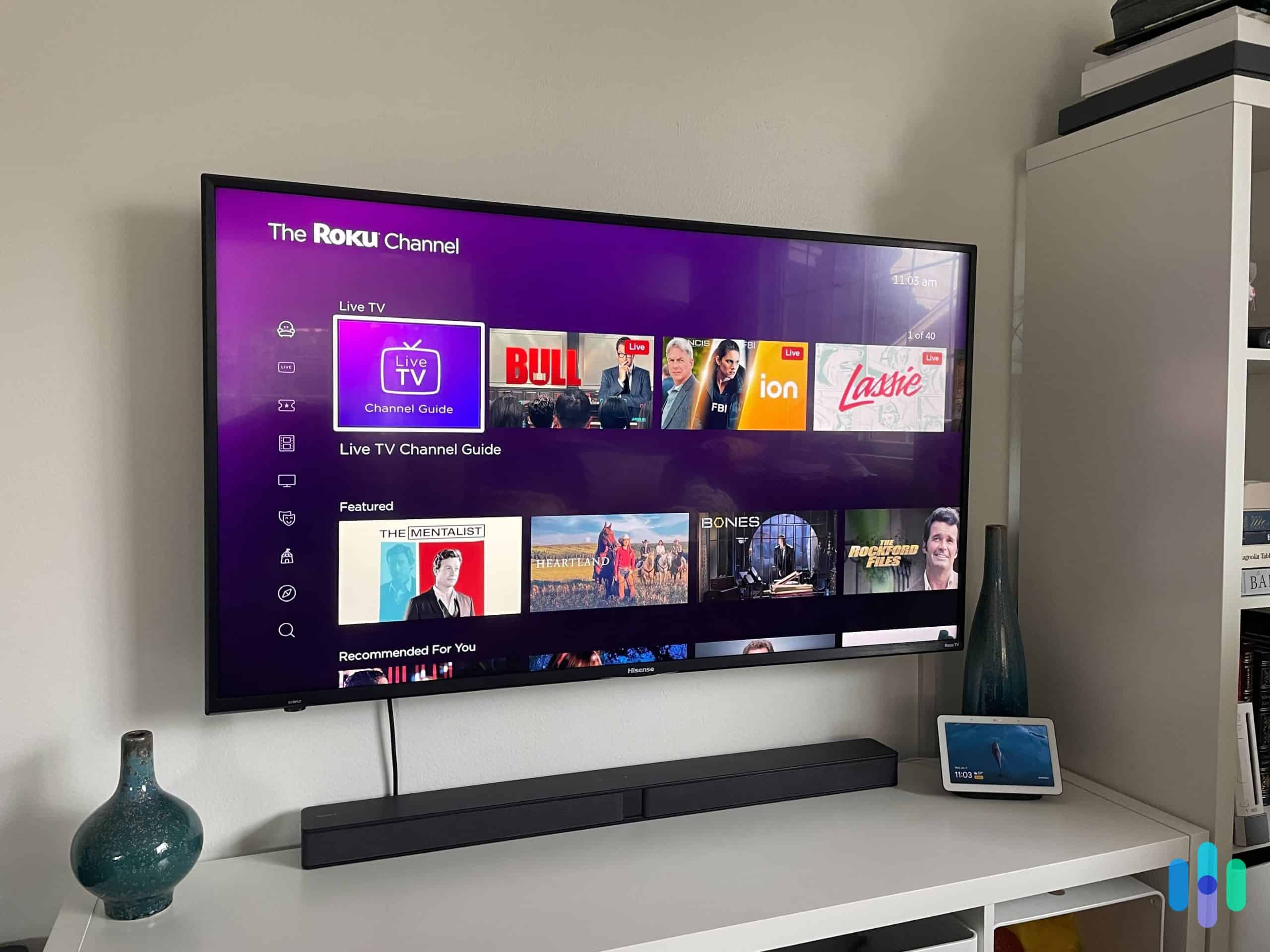
Choosing Your Roku VPN Setup Method
As mentioned above, there are three ways to get your Roku connected to a VPN. Each has different difficulty levels, costs, and trade-offs. We summarized them in the table below. Take a look:
| Method | Setup Difficulty | Est. Time | Full Encryption? | Easy Server Switching? | Best For |
|---|---|---|---|---|---|
| Physical VPN Router (e.g., ExpressVPN Aircove or manually configured router) | Easy (for pre-built VPN routers like Aircove)
Moderate to Hard (if you manually flash an existing router) |
~4 min (Aircove)
60+ min (manual) |
Yes | No — requires logging into router or app to switch servers | Always-on privacy; households with multiple devices |
| Virtual Router (Windows Hotspot) | Easy | ~10–30 min | Yes | Yes — change VPN server on your laptop at any time | Occasional streaming; users who already have a VPN subscription and a Windows PC |
| SmartDNS | Moderate | ~7 min (+ Roku factory reset) | No — location spoofing only, no encryption | No — limited to specific countries; changing requires another reset | Users who only need geo-unblocking and don’t need privacy or security features |
FYI: Unlike using a VPN with Amazon Fire TV Stick that runs on the Android-based Fire OS, Roku requires one of the workarounds above. If you want the simplest possible experience, ExpressVPN’s pre-configured Aircove router is the closest thing to a plug-and-play solution.
How To Set Up a VPN Router for Roku
A VPN router broadcasts a Wi-Fi signal that automatically routes all connected devices — including your Roku — through the VPN tunnel. It’s the most reliable long-term solution, offering always-on protection without the need to re-enable anything after a restart. The trade-off is that it’s the most technically involved setup. Before starting, we recommend reading our full guide to setting up a VPN on your router and our general VPN setup guide for context.
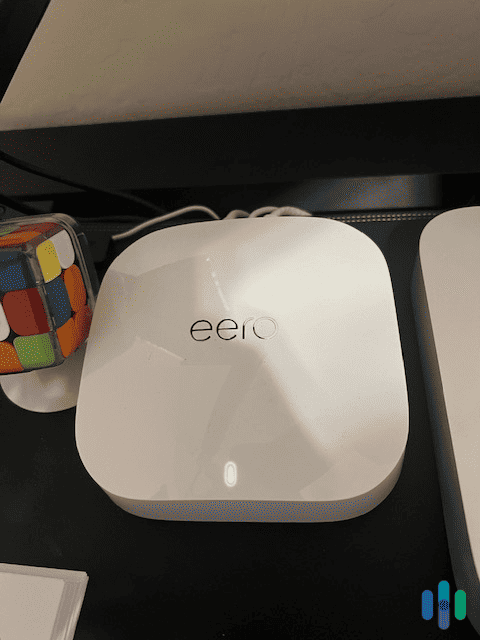
The setup process varies depending on your router model and VPN provider, but here are the general steps:
How To Set Up a VPN Router for Roku
- Launch any browser on your desktop.
- Enter your router's IP address in the URL bar to open its settings (usually 192.168.1.1 or 192.168.0.1).
- Log in with your admin credentials. If you've never changed them, check the back of your router or its box for the default username and password.
- If your router supports VPNs, you'll see a VPN tab in the settings. Enter the VPN configuration details provided by your VPN service. Contact your VPN provider's support if you need help finding these for your specific router model.
- If there's no VPN tab, your router's firmware doesn't support it. Your options are to purchase a VPN-compatible router (the Asus RT-AX58U or RT-AX88U Pro are solid choices that support both OpenVPN and WireGuard), or to flash your current router with DD-WRT or OpenWrt firmware. Fair warning: flashing can brick your router if done incorrectly.
- Another option is to “flash” your current router’s firmware, but be forewarned that it can damage your router permanently if done incorrectly. Head over to our VPN router setup page for a more detailed explanation of the process.
- Once configured, connect your Roku to the router's Wi-Fi network. All traffic will now pass through the VPN. Some VPN providers also let you request a static IP address for your router connection — useful if you want a consistent location. See our explainer on static vs. dynamic IP addresses to decide if that matters for your setup.
>> Related Reading: The Best VPN Routers of 2026
How To Use a VPN-Connected Laptop as a Hotspot
This method is the fastest way to get your Roku on a VPN without touching your router. The idea is simple: connect your Windows laptop to a VPN, then broadcast a Wi-Fi hotspot that your Roku connects to. Everything your Roku sends will pass through the VPN on your laptop. This works great for occasional streaming unlocks, and you can easily switch server locations by changing your VPN connection on the laptop.
Note that because traffic is routed through the laptop, then an encrypted tunnel, VPNs do use slightly more data when set up this way than an unprotected connection. This might occasionally affect your streaming quality, especially with older laptops with limited networking capabilities.
For a setup like this, you’d need a Windows 10 or Windows 11 laptop with Wi-Fi and mobile hotspot capability, as well as a VPN subscription.
- Connect your laptop to Wi-Fi.
- Launch your VPN app and connect to your desired server location.
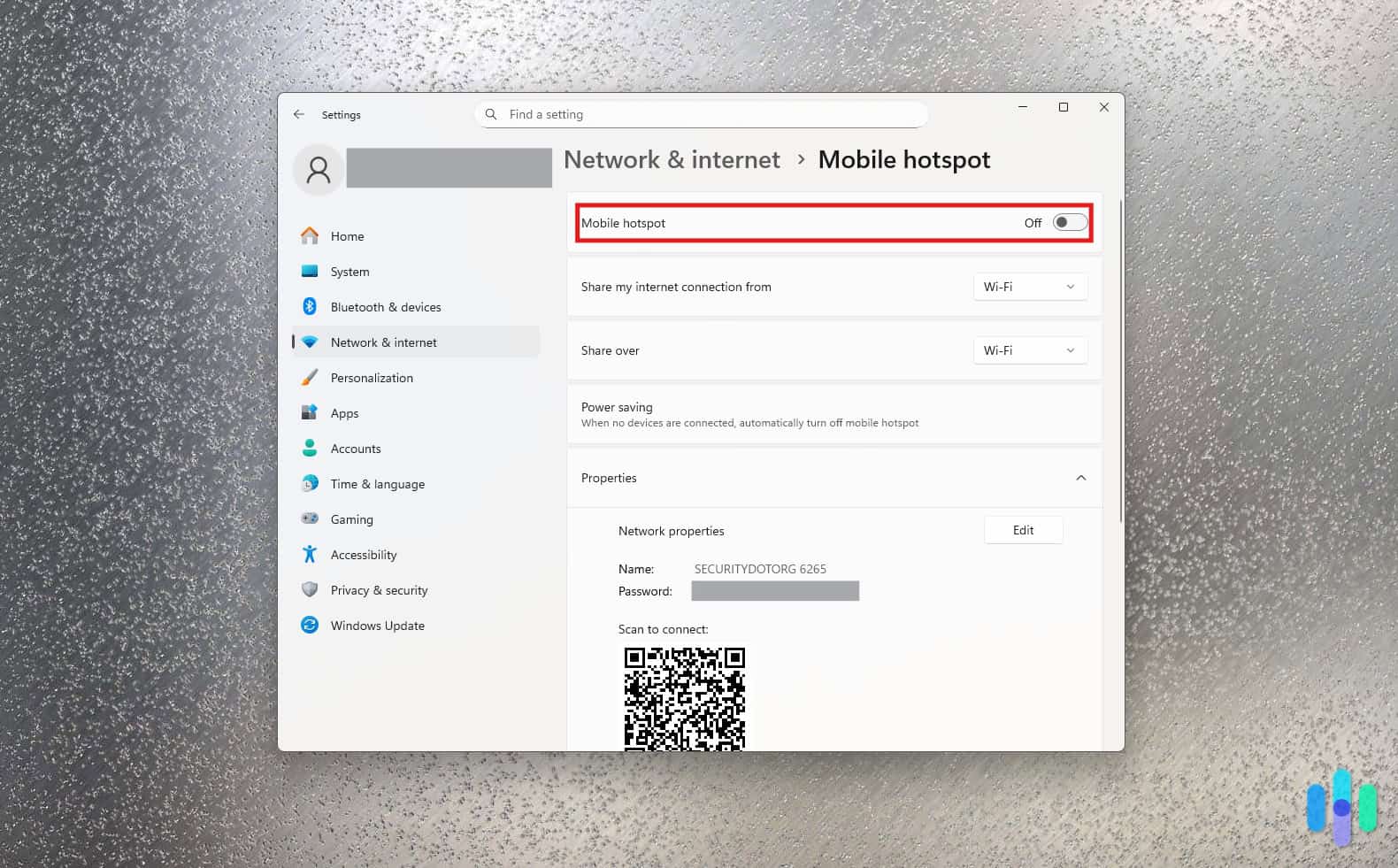
- Open Windows Settings and navigate to Network & Internet, then Mobile Hotspot.
- Toggle the Mobile Hotspot switch to On. The network name (SSID) and password will be displayed in this window.
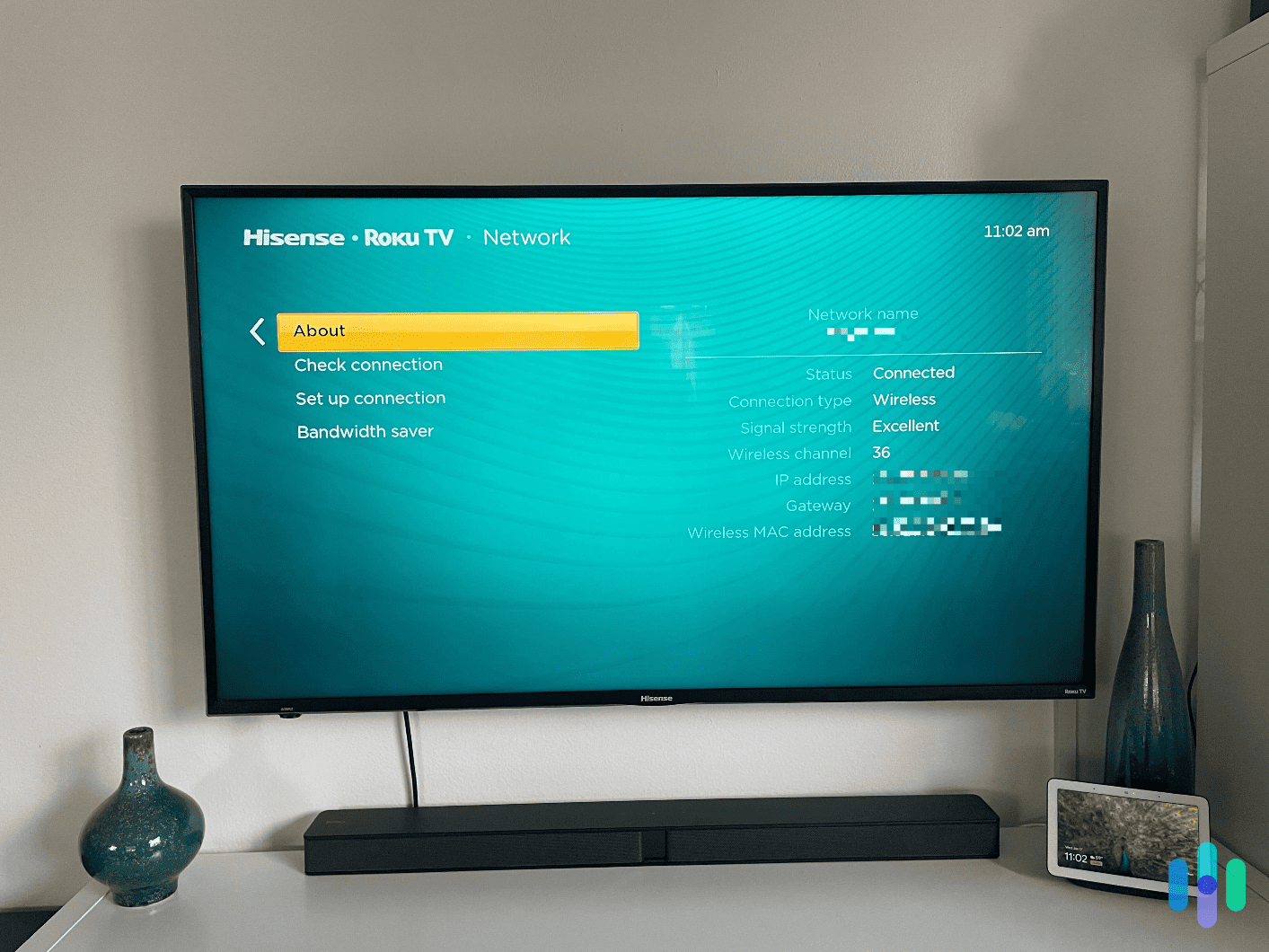
- On your Roku, go to Settings, then Network, and then Set Up Connection and connect to your laptop’s hotspot using the SSID and password.
- Your Roku is now routing through your laptop’s VPN connection. You can change your IP address location at any time by switching servers in your VPN app.
It’s that easy, and the best part is that you don’t need additional hardware. Just make sure to have a reliable VPN installed on your laptop. Check out the best VPNs for Windows for recommendations. If you’re on a Mac, see our guide to setting up a VPN on Mac for the Internet Sharing approach.
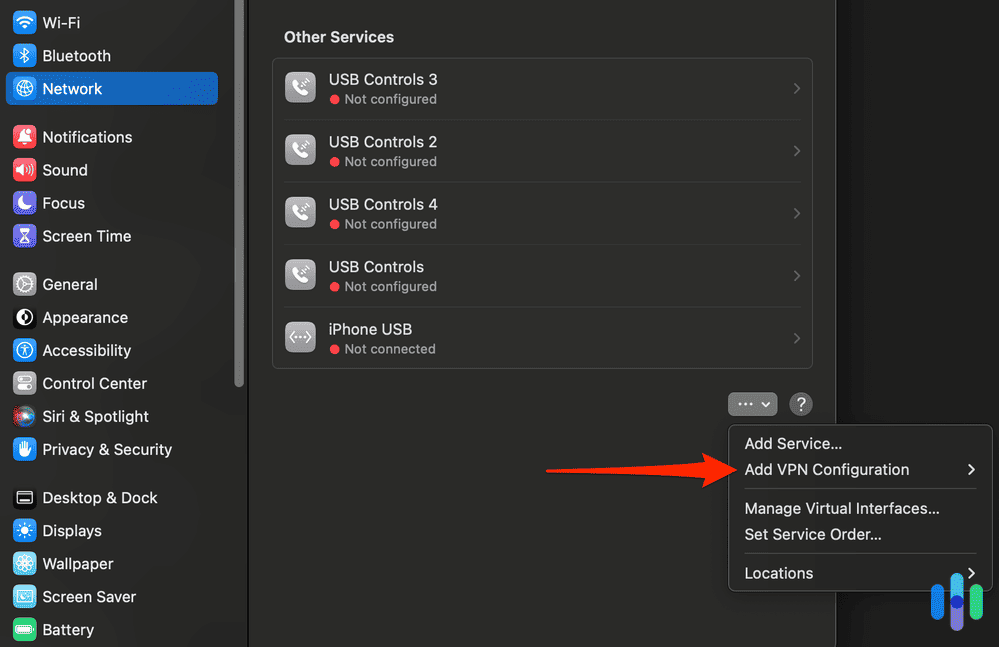
Pro Tip: Macs can also share a VPN connection, but your Mac needs to be connected to your router via Ethernet rather than Wi-Fi. On the latest macOS versions, go to System Settings, then General, then Sharing, and then Internet Sharing to set up a mobile hotspot.
How To Use Smart DNS on Roku
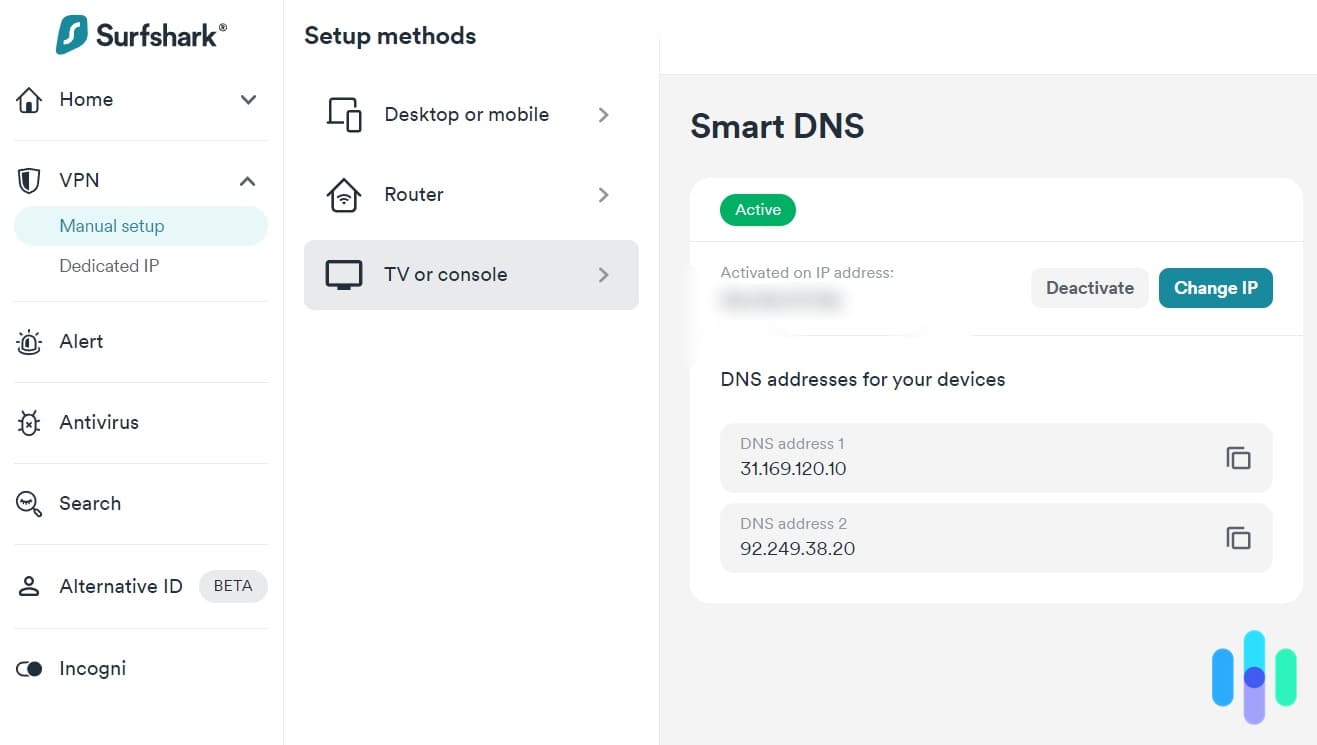
Smart DNS changes your Roku’s apparent location without routing all traffic through an encrypted VPN tunnel. It’s faster and simpler to configure than the router method, but it provides no privacy or security benefits you typically get from a VPN connection. SmartDNS only changes what region streaming services think you’re in.
We should also note that streaming services have gotten better at detecting DNS manipulation, so this method is less reliable than it used to be. Plus, VPNs that offer SmartDNS offer much more limited location options than their actual server locations. And one pretty major downside — setting up SmartDNS on Roku requires a factory reset every time, so it’s not ideal for region-hopping.
- Turn off your router and make sure your Roku isn’t connected to any network.
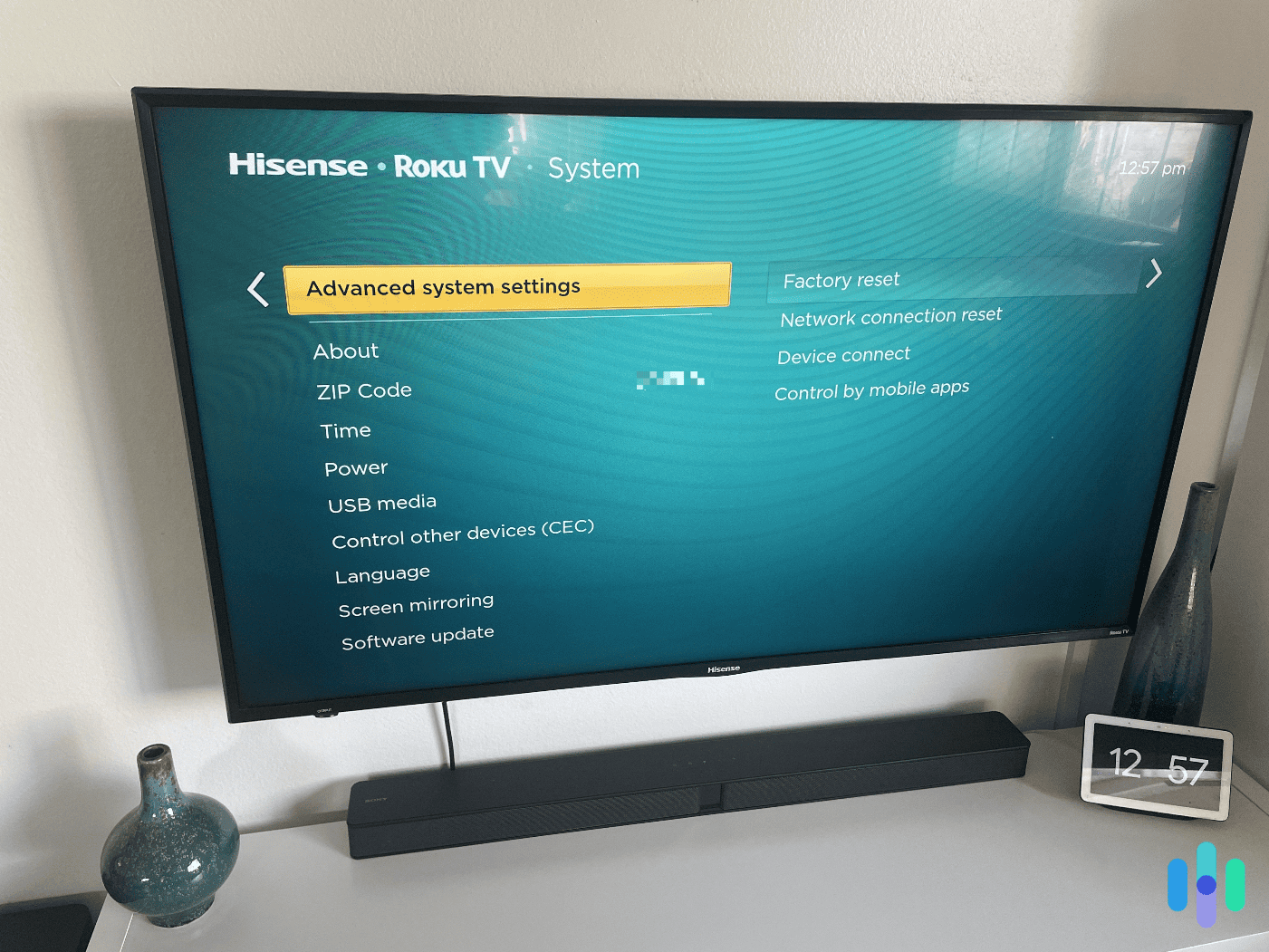
- On your Roku, go to Settings, then System, then Advanced System Settings, then Factory Reset, and then follow the prompts. This is required to apply the new DNS settings during the initial setup process.
- Turn your router back on.
- On a computer, log in to your VPN account dashboard and locate the Smart DNS address. With most providers (including CyberGhost) you’ll find this under DNS settings, streaming options, or Smart DNS in your account area.
- Open your router’s settings by typing its IP address (typically 192.168.1.1) into your browser.
- Find the DNS settings (usually under Advanced Settings) and disable automatic DNS.
- Enter the Smart DNS address from your VPN provider manually and save.
- Power on your Roku and complete the initial setup. When prompted for your region or location, enter the same country as your Smart DNS is configured for.
Privacy Warning: Smart DNS does not encrypt your internet connection. If you’re using Roku on a public or shared network, or if privacy is a concern, use the VPN router or hotspot method instead. Smart DNS is best suited for users on trusted home networks who only need to unlock content from specific regions.
Best VPNs for Roku: Comparison Table
Our VPN experts tested these six providers specifically for Roku compatibility, streaming performance, and ease of router setup — drawing on the same methodology behind our full best VPNs for streaming guide. Here’s how they stack up:
| Roku VPN Comparison | ExpressVPN | NordVPN | CyberGhost VPN | Surfshark | Proton VPN | IPVanish |
|---|---|---|---|---|---|---|
| Ranking | 1st | 2nd | 3rd | 4th | 5th | 6th |
| Rating | 9.1/10
Best VPN Router |
9.7/10
Best for International Content |
8.9/10
Best Quick Setup |
9.5/10
Most Secure VPN for Roku |
9.3/10
Best for WireGuard Router Setups |
9.3/10
Best for Multiple Devices |
| Best Monthly Price | $4.99/mo | $3.29/mo | $2.19/mo | $2.19/mo | $4.49/mo | $2.19/mo |
| Recommended Roku Setup Method | Pre-configured Aircove router | Manual router config, Windows hotspot, or SmartDNS | SmartDNS or manual router | Manual router config or Windows hotspot | WireGuard router (ASUSWRT, OpenWrt, etc.) | Virtual router (Windows hotspot) |
| Setup Difficulty | Easy (Aircove) / Medium (manual router) | Medium | Easy (SmartDNS) / Hard (full router) | Medium | Medium | Medium |
| Est. Setup Time | ~4 min (Aircove) / 60+ min (manual) | ~20 min | ~7 min (SmartDNS) | ~20 min | ~15 min | ~30 min |
| Servers | 3,000+ in 105 countries | 8,600+ in 129 countries | 11,000+ in 100 countries | 4,500+ in 100 countries | 16,000+ in 127 countries | 3,200+ in 75+ countries |
| Read Our Review | ExpressVPN Review | NordVPN Review | CyberGhost VPN Review | Surfshark Review | Proton VPN Review | IPVanish Review |
Our top recommendation: For most Roku users, ExpressVPN wins on ease of setup thanks to the Aircove router. If you want the best streaming performance with the widest content library, go with NordVPN. If price is your main concern, CyberGhost or Surfshark offer the best value at $2.19/mo on a two-year plan. Also worth comparing: Private Internet Access, which didn’t make our top six for Roku but is a strong all-around VPN.
A Closer Look at the Best VPNs for Roku



- ExpressVPN – Best VPN Router (Long-Term Setup)
- NordVPN – Best for International Streaming
- CyberGhost VPN – Best for Quick Setup (via SmartDNS)
- Surfshark – Best Privacy Features
- Proton VPN – Best Manual Router Setup (WireGuard)
1. ExpressVPN – Best VPN Router (Long-Term Setup)
ExpressVPN earns the top spot for Roku because it’s the only VPN on our list that sells a purpose-built, pre-configured router: the Aircove. Plug it in, connect your Roku, and you’re done. It requires no networking knowledge; just an additional $189.99 hardware cost . In our testing it took about four minutes from unboxing to a working VPN connection on Roku. For comparison, manually configuring a router took us closer to 40 minutes, and that’s if everything goes smoothly, which rarely happens for manual VPN router setups.
Beyond the hardware, we found ExpressVPN’s streaming performance excellent. Its proprietary Lightway protocol is fast and difficult for streaming platforms to detect. For streaming services with aggressive VPN blocks, obfuscation is also available to hide your VPN connection. With servers in 105 countries, you’ll have access to a wide range of international content libraries. Our Windows speed tests also showed only a modest download speed drop from 62.88 Mbps to 39.77 Mbps. That’s still perfectly adequate for 4K streaming. ExpressVPN is the most expensive option on this list, so check out ExpressVPN’s pricing and plans to decide if the added convenience justifies the cost.
Roku setup method: Purchase the Aircove router (ExpressVPN subscription included) or use a manually configured compatible router. SmartDNS and Windows hotspot are also available.
Setup difficulty: Easy (Aircove) / Moderate (manual router)
What We Like
- Aircove router eliminates all setup complexity
- Lightway protocol bypasses most VPN blocks
- Available obfuscated servers
- 105-country server coverage
What We Don’t Like
- Most expensive on this list
- Aircove is an extra hardware cost
- Only 10 simultaneous connections
- No phone support
2. NordVPN – Best for International Streaming
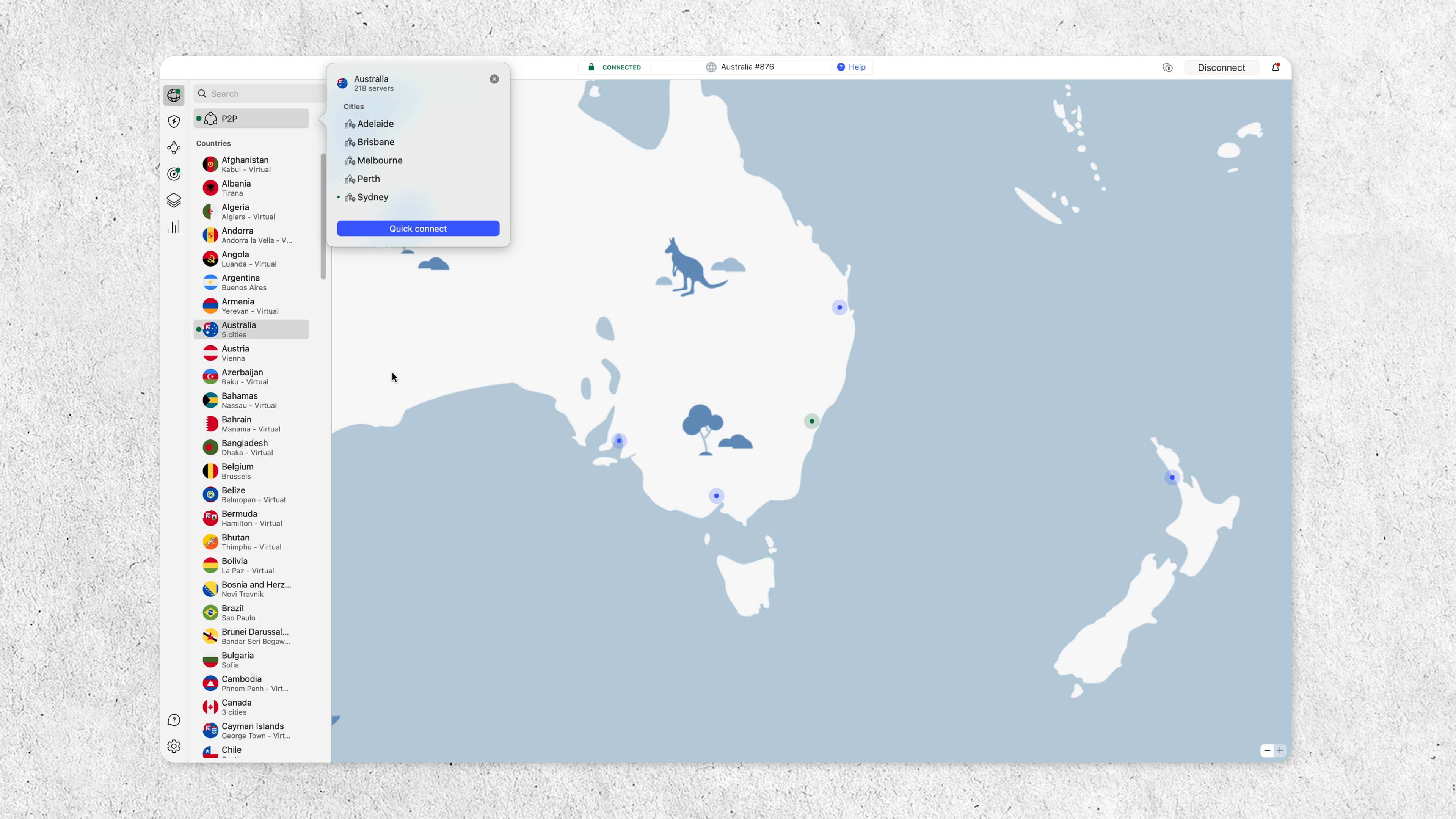
We recommend NordVPN to Roku users who want to access streaming libraries from around the world. With servers in 129 countries — more than any other VPN on this list — it gives you the most international content access. Its proprietary NordLynx protocol (also WireGuard-based) is fine-tuned for both speed and streaming platform bypass, and in our tests it reduced download speeds by just six to eight percent, making it one of the fastest VPNs we’ve reviewed.
For Roku specifically, NordVPN’s server obfuscation is a standout feature. It hides the fact that you’re using a VPN at all, which is essential for platforms like Disney+ that actively block VPN traffic. The main drawback is that NordVPN doesn’t offer a pre-configured router like ExpressVPN’s Aircove, so you’ll need to configure it manually on a compatible router (Asus RT-AX58U, RT-AX88U Pro, or similar) or use the Windows hotspot method. See NordVPN’s pricing and plans to find the right tier for your needs.
Roku setup method: Manual VPN router configuration or Windows laptop hotspot. SmartDNS is also available.
Setup difficulty: Moderate (manual router) / Easy (Windows hotspot)
What We Like
- Widest server coverage (8,600+ servers, 129 countries)
- Fastest speeds on this list (~6% download loss)
- NordLynx protocol bypasses most streaming blocks
- Server obfuscation for resistant streaming platforms
What We Don’t Like
- No pre-configured router option
- No split tunneling on Apple products
- Higher single-month price than others on this list
3. CyberGhost VPN – Best for Quick Setup (via SmartDNS)
CyberGhost’s biggest advantage for Roku users is its SmartDNS feature, which is the fastest way to geo-unlock content on Roku without touching your router’s firmware. Setup took us about seven minutes in testing. The trade-off is that SmartDNS doesn’t encrypt your connection — it only spoofs your location — and it’s limited to four countries: the U.S., U.K., Germany, and Japan. For many streaming use cases (like accessing U.S. Netflix or BBC iPlayer), that’s enough.
CyberGhost also has the largest raw server count on this list at 11,000+ across 100 countries, and its download speeds are excellent — we measured only a 10% speed loss in testing. 4K streaming remained smooth even on our 100 Mbps home network. For users who want quick, low-hassle setup and mainly care about U.S. and U.K. content, CyberGhost is the most practical choice on this list. See our full breakdown of CyberGhost’s pricing and plans for details. And if you’re wondering how it compares to ExpressVPN (another easy-setup solution), read our CyberGhost vs. ExpressVPN comparison.
Roku setup method: SmartDNS or Windows hotspot. Manual router configuration is also available.
Setup difficulty: Easy (SmartDNS) / Moderate (Windows hotspot) / Hard (full router)
What We Like
- SmartDNS is the simplest Roku setup; it takes 7 minutes
- Fast download speeds (~10% loss)
- 45-day money-back guarantee
- Very affordable at $2.19/mo
What We Don’t Like
- SmartDNS limited to 4 countries
- No encryption via SmartDNS
- No obfuscated servers
- Slow upload speeds
4. Surfshark – Best Privacy Features
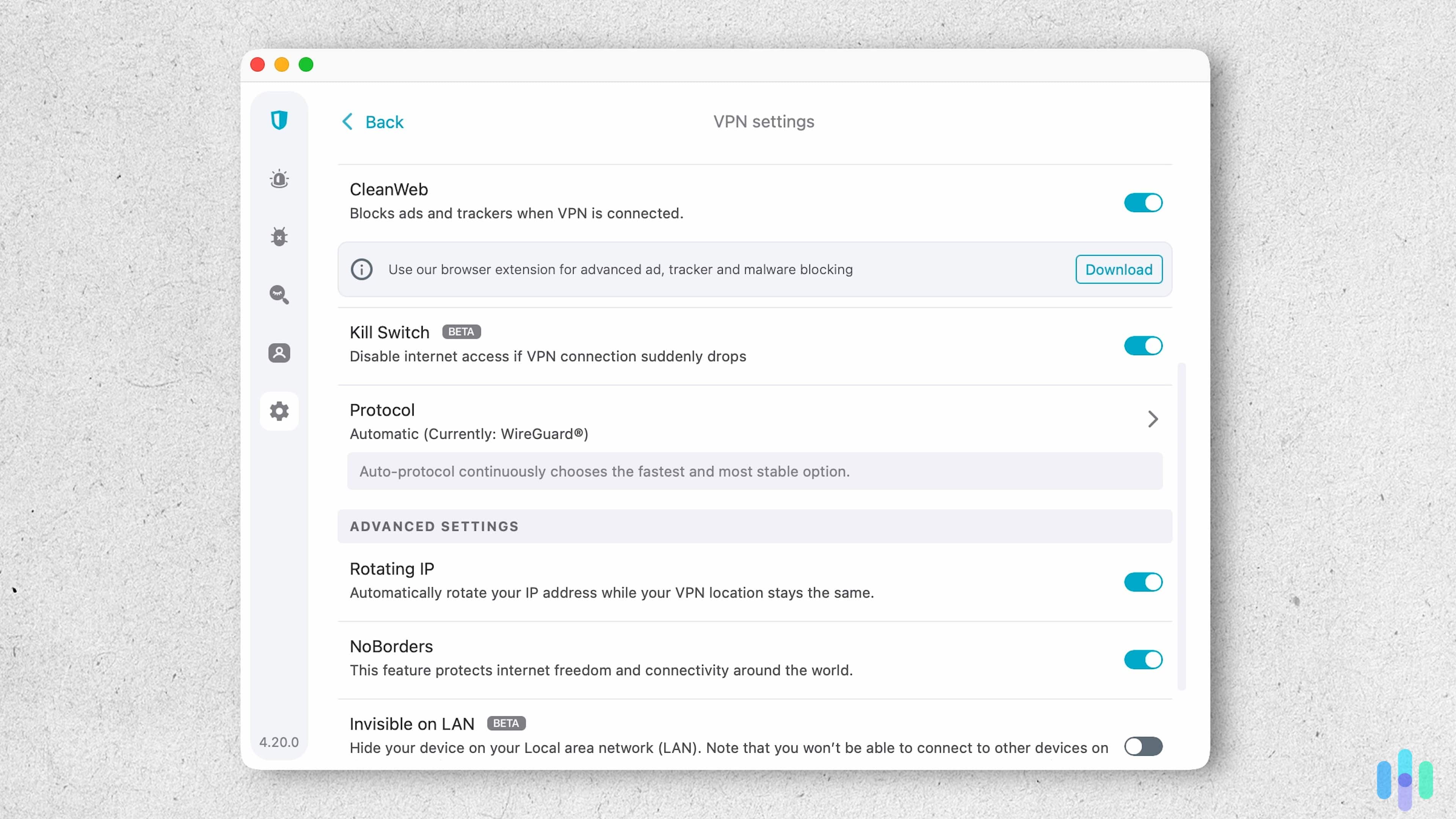
For Roku users who want both strong streaming capabilities and privacy features, Surfshark is our recommendation. It includes some of the sturdiest privacy features we’ve tested — Camouflage Mode (always-on obfuscation) and NoBorders mode, which automatically connects to the safest available server if Surfshark detects a firewall or block. Surfshark also bundles in malware blockers, tracker disablers, and optional identity theft protection.
For Roku setup, you’ll use the same manual router or Windows hotspot method as NordVPN. Surfshark doesn’t offer a pre-configured router and recently dropped SmartDNS support. On the performance side, its 10 Gbps server bandwidth means you’re unlikely to experience buffering, and in our tests download speeds dropped by just 8 to 17 percent — more erratic than NordVPN and CyberGhost, but still well within range for 4K streaming. See Surfshark’s pricing and plans for a full breakdown of subscription tiers.
Roku setup method: Manual VPN router configuration or Windows laptop hotspot.
Setup difficulty: Medium
What We Like
- Always-on Camouflage Mode (obfuscation)
- NoBorders mode auto-bypasses network and ISP blocks
- Unlimited simultaneous devices
- 10 Gbps server bandwidth
What We Don’t Like
- No pre-configured router option
- Smaller server fleet than NordVPN (4,500 vs. 8,600)
- No phone support
5. Proton VPN – Best Manual Router Setup (WireGuard)
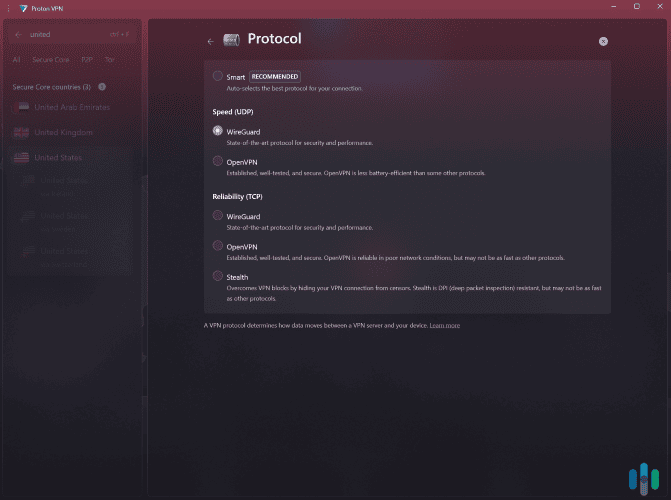
Proton VPN is the best choice if you already have a compatible router and want a fast, modern connection protocol. Most VPNs that support router setups only allow the reliable but slower OpenVPN protocol. Proton VPN uniquely supports WireGuard router setups, which is significantly faster for streaming, and is compatible with ASUSWRT, MikroTik, OpenWrt, and pfSense router firmware. In our testing, WireGuard delivered 4K video on Roku without any buffering, and all videos loaded in under six seconds.
Proton VPN provides excellent step-by-step router setup tutorials with screenshots that make the process approachable. It took us less than 15 minutes to set up on an ASUS router — faster than any other manual router configuration we’ve done. It also works with over 90 streaming services, including Netflix, Disney+, Max, and Hulu. One note: unlike most free VPNs, Proton VPN’s free plan doesn’t support streaming, so you’ll need a paid subscription — see Proton VPN’s pricing and plans for a full breakdown of tiers.
FYI: A peer-reviewed study in Computers (MDPI) found WireGuard achieved nearly double OpenVPN’s throughput in controlled testing — the result of a leaner architecture that runs inside the OS kernel rather than in slower user space.1
Roku setup method: WireGuard or OpenVPN manual router setup (ASUSWRT, MikroTik, OpenWrt, pfSense).
Setup difficulty: Medium (~15 min with tutorials)
What We Like
- Only VPN here supporting WireGuard router setups
- Works with 90+ streaming services
- Excellent router setup tutorials with screenshots
- Fast WireGuard speeds (8% download loss) — on par with NordVPN and Surfshark
What We Don’t Like
- Free plan doesn’t support streaming
- 30-day money-back guarantee is prorated
- No pre-configured router option
Factors To Consider When Choosing a Roku VPN
Not all VPNs are equally well-suited for Roku. Based on our hands-on testing, here’s what matters most when you’re evaluating your options for a streaming-focused device like Roku:
Router Compatibility and Setup Method
This is the single most important factor for Roku. Because Roku doesn’t support VPN apps, every VPN on your shortlist needs to support at least one of the three workarounds: physical router installation, virtual router (hotspot), or SmartDNS. Check that your VPN offers detailed setup tutorials for whichever method you plan to use. Proton VPN, for example, provides thorough guides with screenshots for WireGuard router setups across multiple router firmware types. That kind of documentation made the difference between a 15-minute setup and a multi-hour headache for us.
Streaming Performance and Speed
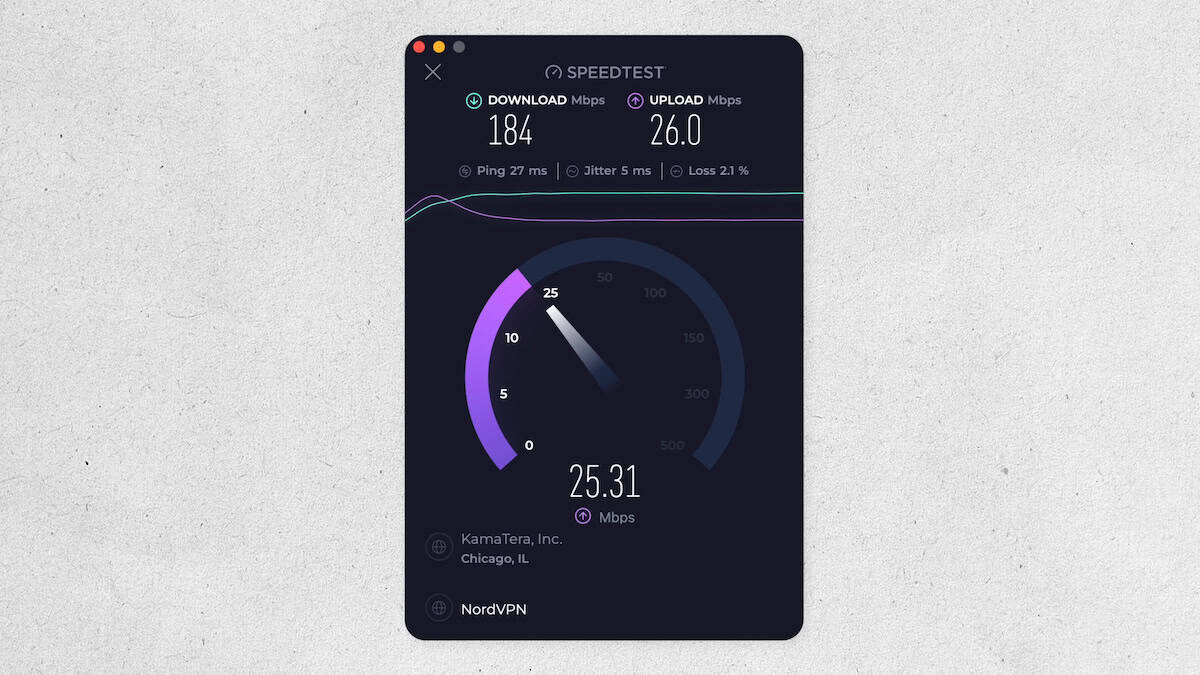
All VPNs slow your connection somewhat — the question is by how much. For 4K streaming on Roku, you generally want at least 25 Mbps download speed with the VPN active. Our speed tests ranked NordVPN and Proton VPN as the best performers, with just six to eight percent download speed reduction on average. Both VPNs made our list of fastest VPNs. ExpressVPN and Surfshark are also strong, while IPVanish has more variability across platforms. On the flip side of the coin, avoid budget or free VPNs, as they often throttle speeds to the point where even HD streaming becomes unwatchable.
Server Obfuscation
Streaming services like Netflix, Hulu, and Disney+ actively detect and block VPN traffic — and the same applies if you’re trying to access ESPN+ or international libraries like Korean streaming content. Server obfuscation — sometimes called Stealth Mode or Camouflage Mode — disguises your VPN traffic as regular internet data, making it much harder for platforms to identify and block it. We found NordVPN and Surfshark as the strongest performers here. NordVPN can add SSL/SSH encryption layers to obscure VPN metadata, while Surfshark’s Camouflage Mode activates automatically without any extra configuration from you.
Server Network Size and Coverage
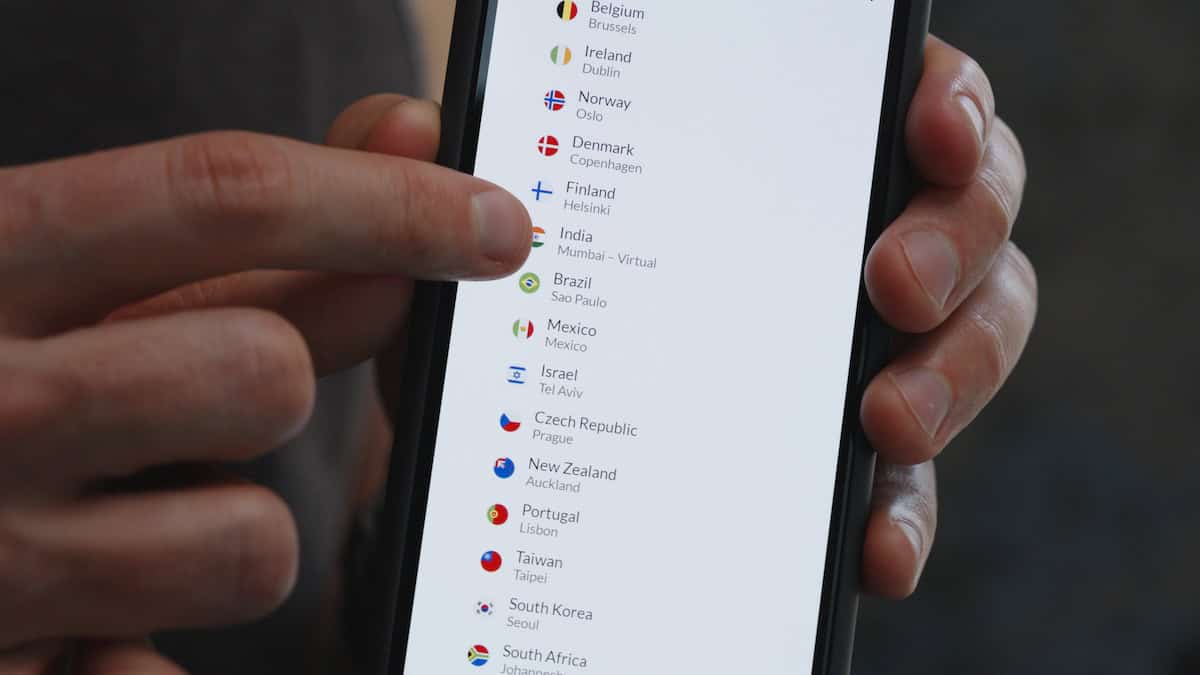
A larger, more geographically diverse server network means more international content libraries you can access from your Roku. Proton VPN leads with 16,000+ servers in 127 countries, NordVPN follows with 8,600+ across 129 countries. More servers also mean less overcrowding, which helps maintain consistent speeds during peak hours. If international streaming is your primary use case, server coverage should be near the top of your decision criteria. For users who want to go further and browse in complete anonymity, server count also affects how well a VPN can hide your browsing history from your ISP.
Security and Privacy
Look for VPNs that use AES-256 or ChaCha20 VPN encryption and support modern VPN protocols like WireGuard or their own proprietary equivalent (NordLynx, Lightway). A reliable kill switch — which cuts your internet connection if the VPN drops, preventing any unencrypted data from leaking — is also important. For privacy, favor VPNs headquartered outside Five Eyes countries (the U.S., U.K., Canada, Australia, and New Zealand), which can be required by law to share user data with government agencies. ExpressVPN, NordVPN, Surfshark, and Proton VPN are all based in privacy-friendly jurisdictions.
Price
VPN pricing varies significantly by subscription length. Month-to-month plans typically run $12–$15/mo; two-year plans can drop to $2–$5/mo. Check out our full VPN pricing guide for a complete breakdown.
The best value options on our list are CyberGhost, Surfshark, and IPVanish at $2.19/mo on two-year plans — or see our most affordable VPNs for budget picks beyond this list. ExpressVPN is the most expensive at $4.99/mo on a two-year plan, but includes the Aircove router option that eliminates setup friction entirely. If you’d prefer to test before committing, our guide to VPNs with free trials lists options where no money changes hands upfront. Check out our guide to VPN deals and discounts for current promotional pricing.
Recap
Using a VPN with Roku takes a bit more effort than on other streaming devices, but as we’ve shown, it’s far from impossible, and the payoff in terms of content access and privacy is worth it. The right VPN for you comes down to three things: how much setup complexity you can tolerate, which streaming libraries you want to unlock, and how much you want to spend. If you’re willing to put in 15 to 20 minutes of configuration, nearly every option on this list will serve you well. If you want something closer to plug-and-play, your choices narrow quickly. Either way, ExpressVPN, NordVPN, CyberGhost, Surfshark, Proton VPN, and IPVanish are all solid picks — it’s just a matter of matching the right one to your situation.
Frequently Asked Questions
-
Do VPNs work on Roku devices?
Yes, VPNs work on Roku, but not through a native app. Roku doesn’t support VPN applications from its Channel Store. Instead, you’ll connect your Roku to a VPN using one of three methods: a VPN-configured router, a Windows laptop working as a Wi-Fi hotspot, or SmartDNS. Each method has different difficulty levels and trade-offs.
-
Does my Roku need VPN protection?
Strictly speaking, a VPN isn’t required to use Roku, but your Roku traffic includes login credentials for your streaming accounts, and if you’re on a shared or unsecured network, that data can be intercepted. A VPN also lets you bypass geo-restrictions and licensing limitations, unlocking streaming libraries from other countries. For most users, the combination of added privacy and expanded content access makes a VPN worth having.
-
Are there streaming devices with native VPN support?
Yes. Devices running Android TV OS or Amazon Fire OS have app stores where you can download VPN apps directly. These include the Amazon Fire TV Stick 4K Max, Fire TV Cube, NVIDIA Shield TV, and Chromecast with Google TV. If you want the simplest possible VPN setup for a streaming device, one of these may be a better fit than Roku.
-
Will I get in trouble for streaming with a VPN?
It’s unlikely, but there’s nuance. Using a VPN to access geo-restricted content technically violates most streaming services’ terms of service. The realistic consequence is that the platform detects your VPN and blocks you from accessing content, rather than any legal action. Streaming services have no interest in taking legal action against individual users; they simply block VPN IP addresses. The worst-case outcome is that you can’t access the content, at which point switching servers or using a VPN with strong obfuscation (like NordVPN or Surfshark) usually resolves it.
-
Can I use Roku to access U.S. content when I'm abroad?
Yes. Connect your Roku to a VPN (via router or hotspot) and select a U.S.-based server. Your Roku will appear to be located in the United States, giving you access to U.S.-only streaming libraries on Netflix, Hulu, HBO Max, and others. NordVPN and ExpressVPN are our top picks for this use case, as both maintain reliable U.S. server connections and bypass streaming platform VPN detection effectively.